
Subbly Review: The Subscription-First Commerce Platform That Tries to Replace “Plugin Soup”

Verdict (overall): 8.7/10
Best for: DTC subscription brands (subscription boxes, memberships, consumables, “subscribe & save”) that want an all-in-one stack with strong checkout + retention tools.
Subbly positions itself as the “subscription-first” alternative to stitching together a storefront, subscription app, checkout customization, churn tools, email automation, analytics, shipping workflows, and customer portal. In plain terms: it wants to be the platform you run your subscription business on—without duct-taping 8–12 add-ons.
Subbly
Subbly also leans heavily into the idea that subscription businesses fail for predictable reasons: churn, clunky checkout, and operational complexity. So it tries to solve those directly with built-in retention tooling (cancellation flows, dunning, churn insights) plus funnel/upsell mechanics and a customer portal. More recently, it has added an AI Add-on (including an AI website builder and predictive churn capabilities) as a paid bolt-on.
Subbly
With Subbly, users can either create the store from scratch or add it to any existing website by embedding the checkout on the website. Sell subscriptions and one-time products seamlessly together, to maximize profit and revenue. Collect customers' data and deliver a unique experience to them as well as better understand customers’ behavior to help improve your business and their experience. Highly customizable options for recurring billing and shipping intervals mean users can offer the exact business model they envisaged. Customers card will be billed automatically. Set re-billing (renewals), cut-off and shipping dates to streamline the cash flow with payment…
• Drag & drop survey builder and customizable subscription flows
• Recurring automated billing
• Analytics: Get statistics such as the number of visits to the shop
• Order management system: Manage orders efficiently in one place
• Automated editable email notifications
• HTML/CSS code editor for custom designs
• Checkout Only - $14 / month
• Website + Checkout - $29 / month
• Analytics: Get statistics such as the number of visits to the shop
• Order management system: Manage orders efficiently in one place
• Automated editable email notifications
• Learn about customers: Collect information from customers to personalize their experience
• Multi-lingual & International support: Internationalize your website with ease
• 100% Secure: Be confident that customers are safe
What you’ll get in this review
- Introduction + quick verdict
- Overview and company background
- Pricing and plans (with a detailed comparison table + hidden costs)
- Setup and onboarding experience
- UI and ease of use (with suggested screenshots)
- Core features breakdown (subscription engine, checkout, customer portal, retention, marketing, ops)
- Advanced features and integrations (including a top integrations table)
- Performance, reliability, and security
- Customer support and learning resources
- Pros and cons
- User reviews and ratings summary
- Alternatives and comparisons (side-by-side table)
- Who Subbly is best for (and who should avoid it)
- Final verdict + recommendations
- FAQ (15 questions)
Introduction
The pain point Subbly is trying to solve
If you’ve ever tried to launch (or migrate) a subscription business on a general ecommerce platform, you’ve probably run into at least one of these:
- Checkout friction (extra steps, mismatched branding, limited localization, poor upsell logic)
- Churn that feels invisible until it’s too late (failed payments, weak cancellation flows, no structured churn reasons)
- “Plugin soup”: a subscription app, a bundles app, a funnel app, a portal app, a shipping app, analytics… and none of them agree on data models or UX
- Operational drag: managing renewals, cut-off dates, shipping windows, customer changes, and failed payments without a system
Subbly’s pitch is simple: subscriptions are a different animal, so the platform should be built around them from day one—not bolted on later. The homepage explicitly markets “20k+ users” and “no plugins needed,” and it promotes a free trial to reduce the barrier to testing.
What Subbly is (and who it’s for)
Subbly is an all-in-one subscription-first commerce platform designed primarily for:
- Subscription box businesses
- Membership and recurring access businesses
- Consumables and replenishment (“subscribe & save”) brands
- Multi-step subscription offers (bundles, add-ons, upsells, funnels)
It offers both:
- A full platform experience (website builder + store + subscriptions), and
- A “Lite plan” designed for teams that already have a sales channel and just want subscription checkout/portal embedded into an existing site.
Teaser verdict
Subbly earns an 8.7/10 in this review because it does many of the hardest subscription things well (checkout + portal + retention workflows) while staying accessible to small teams. The tradeoff is that you’re buying into Subbly’s “one platform” philosophy—so if you need a massive app marketplace, or you want the flexibility of a composable stack, you may prefer Shopify + Recharge or a dedicated billing platform like Chargebee.
Overview and Company Background
Company history and footprint
Subbly operates as SUBBLY LIMITED in the UK; Companies House lists it as an active private limited company incorporated on 15 January 2016, with a registered office address in Edinburgh, Scotland.
Subbly’s LinkedIn listing shows locations in Los Angeles (primary) and Edinburgh, which aligns with the company having a presence across the US and UK.
On the product side, Subbly markets itself as having “20k+ users over 11+ years” and promotes its support/community ecosystem (including a Facebook group).
Target audience and market positioning
Subbly’s positioning is not “generic ecommerce.” It’s very deliberately:
- Subscription-first: subscriptions are core, not a feature
- All-in-one: reduce the need for external apps/plugins
- DTC-friendly: focused on practical workflows (shipping windows, portals, failed payments, churn offers)
- Checkout-centric: much of the product story revolves around improving conversion and retention at checkout and post-purchase
This is reinforced by the presence of:
- Subscription checkout messaging (e.g., “built on top of Stripe’s subscription API,” “scalable,” “99.9% uptime”)
- Plan structure that includes funnels, surveys, upsells, and churn tooling in pricing comparisons
- An AI Add-on that focuses on predictive churn and customer messaging
High-level differentiators (vs. competitors)
At a high level, Subbly stands out by combining:
- Subscription checkout + customer portal as first-class features (including embeddable models).
- Retention tooling baked into the platform (dunning/cancellation workflows are part of the ecosystem, not separate products).
- Marketing mechanics built for subscriptions: funnels, offers, surveys, add-ons/upsells.
- A hybrid model: use Subbly as the full platform or embed checkouts/portal into an existing website via Lite/checkout-only mode.
Pricing and Plans
Subbly’s pricing is best understood like a subscription business itself: there’s a base platform fee, and then there are transaction fees and optional add-ons.
The plans (what exists today)
From Subbly’s pricing pages, you’ll see these main tiers:
- Lite (checkout + portal focus, designed for existing sales channels)
- Basic
- Subbly (often positioned as “most popular”)
- Advanced
- Subbly X (tailored / higher-touch / enterprise-style starting “from $499”)
Third‑party platforms like Capterra and Software Advice list the standard 4-plan structure (Lite/Basic/Subbly/Advanced) and confirm the existence of a free trial.
Pricing comparison table (publication-ready)
Note: Subbly pricing is typically flat-rate per month, not per agent/user like a helpdesk. Some feature areas (like users/roles, funnel counts, etc.) appear in plan comparisons, but the base pricing is not “per seat.”
| Plan | Monthly price (USD) | Annual equivalent (USD/month) | Transaction fees (Subbly-side) | Best for |
|---|---|---|---|---|
| Lite | $19/mo | $14/mo billed annually | 2% + $0.19 per transaction (+0.25% for non-Stripe payments) | Existing storefronts that want to embed subscription checkout + portal fast |
| Basic | $39/mo | $29/mo billed annually | Typically 1% for Stripe; 1.25% for PayPal/Braintree on Basic (per support docs) | Newer subscription brands building their main site + store inside Subbly |
| Subbly | $79/mo | $59/mo billed annually | Typically 1% for Stripe; PayPal/Braintree often 1.25% on this tier (per support docs) | Growing teams that need more “growth tools” (funnels, multi-currency, etc.) |
| Advanced | $159/mo | $119/mo billed annually | Typically 1% (Stripe); 1% PayPal on Advanced per PayPal setup doc | Higher-volume brands that want deeper retention + operational flexibility |
| Subbly X | From $499/mo | Not clearly listed as an “annual equivalent” on the captured section | Variable (0.25%–1% shown on pricing table areas) | Established businesses needing tailored solutions + hands-on support |
Feature-based limits you should actually care about
Pricing tables are useful, but subscription businesses usually break platforms on the same pressure points:
- Catalog scale (SKUs, product variants, bundles)
- Shipping complexity (regions, methods, cut-off logic)
- Growth tooling at checkout (upsells, surveys, funnels)
- Retention workflows (failed payments, cancellation offers)
- Integrations (shipping, email, analytics, support)
Subbly’s pricing page shows SKU limits by plan—for example 20 SKUs on Basic, 100 on Subbly, 500 on Advanced, and unlimited on Subbly X. If your business has lots of variants (e.g., customizable boxes, multi-product bundles, flavors/sizes), SKU limits can matter more than “number of products.”
Hidden costs (what most buyers miss)
Here’s where subscription software pricing gets real. Expect the following “extras” in your cost model:
- Payment processor fees (not included): you’ll still pay Stripe/PayPal/etc.
- Subbly transaction fees (plan + gateway dependent): Subbly’s help center provides examples of how fees stack and how gateway differences apply.
- Referral tool transaction fees (additive): using Subbly’s referral tool can add an additional referral transaction fee (e.g., 5% Lite/Basic, 4% Subbly, 3% Advanced) on top of the regular Subbly fee.
- AI Add-on ($59/month) is separate billing: billed independently, not prorated/refundable, and can add auto-charges for additional usage (per the support doc).
- Upsell transaction limits (Basic nuance): some upsell functionality may be capped on Basic (example: up to 10 successful upsell transactions/month) with unlimited usage on Subbly/Advanced.
Value-for-money analysis (who each plan fits)
Think of Subbly plans like levels in a game: each one removes a bottleneck.
- Lite is for speed: embed subscriptions into an existing site quickly. Tradeoff: higher transaction fees (2% + $0.19).
- Basic is for foundational platform use: build your store and core operations. SKU limits and growth tool limits can matter.
- Subbly is for growth: more shipping flexibility, marketing tooling, and fewer ceilings.
- Advanced is for scale: higher volume, more complex operations, and lower PayPal fee structure (per PayPal doc).
- Subbly X is a tailored/enterprise motion with pricing starting from $499 and a “solution experts” framing.
Setup and Onboarding Experience
Subbly is built to be trial-driven. The company pushes a free 14‑day trial prominently (including on the Lite plan page).
Signup and initial configuration (what it’s likely to feel like)
A practical way to think about Subbly onboarding is as a short pipeline:
- Choose your mode
- Build the full site in Subbly, or
- Embed the checkout + portal into an existing site (Lite / checkout-only approach).
- Connect a payment gateway (Stripe, PayPal, Braintree, Authorize.net, Apple Pay, Google Pay, etc.).
- Create subscription products (pricing, cadence, and any add-ons).
- Configure shipping (integrations like ShipStation, or CSV export to other fulfillment tools).
- Test end-to-end (including Stripe Test mode for simulated purchases).
Onboarding support content
Subbly’s help center includes “Getting started” guidance intended to get users oriented quickly, and the broader support center is deep. Subbly also promotes Subbly University and community learning resources on its homepage.
Time-to-value (realistic expectations)
For a minimal viable setup (one product, one subscription plan, one checkout flow), Subbly is designed to get you live quickly—especially in Lite mode.
For a more realistic business setup (multiple product options, shipping rules, cancellation flows, upsells, analytics), expect onboarding to be more like a weekend-to-two-week project depending on:
- How complex your shipping windows are
- Whether you’re migrating customers/subscriptions
- Whether you want to implement funnels/upsells and churn tooling from day one
User Interface and Ease of Use
Subbly’s UI is easiest to evaluate from two angles:
- Admin experience (you and your team)
- Customer experience (checkout + portal)
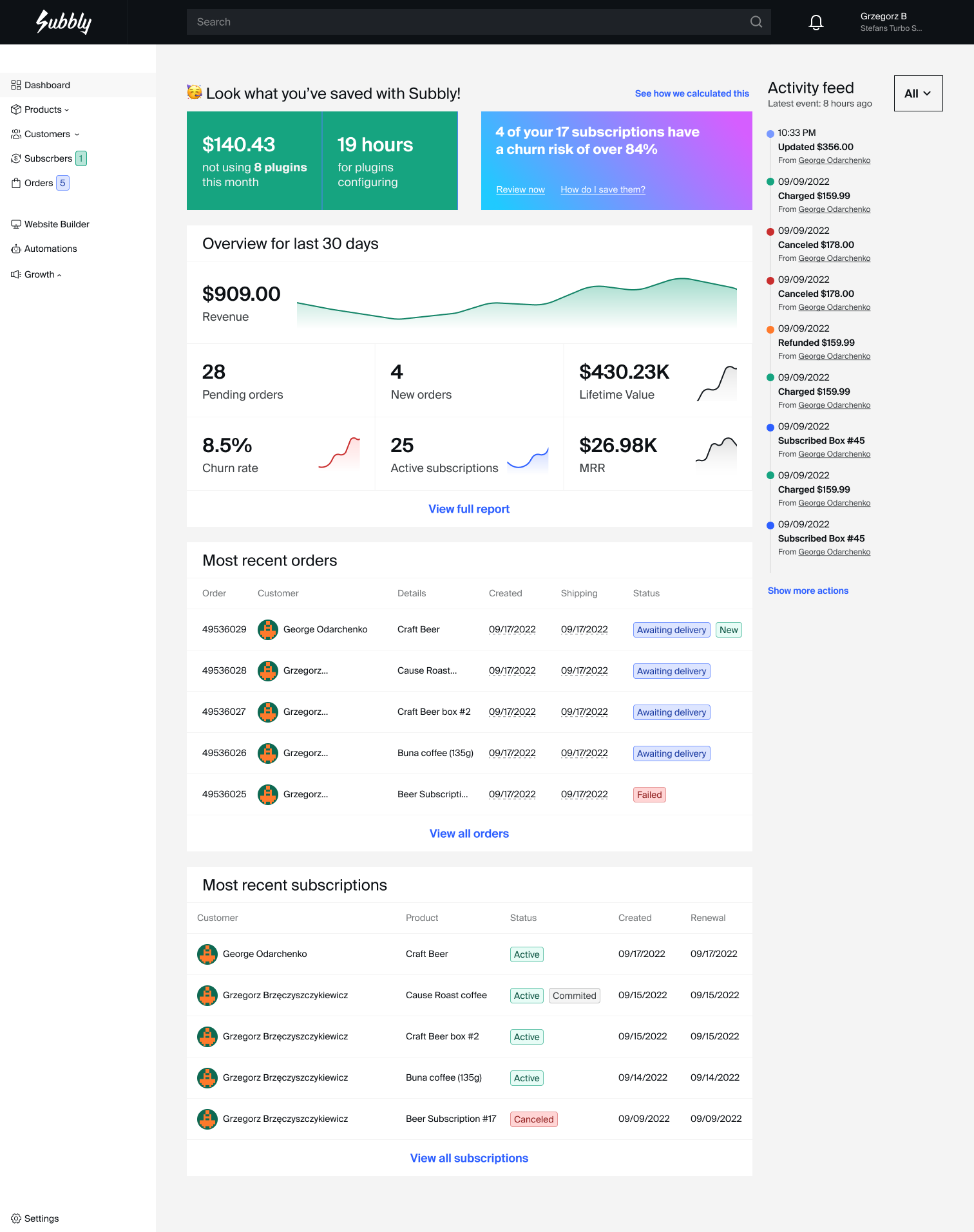
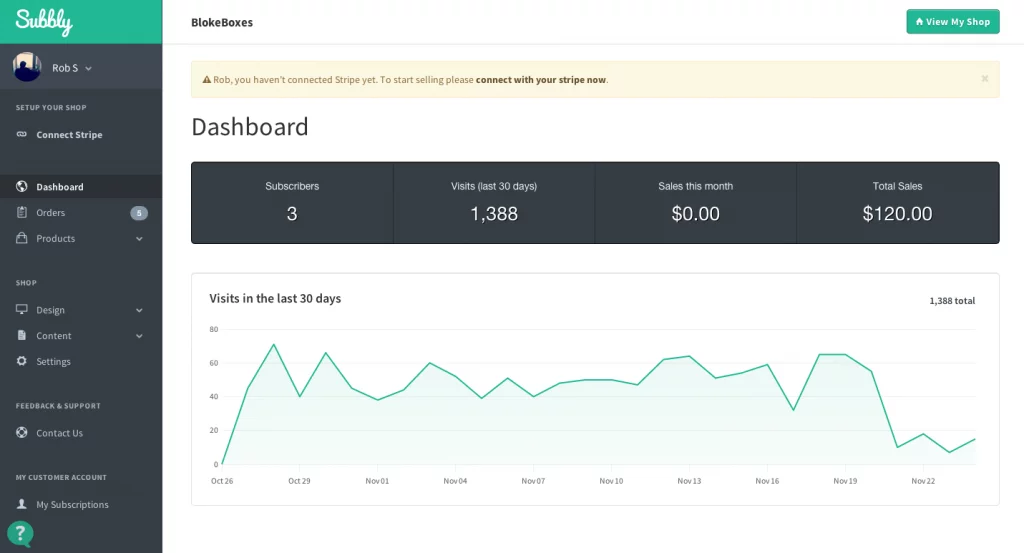
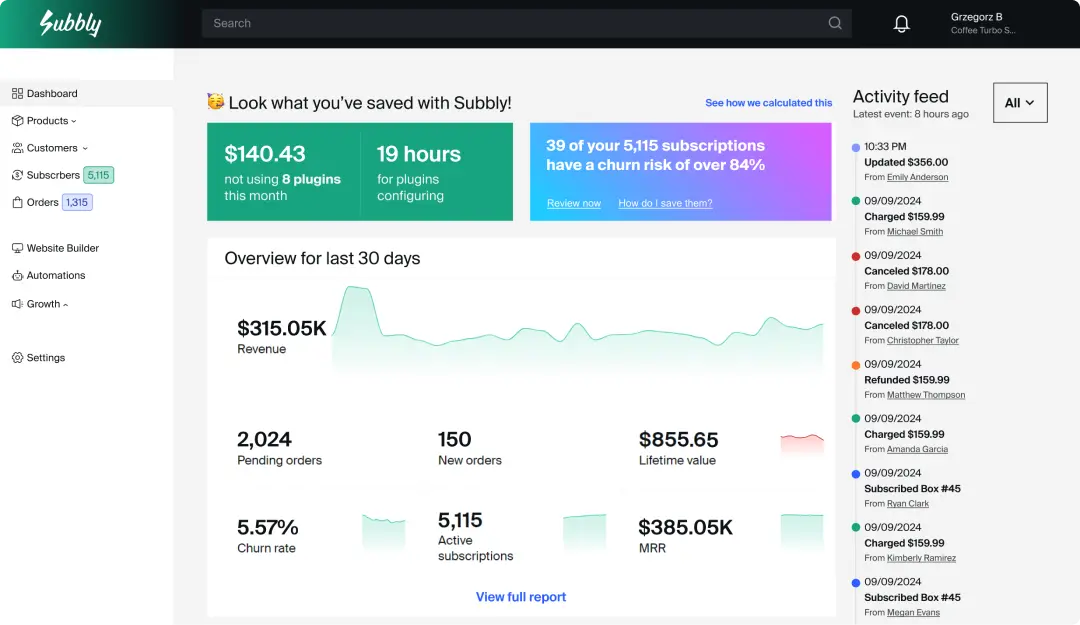
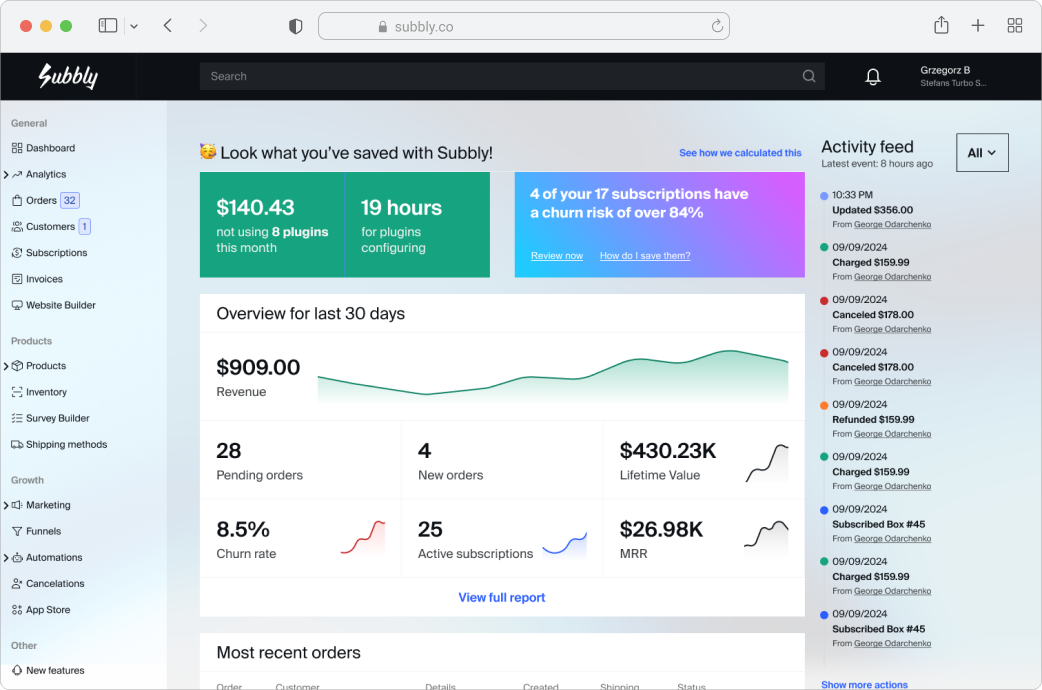
Third‑party review sites include screenshots of the Subbly interface, which generally shows a modern admin dashboard layout.
What the dashboard experience likely looks like
Based on the platform’s feature set and support navigation, your admin is typically organized around:
- Products / subscriptions
- Orders and fulfillment
- Customers + portal management
- Marketing / growth tools (funnels, automations, coupons)
- Analytics
- Integrations and settings
The breadth is a strength, but it also means Subbly can feel “wide” at first—especially if you’re coming from a simpler storefront tool.
Learning curve: beginners vs experienced operators
Beginners benefit from Subbly’s “guided platform” framing—especially if you’re launching your first subscription. The Lite plan and trial reduce startup friction.
Experienced operators will appreciate having more of the subscription mechanics built in (shipping logic, portals, churn workflows), but may want more advanced controls and API-driven customization—especially at scale. Subbly X explicitly markets headless/API capabilities.
Mobile app experience
Subbly’s public materials emphasize the web platform, integrations, and portal/checkout experience; they do not prominently market a dedicated mobile admin app in the sources reviewed. Practically, many subscription operators handle mobile workflows through shipping/fulfillment tools (e.g., ShipStation) rather than the commerce platform itself.
Customization options
Customization shows up in a few key places:
- Custom domains (for storefront and/or portal experiences)
- Checkout branding and translation/localization tooling (noted in plan descriptions and support categories)
- Website builder tooling (including an AI builder add-on)
Suggested screenshots (so your article is truly publication-ready)
- Admin dashboard overview
- Product builder (show subscription cadence options)
- Checkout editor / checkout preview
- Customer portal view (pause/skip/cancel + payment method update)
- Funnels/upsell configuration (offer steps)
- Analytics screen (MRR, churn, retention metrics)
- Integrations page (ShipStation/Klaviyo/etc.)
- Status/uptime page (trust-building evidence)
Core Features Breakdown
This is the heart of Subbly. If you’re evaluating it seriously, don’t ask “does it have subscriptions?”—ask how it behaves under real subscription pressure.
1) Subscription engine and product models
Subbly’s help center and platform positioning show that it supports a wide range of subscription patterns beyond “charge every month”:
- Standard recurring subscriptions
- Membership subscriptions
- Trials and commitment periods
- Seasonal/limited subscriptions
- Prepaid subscriptions
- Subscription add-ons and bundles
- Subscribe-and-save style offers (noted in support navigation)
Why this matters: Most subscription businesses evolve. You might start with a monthly box, then add prepaid 3/6/12-month plans, gift subscriptions, member-only products, and one-time add-ons at checkout. Platforms that handle “phase 1” but break at “phase 2” are expensive to outgrow.
Strengths
- Designed around subscription mechanics rather than treating them as a checkout option.
- SKU scaling is explicitly considered (20 → 100 → 500).
Potential weaknesses
- SKU limits on lower tiers can become a quiet constraint if you run lots of variants or customizable bundles.
2) Checkout and payment handling
Subbly treats checkout as a strategic surface, not a commodity.
- The checkout is marketed with a 99.9% uptime message.
- The system is “built on top of Stripe’s subscription API,” which can matter for compatibility with subscription analytics tools.
Payment gateways supported
Subbly lists supported gateways as: Stripe (and Stripe Test), PayPal, PayPal via Braintree, Braintree, Google Pay, Apple Pay, and Authorize.net.
Transaction fee reality check
Subbly’s documentation explains how Subbly fees layer with gateway fees and provides examples of net payout math. If you’re building a serious business case, model fees as:
Total cost per order = Subbly fee + gateway fee + any referral/upsell tooling fees (if applicable)
3) Customer portal (self-service subscription management)
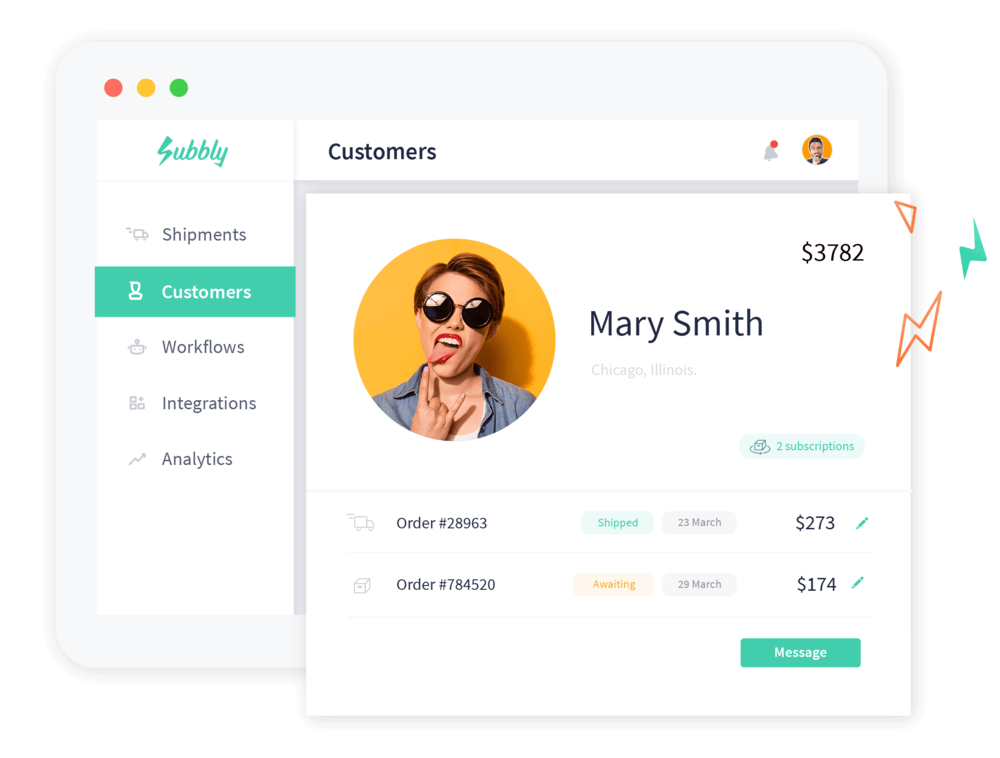
Subbly’s customer portal is a core differentiator because it reduces support burden (and improves retention) by letting customers manage their own subscriptions.
The help center describes portal functionality including viewing past invoices, managing active subscriptions, changing credit card data, and pausing/canceling subscriptions. It also notes the portal may be hosted on Subbly’s URL by default, but can be hosted on your company subdomain if desired.
Why this matters: Portals directly influence churn. If customers can skip a shipment or pause rather than cancel, you retain revenue you’d otherwise lose.
What to look for when you test
- Can customers swap variants easily (e.g., flavors/sizes)?
- Is pausing/skipping intuitive?
- How is failed payment handled in the portal?
- How well does it preserve brand trust (domain + styling)?
4) Retention tooling (churn, dunning, cancellation flows)
Subscription success is mostly retention mechanics. Subbly’s retention navigation includes dunning workflows (failed payments), cancellation offers/flows, and cancellation analytics/churn insights. Predictive churn AI is typically tied to the AI add-on.
Where Subbly is strong
- Retention is built into the platform mindset (not an afterthought).
- You can pair cancellation flows with offers—this is a proven way to save customers at the point of highest churn risk.
Watch-outs
- Some retention features may vary by plan (or require add-ons), and AI components are explicitly paid via the AI add-on.
5) Marketing and growth tools (funnels, upsells, surveys, automations)
This is the “make more money per visitor” side of Subbly. Subbly’s pricing page calls out subscription-first funnels, personalized offers across the checkout journey (pre-, mid-, post-purchase), and surveys/complementary product upsells.
Subbly’s help center organizes growth tools like automations, coupons, cart abandonment, referral tools, affiliate tracking, and conversion tracking/analytics.
How to think about these features (a practical framework)
If you want to evaluate Subbly like an expert, don’t ask “does it have upsells?” Ask:
- Where do upsells appear? (pre-checkout, in-checkout, post-purchase)
- Are they conditional? (survey responses, cart contents, subscription choice)
- Can you A/B test them?
- Can you measure impact cleanly (analytics + attribution)?
6) Operations: orders, shipping, inventory
Subscriptions create operational complexity because orders recur on schedules, and customers change things.
Shipping integrations
Subbly provides a documented integration setup for ShipStation. The ShipStation doc also makes an important operational point: ShipStation is not mandatory—you can use other integrations (e.g., Pirate Ship) or export orders to CSV.
Shipping methods and regions
Plan comparisons indicate tier-based differences in shipping configuration (Basic can be limited vs “unlimited” on higher tiers).
Inventory management
Inventory/out-of-stock handling exists in the support ecosystem and plan comparisons, which is critical for subscription boxes with fixed monthly allocations.
7) Website builder + AI Website Builder
Subbly supports building the storefront itself (themes/templates + editor). It also sells an AI builder layer via the AI add-on. The AI Add-on documentation clarifies:
- AI Add-on price: $59/month (separate billing; not prorated/refundable per support article)
- Includes: AI Predictive Churn (unlimited), AI Author Bot (250 AI-created messages/month; additional usage can auto-add a higher charge), and AI Website Builder with token usage and paid top-ups
Advanced Features and Integrations
AI capabilities (what’s real vs marketing)
Subbly’s AI story is unusually explicit in documentation, which is a positive. Per the AI Add-on support article, the bundle includes AI Predictive Churn, AI Author Bot (with monthly limits and paid expansion), and an AI Website Builder with tokens and paid top-ups.
If you’re evaluating AI in commerce software, assess it on three criteria:
- Is it integrated into workflows you already use? (retention, messaging, site iteration)
- Is pricing predictable? (tokens, top-ups, separate billing)
- Can you measure impact? (saved churn, conversion lift, reduced support load)
Integration ecosystem (top tools table)
Subbly’s help center lists a meaningful set of integrations and setup guides across payments, analytics, marketing, messaging, shipping, and support.
| Category | Integration | What it’s for | Notes / setup signal |
|---|---|---|---|
| Payments | Stripe | Core subscription billing + cards | Built around Stripe subscription API (per checkout messaging) |
| Payments | PayPal | Conversion lift via PayPal | Fees vary by plan; Advanced often has lower Subbly PayPal fee per support doc |
| Shipping | ShipStation | Fulfillment + labels + shipping workflow | Step-by-step setup guide available |
| Analytics | Google Analytics / GTM | Attribution + conversion tracking | Listed as integrations |
| Marketing | Klaviyo / Mailchimp / Drip | Lifecycle email automation | Listed as integrations |
| Support | Zendesk / Intercom | Support + customer messaging | Listed as integrations |
| Automation | Zapier | Connect Subbly to external tools | Listed in integrations section |
API and developer ecosystem (for advanced teams)
Subbly X markets headless capabilities and references API/SDK-driven builds. For technical teams, that’s where Subbly becomes more than “a builder”—it becomes infrastructure you can compose into custom experiences (at a higher cost).
Performance, Reliability, and Security
Uptime and reliability
Subbly consistently markets reliability, including a 99.9% uptime claim and a public uptime/status page. A transparent status page is a meaningful trust signal—particularly for subscription commerce where downtime during renewal windows can materially impact revenue.
How to interpret 99.9% uptime: 99.9% still allows measurable downtime (roughly 43 minutes/month). In subscription commerce, downtime risk is especially painful during renewal runs, campaign spikes, and checkout-heavy seasons.
Scalability
Subbly’s support center references handling traffic spikes and keeping customers online. Subbly X is positioned as a higher-touch tier with stronger infrastructure promises (e.g., autoscaling framing).
Security basics
From Subbly’s checkout messaging, security is tied to secure checkout and PCI-aligned payment handling through supported gateways (Stripe, PayPal, Apple Pay, Google Pay). Subbly also maintains GDPR/privacy policy pages as baseline requirements for processing customer data.
Account security (2FA nuance)
Subbly communications indicate 2-factor authentication has been planned/introduced directionally (“coming soon” messaging has existed in the ecosystem). As a buyer, confirm whether 2FA is available to all plans, whether it’s mandatory/optional, and whether it supports authenticator apps vs SMS-only.
Customer Support and Resources
Support channels
Subbly’s help center indicates support is available via email and chat widget, plus a Discord community. Phone support is typically restricted to enterprise customers with a designated account manager.
Response times (what Subbly claims)
Support documentation cites very fast weekday response times (minutes) with longer response windows on weekends when chat is not live. For subscription operations, responsiveness matters because issues often arise during renewal/shipping windows.
Self-serve resources
Subbly promotes the support center, Subbly University, and community resources such as a Facebook group.
Pros and Cons
Pros
- Subscription-first architecture: checkout + portal + retention are core, not bolted on.
- Multiple payment gateways: Stripe, PayPal, Braintree, Apple Pay, Google Pay, Authorize.net.
- Transparent fee examples: documentation helps model margins and net payout.
- Strong retention orientation: dunning and cancellation tooling are a first-class surface.
- Shipping flexibility: ShipStation is documented, but you can use alternatives or CSV export.
- Uptime transparency: public status/uptime page is a trust signal.
- AI tooling is clearly documented: explicit pricing and included features (even if token economics require monitoring).
Cons
- Transaction fees add up—especially on Lite (2% + $0.19), and referrals can add additional fees.
- Plan ceilings can be “quiet” constraints (SKU limits; Basic upsell caps).
- AI Add-on is separate billing (and not refundable/prorated), which can complicate budgeting.
- Some third-party pricing pages conflict; rely on Subbly’s pricing + support docs as the source of truth.
- Phone support is gated behind an enterprise motion.
User Reviews and Ratings Summary
Subbly’s public rating posture is consistently strong. The homepage cites a high average rating based on a few hundred reviews, and third‑party listings (e.g., Capterra) generally show a similar sentiment profile.
Common praise themes tend to include:
- All-in-one convenience (less reliance on multiple tools)
- Support responsiveness
- Ability to launch a subscription business without heavy technical work
Common complaints often map to:
- Learning curve (platform breadth requires onboarding discipline)
- Support format expectations (async chat vs scheduled calls)
- Plan constraints (SKU and upsell caps on lower tiers)
Mitigation strategy: treat setup as a staged rollout: checkout → portal → dunning → cancellation offers → upsells/funnels → analytics.
Alternatives and Comparisons
Subbly competes across two arenas:
- Subscription ecommerce platforms (Cratejoy, Shopify + subscription apps, WooCommerce + plugins)
- Subscription billing platforms (Chargebee/Recurly-style) for more complex billing models
Top competitors to consider
- Cratejoy (marketplace + subscription box tooling)
- Shopify + Recharge (best-in-class ecommerce ecosystem + strong subscription layer)
- WooCommerce + WooCommerce Subscriptions (self-hosted flexibility, more DIY)
- Chargebee (subscription billing/RevOps; often B2B/SaaS oriented)
- Recurly (subscription billing space; often compared against Chargebee)
Side-by-side comparison table (high-level)
| Platform | Starting price (as advertised) | Fees / pricing gotchas | Best fit | When it beats Subbly |
|---|---|---|---|---|
| Subbly (Lite) | $19/mo (or $14/mo annually) | 2% + $0.19 per transaction | Embed subscriptions into an existing site fast | When you want checkout/portal without rebuilding your storefront |
| Cratejoy | From $24.99/mo + transaction fees | Marketplace/referral fees may apply | Subscription box brands that want marketplace demand | When marketplace acquisition is a core strategy |
| Shopify + Recharge | Recharge tiers often cited in the $99/mo+ range | Stack cost: Shopify + apps + subscription fees + transaction fees | Shopify-first brands wanting powerful subscriptions | When you need Shopify’s ecosystem + theme flexibility |
| WooCommerce Subscriptions | Annual license (plus hosting) | Hosting + plugin maintenance + integration overhead | Teams with dev resources and WordPress preference | When you want maximum control and can manage complexity |
| Chargebee | Higher annual commitment tiers | Often scales with billing volume and modules | SaaS / usage-based billing / RevOps-heavy models | When you need advanced billing models + revenue ops depth |
A simple decision rule
If you’re building a DTC subscription commerce brand, Subbly vs Shopify+Recharge is usually the “real” choice.
- Choose Subbly if you want subscription-first workflows in one place and you’re comfortable running the business inside that platform.
- Choose Shopify + Recharge if you want the broadest ecommerce ecosystem and you’re willing to integrate multiple systems (and pay for them).
- If you’re building a SaaS billing model, you’re likely looking at Chargebee/Recurly instead.
Who Is Subbly Best For? (And Who Should Avoid It)
Subbly is best for
- Subscription box businesses (beginner to growth stage) — built-in subscription logic, portal, and churn tooling without assembling a stack.
- DTC consumables (“subscribe & save”) brands — where failed payments + cancellation flows materially impact revenue.
- Membership businesses — recurring billing + self-service portal can reduce support and churn.
- Teams that value support responsiveness — multiple channels including community support, with higher-touch tiers available.
Subbly may not be ideal for
- Businesses that need a massive app marketplace — Subbly has integrations, but it’s not positioned like Shopify’s ecosystem.
- Very complex billing models (usage-based, multi-entity invoicing, CPQ, advanced RevRec) — Chargebee-class platforms win here.
- Teams that want full composability without enterprise pricing — headless/API control exists in Subbly X but is priced like a tailored solution.
Final Verdict and Recommendations
Overall rating: 8.7/10
Breakdown
- Core subscription functionality: 9.1/10 (checkout + portal + subscription-first framing)
- Retention tooling: 8.8/10 (dunning/cancellation tooling; AI predictive churn available via add-on)
- Integrations: 8.2/10 (solid set across shipping, analytics, marketing, support; ShipStation setup well documented)
- Pricing transparency / value: 8.0/10 (clear plan pricing exists, but fee stacking requires modeling)
- Trust / reliability signals: 8.9/10 (public uptime page + consistent uptime messaging)
Key takeaways (executive summary)
- Subbly is at its best when you treat it as the operating system for a subscription business—not just a checkout widget.
- The Lite plan is a strong entry point if you already have a site and need checkout + portal quickly.
- The “real cost” is not only the monthly plan; it’s the fees + add-ons (especially referrals + AI features).
- If you want a giant ecosystem and maximum ecommerce flexibility, Shopify + Recharge remains the strongest alternative.
Recommendation
If you’re building (or migrating) a subscription business and you’re tired of piecing together tools, Subbly is worth shortlisting—especially because the trial + Lite path reduces evaluation friction. Start by testing the customer journey (checkout + portal) and then validate your operational workflow (shipping + renewals + failed payments) before committing long-term.
Subbly
With Subbly, users can either create the store from scratch or add it to any existing website by embedding the checkout on the website. Sell subscriptions and one-time products seamlessly together, to maximize profit and revenue. Collect customers' data and deliver a unique experience to them as well as better understand customers’ behavior to help improve your business and their experience. Highly customizable options for recurring billing and shipping intervals mean users can offer the exact business model they envisaged. Customers card will be billed automatically. Set re-billing (renewals), cut-off and shipping dates to streamline the cash flow with payment…
• Drag & drop survey builder and customizable subscription flows
• Recurring automated billing
• Analytics: Get statistics such as the number of visits to the shop
• Order management system: Manage orders efficiently in one place
• Automated editable email notifications
• HTML/CSS code editor for custom designs
• Checkout Only - $14 / month
• Website + Checkout - $29 / month
• Analytics: Get statistics such as the number of visits to the shop
• Order management system: Manage orders efficiently in one place
• Automated editable email notifications
• Learn about customers: Collect information from customers to personalize their experience
• Multi-lingual & International support: Internationalize your website with ease
• 100% Secure: Be confident that customers are safe
FAQ (15 common questions)
- Does Subbly offer a free trial?
Yes—Subbly promotes a 14‑day free trial. - Is there a free plan?
Most third‑party listings indicate no free version, but a free trial exists. - What payment gateways does Subbly support?
Stripe (and Stripe Test), PayPal, PayPal via Braintree, Braintree, Apple Pay, Google Pay, and Authorize.net. - What are Subbly’s transaction fees?
Lite: 2% + $0.19 per transaction (+0.25% for non-Stripe payments). Other tiers typically use a 1% fee for Stripe with PayPal/Braintree variations noted in support docs. - Can I embed Subbly into an existing site?
Yes—the Lite plan is designed to integrate subscriptions without building a new site. - Does Subbly include a customer portal?
Yes—customers can manage subscriptions, invoices, payment methods, and pause/cancel. - Can I host the portal on my own domain?
Yes—portal can be hosted on your company subdomain. - Does Subbly integrate with ShipStation?
Yes—ShipStation setup is documented step-by-step. - Do I have to use ShipStation?
No—you can use other integrations or export orders via CSV. - Does Subbly provide support on weekends?
Support is offered daily, but response times may increase on weekends. - Does Subbly offer phone support?
Phone support is typically reserved for enterprise customers with an account manager. - Does Subbly have an uptime/status page?
Yes—Subbly references and provides a public uptime/status page. - Is Subbly “built on Stripe”?
Subbly’s checkout messaging states it’s built on top of Stripe’s subscription API. - How much is Subbly’s AI Add-on?
$59/month, billed separately; includes predictive churn, AI messaging, and AI website builder tokens with paid top-ups. - What’s the simplest way to evaluate Subbly in 2 days?
Create one subscription product, connect Stripe Test, run a full test purchase, validate portal actions (pause/cancel/payment update), confirm shipping workflow (ShipStation or CSV), and model fee stacking.








By clicking Sign In with Social Media, you agree to let PAT RESEARCH store, use and/or disclose your Social Media profile and email address in accordance with the PAT RESEARCH Privacy Policy and agree to the Terms of Use.