
SmartSuite Review: Pros, Cons, and Real-World Performance as Your Ultimate Tool Stack Replacement
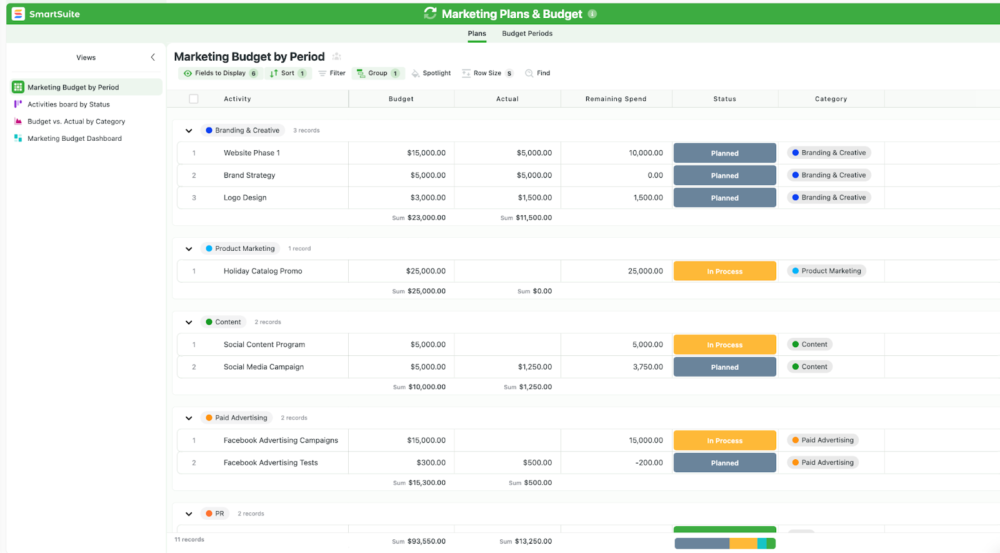
If you have ever tried to run projects, processes, and operational work across a patchwork of spreadsheets, task apps, databases, docs, and chat threads, you already know the failure mode: information fragments, accountability blurs, and reporting becomes a weekly archaeology exercise. Your “system” becomes a collection of links and workarounds that only one or two people fully understand. Everyone else either duplicates work or stops trusting the data.
SmartSuite is designed to solve that problem by giving teams one flexible platform for structured data and day-to-day work. SmartSuite positions itself as a collaborative work management platform that helps teams plan, track, and manage workflows, projects, and everyday tasks—and it explicitly markets itself as a modern replacement for tools like monday.com, Airtable, and ClickUp.
SmartSuiteOverall verdict: SmartSuite is a high-ceiling platform that combines database-style structure with real work execution features (views, tasks, dashboards, automations). It is strongest for operations-minded teams that need flexibility without building software. It is weaker when you need a large library of native integrations and deep ecosystem maturity that established platforms have built over many years.
Rating: 8.9/10
Here’s what this review covers
- Overview and company background
- Pricing and plans (with tables and “hidden costs”)
- Setup and onboarding experience
- User interface and ease of use
- Core feature breakdown (data → views → execution → reporting)
- Advanced features: automation, integrations, developer options, and AI
- Performance, reliability, and security posture
- Customer support and learning resources
- Pros and cons
- User review trends and ratings
- Alternatives and comparisons
- Who SmartSuite is best for (and who should avoid it)
- Final verdict and recommendations
- FAQ (15 questions)
Overview and company background
What is SmartSuite?
SmartSuite describes itself as a collaborative work management platform for managing workflows, projects, and tasks—built around structured data and multiple working modes like Grid, Kanban, Map, and Timeline—plus dashboards, time tracking, permissions, and global search.
If you have used Airtable, Smartsheet, monday.com, ClickUp, or Notion databases, the conceptual model will feel familiar:
- Structured data (tables, fields, records)
- Multiple views to work with the same data in different ways
- Collaboration layered directly where work happens
- Workflow automation to reduce repetitive work
- Dashboards and reporting so the data is usable across stakeholders
SmartSuite leans into the idea of “one platform, any workflow,” positioning itself as a replacement for point solutions and disconnected tools.
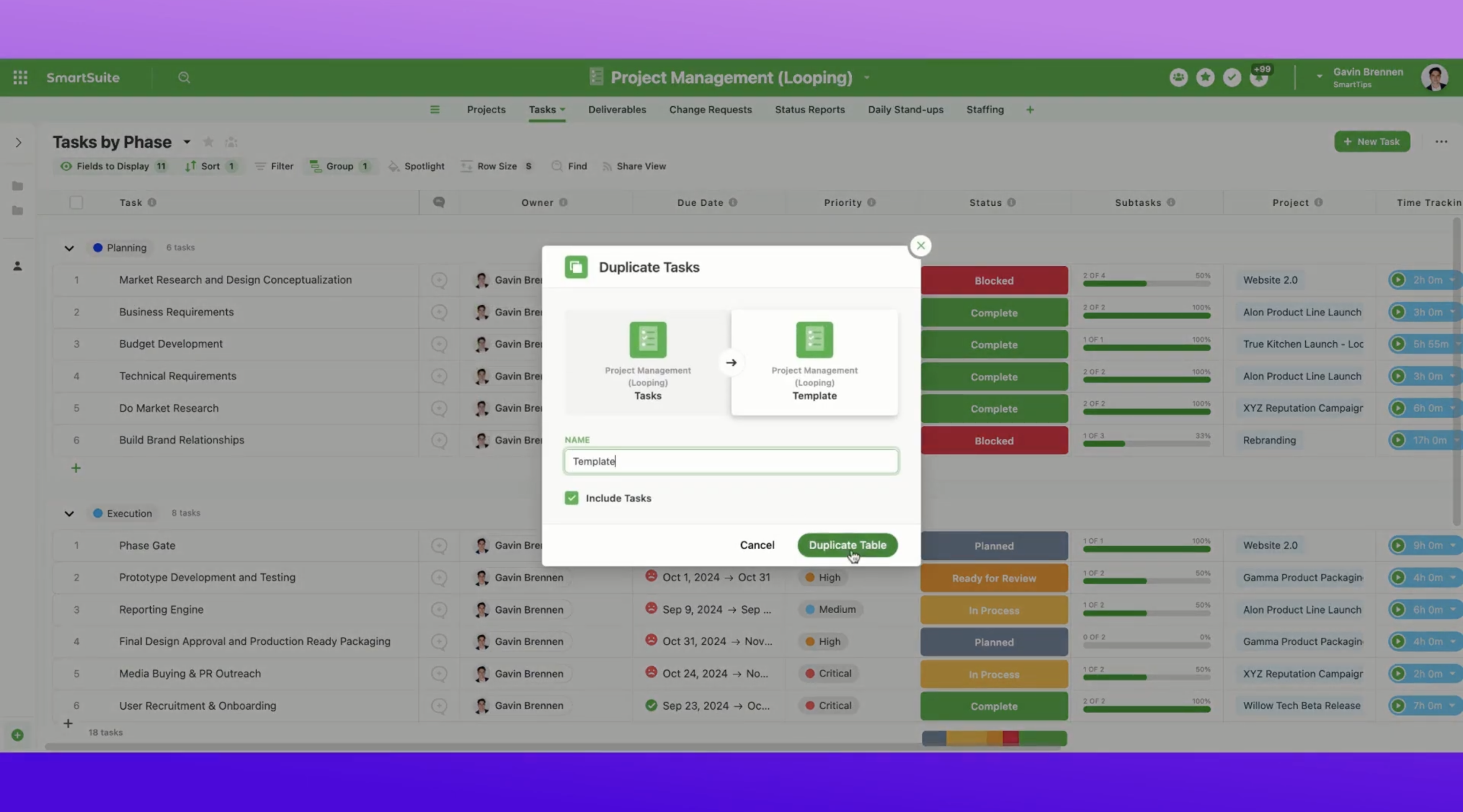
Company history, leadership, and signals of maturity
SmartSuite’s CEO profile states the platform launched in 2021. Public reporting also highlights funding milestones (including a Series A and subsequent funding announcements) as the company scaled product development and go-to-market.
On security posture, SmartSuite publicly markets audit-driven compliance milestones (ISO 27001 and SOC 2 Type II are commonly referenced in its security materials), and it operates a public status page for uptime visibility—both meaningful maturity indicators for teams that want to standardize on a system of record.
Target audience and positioning
SmartSuite is positioned as horizontal work infrastructure, not a single-department tool. In practice, that typically includes:
- Operations teams managing cross-functional workflows
- PMOs and project teams that want more structure than a task list
- IT, security, compliance, and governance teams that need controlled access and auditability
- Agencies and service teams that value time tracking and client-facing reporting
- Teams migrating from spreadsheets but not ready to build custom internal software
High-level differentiators
- Database structure plus execution features: not just a database—views, tasks, time tracking, dashboards, collaboration, and automation are core.
- View diversity: Map and Timeline matter for location-based work and scheduling.
- Plan ceilings: the paid tiers scale to very high record and automation volumes.
- Governance narrative: ISO/SOC claims, subprocessor transparency, status reporting, and HIPAA/BAA availability under certain conditions are aimed at serious buyers.
Pricing and plans
SmartSuite’s pricing is centered on five tiers:
- Free
- Team
- Professional
- Enterprise
- Signature (custom)
SmartSuite also offers a 14-day free trial (often marketed as no credit card required).
Plan breakdown and key limits (practical view)
Below is a “what matters day-to-day” summary: user requirements, solution limits, record limits, automation runs, storage, and recycle bin retention.
| Plan | Price (annual billing) | Price (monthly billing) | Minimum users | Solutions | Records | Automation runs / month | File storage | Recycle bin retention |
|---|---|---|---|---|---|---|---|---|
| Free | $0 | $0 | Up to 3 users | 1 | 5,000 | 100 | 2 GB | 1 day |
| Team | $12/user/month | $15/user/month | 3 | Unlimited | 100,000 | 5,000 | 100 GB | 7 days |
| Professional | $30/user/month | $34/user/month | 3 | Unlimited | 500,000 | 50,000 | 1 TB | 45 days |
| Enterprise | $45/user/month | $50/user/month | 3 | Unlimited | 2,000,000 | 500,000 | 10 TB | 90 days |
| Signature | Custom | Custom | Custom | Custom | Custom | Custom | Custom | Custom |
Important nuance: SmartSuite’s pricing page has been presented in ways that can show different “starting” figures in different sections. If pricing precision matters for procurement, confirm the exact rate during checkout or via sales.
Hidden costs and operational “gotchas”
- Signature plan tailoring: higher limits and enterprise packaging are typically handled via a custom plan and contract.
- AI usage beyond included allowances: SmartSuite AI is often described as including a limited number of requests, with continued usage requiring a customer-supplied OpenAI API key.
- Total cost of ownership: plan cost is only part of the equation—solution design, permissions, change management, and integration work can be the real cost drivers.
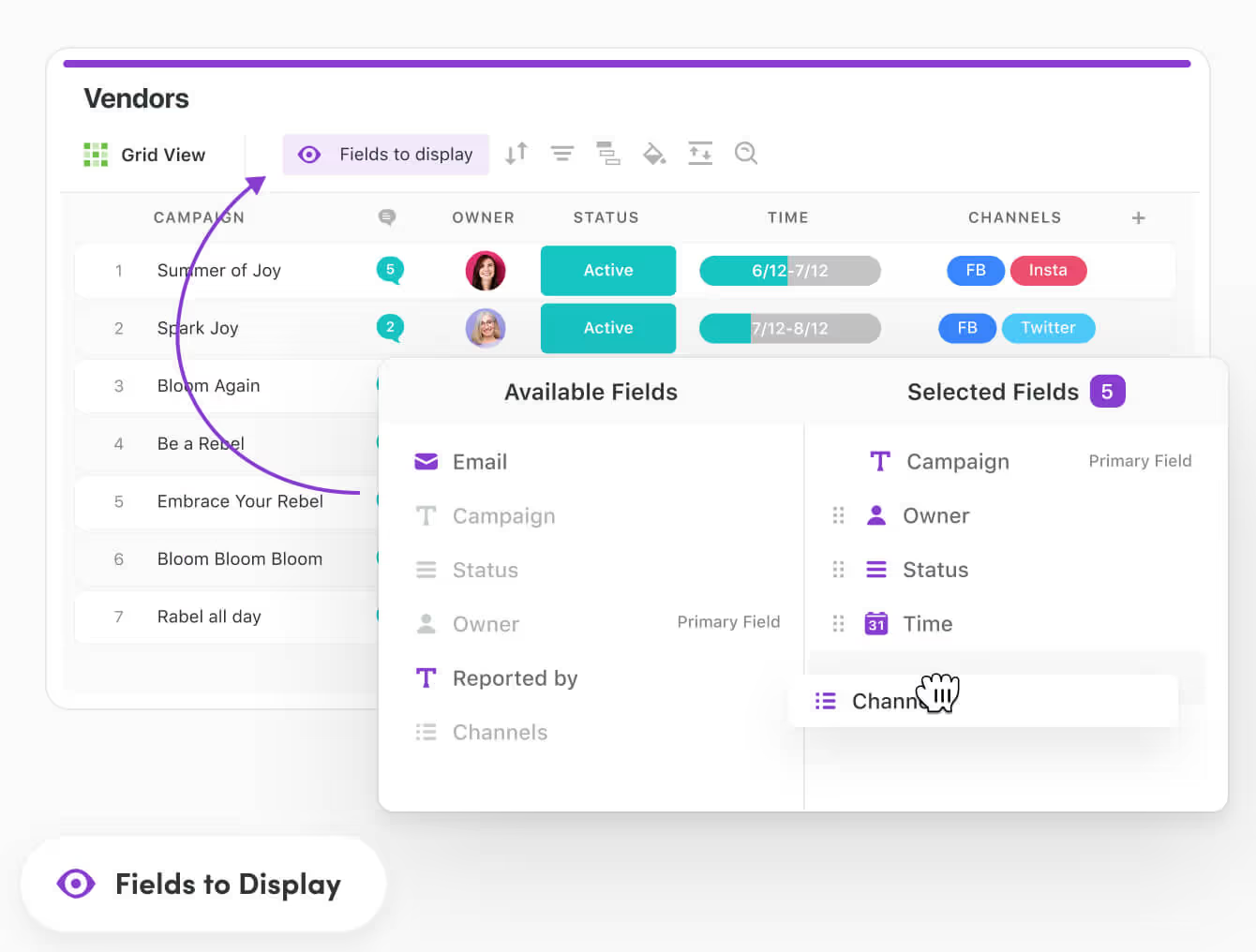
Value for money: a practical way to choose a tier
- Choose Free if you want a legitimate proof of concept (up to 3 users) and can live within 1 solution and lower automation limits.
- Choose Team if SmartSuite is primarily a structured workspace with light automation.
- Choose Professional if automation is part of your operating model and you expect rapid growth in records and workflows.
- Choose Enterprise if governance, controls, and scale are not optional.
Setup and onboarding experience
SmartSuite’s adoption model is designed to be low-friction: start with a trial, build one real workflow, import real data, then expand. This is the right way to evaluate platforms in this category—because the tools only become “obviously valuable” once a workflow is alive and shared.
A realistic proof-of-concept flow
- Create one solution that mirrors a real workflow (intake → fulfillment → reporting).
- Import actual data (CSV/spreadsheet) so reporting and permissions can be tested honestly.
- Define roles and permissions early (builders, contributors, viewers, external stakeholders).
- Build one dashboard for leadership and one working view for the team.
- Add automations last—only after the workflow “shape” is stable.
Onboarding accelerators (what typically helps teams ramp)
- Workflow templates to avoid “blank page” setup.
- Data import paths to get from spreadsheet tracking into a system of record quickly.
- Self-serve learning via help center articles, training videos, webinars, and community content.
Common hurdle to plan for: the hardest part is rarely the software—it’s getting agreement on the workflow. Treat solution design as a short internal project with an owner, a simple scope, and decision authority.
User interface and ease of use
UI philosophy: spreadsheet familiarity with database power
SmartSuite leans into a Grid View experience that feels spreadsheet-like (sort, filter, group, inline edits). This matters because adoption friction often comes from unfamiliar interaction patterns. A grid metaphor lowers the barrier for teams graduating from spreadsheets.
What most users actually live in
- Solutions and tables (navigation)
- Working views (Grid, Kanban, Timeline, Map)
- Record detail panels (context, comments, files, assignments)
- Dashboards (stakeholder reporting and operational visibility)
Dashboards and widgets
Dashboards are a major differentiator in platforms like SmartSuite when they become more than static reporting. The most effective dashboards behave like control panels—combining multiple widgets, filtered views, and interactive record selectors so stakeholders can explore without needing to navigate tables.
Learning curve (two curves, not one)
- Basic user curve: low. Updating records, moving work through stages, and commenting is straightforward.
- Builder/admin curve: moderate to high. Designing solutions, permission models, dashboards, and automation requires systems thinking.
Mobile experience
SmartSuite supports mobile apps (iOS and Android are commonly referenced in its resource center materials). Offline or continuity features—when present—matter most for field teams and distributed work.
Core features breakdown
SmartSuite is broad. The most useful way to evaluate it is by workflow building blocks: data model → views → execution → reporting.
1) Solution building and data modeling
SmartSuite uses a “Solution” concept to group related tables and workflows. If you model the operation cleanly, everything downstream (views, dashboards, automation) becomes easier.
Example solution model: Client onboarding
- Tables: Accounts, Contacts, Projects, Tasks, Documents, Requests
- Relationships: Contacts → Accounts, Projects → Accounts, Tasks → Projects
- Reporting: onboarding cycle time, bottlenecks by stage, workload by owner
2) Views and working modes
Multiple views matter only when they map to real work patterns. SmartSuite commonly highlights:
- Grid for operations and structured updates
- Kanban for stage-based flow
- Timeline for scheduling and pacing
- Map for location-based workflows
- Card/visual views for browsing and stakeholder-friendly consumption
3) Task and project execution
SmartSuite positions itself to handle both simple projects and more complex programs, with task tracking and status modeling as foundational elements. Integrated time tracking is particularly valuable for service teams that need effort-to-outcome reporting.
4) Collaboration where the work lives
In this category, collaboration quality usually comes down to whether discussion and decisions are attached to the record of work (not scattered across chat). SmartSuite-style collaboration typically includes:
- Inline comments attached to records
- @mentions to pull people into the thread
- Follow/notifications on record updates
5) Dashboards and reporting
SmartSuite dashboards are designed to centralize operational visibility. The practical goal is to prevent “status meetings as reporting systems” by giving stakeholders a single surface that reflects the current truth.
6) Forms, intake, and external sharing
Operational teams often need structured intake (requests, approvals, client submissions) and lightweight sharing for non-members. SmartSuite commonly supports patterns like form-based intake and shareable read-only views for external stakeholders.
7) Real-time updates and recoverability
Teams adopting a system of record need to trust two things: the data is current (real-time sync) and mistakes are recoverable (recycle bin and retention policies). SmartSuite’s plan-based recycle bin retention is part of that trust layer.
Advanced features, AI, and integrations
1) Workflow automation
SmartSuite’s automation limits scale heavily by plan, which signals that automation is treated as a core subsystem rather than an add-on.
A typical automation pattern in this platform category looks like:
- Trigger: record created / status changed / date reached
- Conditions: check fields, ownership, stage, SLA timing
- Actions: assign owners, create linked records, notify teams, update statuses
2) Integrations strategy: hubs + native + API
SmartSuite’s integration story is typically three-layered:
- Integration hubs (e.g., Make/Zapier-style connectivity) for broad coverage
- Direct integrations for common systems (availability varies by plan and maturity)
- Developer options via REST API and (often) webhooks for deeper integrations
Practical evaluation tip: If integrations are critical, validate one end-to-end integration path during the trial (hub, API, or native) and test failure handling (what happens when the downstream system is unavailable).
3) SmartSuite AI (usage model and governance implications)
SmartSuite AI is commonly described as a built-in assistant layer (often marketed as ChatGPT-powered), with a usage model that includes an initial allowance and then requires a customer-supplied OpenAI API key for continued use beyond the included requests.
Realistic AI use cases inside a work management platform:
- Summarize long record threads into status updates
- Draft project briefs from structured fields
- Rewrite client-facing updates more clearly
- Extract action items from notes and convert them into tasks
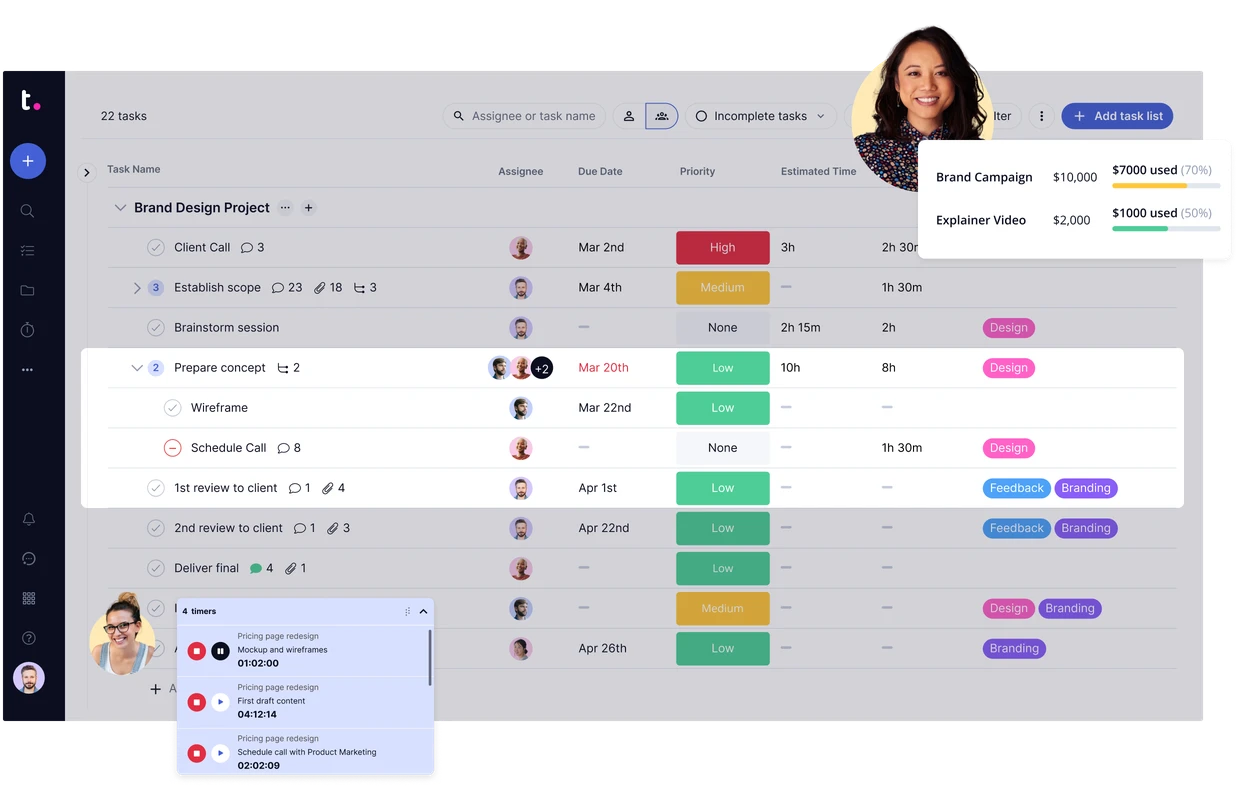
4) Document Designer
SmartSuite’s Document Designer is positioned for generating proposals, contracts, quotes, invoices, and status reports from record data. This closes a common operational gap where “structured truth” and “outbound documents” drift apart across systems.
5) Solution packaging and deployment (Enterprise+ pattern)
Solution packaging is a serious feature for organizations that need repeatable deployments across workspaces (consultancies, multi-region organizations, standardized internal systems). When present, it enables a more disciplined “staging → production” style rollout for workflow changes.
Performance, reliability, and security
Reliability and uptime visibility
SmartSuite operates a public status page, which is a meaningful maturity signal. Component-level uptime reporting (app, API, automations, search/notifications) is particularly useful for teams treating the platform as operational infrastructure.
Scalability
Scalability is visible in plan ceilings—Enterprise tiers commonly market very high record and automation run limits. Signature plans are typically positioned for bespoke ceiling increases and enterprise requirements.
Security posture and compliance narrative
SmartSuite’s public security posture is commonly communicated through:
- ISO and SOC audit framework claims in security materials
- Subprocessor and infrastructure disclosures (vendor transparency)
- HIPAA/BAA availability under certain conditions (often via sales)
- Status page transparency and incident communications
Operational troubleshooting maturity
SmartSuite’s help materials typically include guidance around practical operational concerns: slow loading, stuck automations, timeouts, and API errors. The presence of structured troubleshooting guidance is usually a maturity signal, not a warning sign.
Customer support and learning resources
SmartSuite’s support ecosystem typically includes a help center, training content, community resources, and live support entry points. In a platform category where success depends on solution design quality, learning resources matter almost as much as features.
- Help Center and documentation (feature guidance, troubleshooting)
- Training resources (videos, webinars, academy-style content)
- Community (peer support, templates, best practices)
- Office hours (structured help windows, when offered)
Pros and cons
| Pros (where SmartSuite is strong) | Cons (where teams hit friction) |
|---|---|
|
|
User reviews and ratings summary
As with most work management platforms, reviews tend to cluster around a few predictable themes: ease of adoption, flexibility vs complexity, and integrations.
Ratings snapshot (as commonly cited in listings)
- G2: commonly listed as ~4.9/5 with ~200+ reviews in some snapshots.
- Capterra: commonly listed as ~4.8/5 with ~50+ reviews in some listings.
Common praise themes
- Intuitive adoption and quick onboarding
- Templates speeding up setup
- Strong value for money relative to feature breadth
- Ability to centralize work and reduce tool sprawl
Common complaint themes
- Fewer native integrations than larger competitors
- Some advanced capabilities still developing versus the most mature platforms
- Builder/admin learning curve for complex systems
Alternatives and comparisons
SmartSuite is best compared against tools at the intersection of database flexibility and work execution:
- Airtable
- monday.com
- ClickUp
- Smartsheet
- Asana
- Notion (depending on governance and workflow depth needs)
Side-by-side comparison (high level)
| Platform | Best for | Where it’s strong | Watch-outs |
|---|---|---|---|
| SmartSuite | Ops + project execution on structured data | Multi-view execution, dashboards, automation ceilings, strong free tier | Fewer native integrations than some competitors |
| Airtable | Building connected apps on relational data | Database/app-building depth, ecosystem maturity | Can get expensive at scale; plan limits vary |
| monday.com | Visual work tracking for teams | Easy onboarding, strong board metaphor | Relational modeling limits for complex systems |
| ClickUp | Task-centric “everything workspace” | Rich task features and views | Can feel overwhelming; performance concerns appear in some user commentary |
| Smartsheet | Spreadsheet-oriented PM and portfolio | Enterprise spreadsheet governance patterns | Can feel heavy for smaller teams |
| Asana | Project tracking and team execution | Strong PM workflows and usability | Less of a database-builder model than SmartSuite/Airtable |
| Notion | Knowledge work + lightweight databases | Docs-first workflows and flexible workspaces | Ops-heavy workflow governance can be limiting without strict standards |
When to choose SmartSuite vs alternatives
Choose SmartSuite when:
- You need structured data plus execution, not just tasks.
- You need multiple workflow views tied to one dataset.
- You want a platform that can become an operational system of record with dashboards and automation.
- You want high ceilings on records and automation without immediately moving to enterprise pricing.
Be cautious if: your success depends on a large catalog of native integrations and you do not want to rely on Make/Zapier/API for core workflows.
Who SmartSuite is best for (and who should avoid it)
Best for
- Operations teams building repeatable workflows (intake → routing → execution → reporting).
- Project teams that need structure beyond a task list, especially with multi-view planning and dashboards.
- Service teams that care about time and accountability (time tracking + client-facing reporting).
- Organizations that need governance maturity and want public indicators like status transparency and compliance narratives.
Who should avoid it
- You require a huge catalog of native integrations without relying on integration hubs or API.
- Your team only needs a simple task list tool and will not benefit from structured data modeling.
- You do not have an internal owner to design and maintain solutions, permissions, and governance.
Final verdict and recommendations
Overall rating: 8.9/10
SmartSuite is best understood as an operational platform: structured data, multiple views, dashboards, automation, collaboration, and time tracking in one place. Its Free plan is substantial, and paid tiers scale to very high record and automation volumes.
Score breakdown (practical):
- Features and flexibility: 9.2/10
- Ease of use and adoption: 9.0/10
- Automation and scale: 9.3/10
- Integrations: 7.7/10
- Reporting and dashboards: 8.8/10
- Security and reliability posture: 8.8/10
- Value for money: 9.0/10
Recommendation: Start with one workflow, import real data, build one dashboard, and validate one integration path (Make, Zapier, or API). If those three components work cleanly, SmartSuite is a strong candidate to replace a spreadsheet + task app + reporting layer for operations.
FAQ (15 common questions)
1) Is SmartSuite free?
Yes. SmartSuite offers a Free plan (commonly marketed as up to 3 users) with meaningful limits for small proofs of concept.
2) Does SmartSuite offer a free trial?
Yes. SmartSuite commonly markets a 14-day trial (often described as no credit card required).
3) What is a “Solution” in SmartSuite?
A Solution is a bundle of related tables designed to support a business operation, with multiple views and workflows built on top of that data model.
4) Does SmartSuite support Kanban and Timeline views?
Yes. SmartSuite commonly highlights Kanban and Timeline as core ways to visualize the same underlying data.
5) Does SmartSuite include Map view?
Yes. Map view is positioned as valuable for location-based workflows (field work, site tracking, regional operations).
6) Does SmartSuite include time tracking?
SmartSuite positions time tracking as a core capability, particularly relevant for service and agency teams that need effort-to-outcome reporting.
7) Does SmartSuite have dashboards?
Yes. Dashboards are a major part of SmartSuite’s value proposition for stakeholder reporting and operational visibility.
8) Can I share SmartSuite data with external stakeholders?
SmartSuite commonly supports shareable views for read-only external access, which is useful for client status sharing without provisioning full accounts.
9) Does SmartSuite support API access?
Yes. SmartSuite provides a REST API (commonly documented in developer materials) for record-level operations and integrations.
10) Does SmartSuite support webhooks?
SmartSuite has documented webhook capabilities in developer materials; validate maturity/availability if you need production-grade eventing for critical workflows.
11) How does SmartSuite AI pricing work?
SmartSuite AI is commonly described as including a limited allowance on paid workspaces; continued usage may require supplying your own OpenAI API key.
12) Is SmartSuite SOC 2 and ISO 27001 certified?
SmartSuite publicly communicates ISO 27001 and SOC 2 Type II claims in its security narrative. For procurement, confirm the current attestation details with the vendor.
13) Does SmartSuite offer HIPAA support?
SmartSuite has materials indicating HIPAA/BAA availability under certain circumstances. If you are regulated, confirm contractual availability and scope with sales.
14) What do users like most about SmartSuite?
Users commonly cite intuitive adoption, fast onboarding, template acceleration, and strong value for the breadth of features.
15) What is the most common complaint about SmartSuite?
The most common complaint theme is integrations—specifically fewer native integrations compared to more established competitors.








By clicking Sign In with Social Media, you agree to let PAT RESEARCH store, use and/or disclose your Social Media profile and email address in accordance with the PAT RESEARCH Privacy Policy and agree to the Terms of Use.