
Outgrow Review: Hands-On Guide to Building Interactive Quizzes and Calculators for Better Leads
If you have ever stared at a landing page form and wondered why it feels like pulling teeth, you are not alone. Most forms are polite but dull. Visitors sense the effort coming, and they leave.
Outgrow comes at this problem from a different angle. Instead of asking for contact details up front, it helps you build interactive experiences that earn attention first: calculators, quizzes, assessments, polls, chatbots, surveys, landing pages, giveaways, and product recommendations. Then, once someone is already engaged, you collect the lead with context—intent, preferences, and answers you can actually use.
You can think of it like upgrading from a static sign-up sheet to a short conversation that ends with a personalized outcome.
Overall verdict: 8.9/10
Best for: demand gen and growth teams building calculators/assessments and product recommendation funnels; agencies managing interactive content for clients; RevOps teams who need lead data to land cleanly in HubSpot/Salesforce/Marketo/Pardot; marketers who care about segmentation, branching logic, and drop-off analysis.
Not ideal for: teams that only need basic multi-step forms at the lowest possible monthly cost; high-volume programs that will routinely exceed lead caps unless budget is already allocated for scaling; organizations that want everything built and managed purely inside WordPress rather than embedding from an external builder.
Outgrow is one of the most feature-complete no-code platforms for interactive lead magnets. It shines when you want sophisticated logic, strong analytics, flexible embed options, and tight integrations with CRMs and marketing automation. Where it stumbles is simpler: pricing can feel steep as you hit content or lead limits, and some high-value features sit behind higher plans or add-ons.
Here’s what this review covers
- What Outgrow is and how it is positioned
- Pricing, tiers, and the real cost drivers
- Builder experience and usability
- Feature deep dive (logic, formulas, results, analytics, embeds, PDFs)
- Integrations and data flows
- Security, privacy, compliance, and accessibility
- Support quality and learning resources
- What users like, what users complain about
- Alternatives and when to choose them
- Who Outgrow is best for (and who should avoid it)
- Final recommendation
- FAQ (15 practical questions)
1) What Outgrow is and why it exists
Outgrow is an interactive content marketing platform designed to help you acquire, qualify, and engage leads through personalized experiences—quizzes, calculators, assessments, recommendations, polls, forms/surveys, contests, and chatbots—without needing developers or designers.
The logic is simple:
- Static content is passive. People read, nod, and forget.
- Interactive content asks a question and invites a response.
- Once someone answers, you can tailor the next step and store what they told you.
That last part matters. Outgrow is not just about engagement. It is about structured data capture—leads with a trail of intent signals.
What you can build in Outgrow
- Numerical calculators
- Outcome quizzes
- Graded assessments
- Ecommerce product recommendations
- Polls
- Chatbots
- Surveys and forms
- Landing pages
- Giveaways and contests
Fast mental model:
Calculators answer “what is my number”. Quizzes answer “what type am I / what fits me”. Assessments answer “how do I score”. Recommendations answer “which product should I pick”. Chatbots guide someone down a path step-by-step.
Company maturity
Outgrow has been around long enough to build depth rather than a thin wrapper around forms. For buyers, longevity matters: it usually correlates with feature maturity, documentation, integrations, and support muscle.
Outgrow2) Pricing and plans: where the money goes
Pricing is usually where interactive tools become “real.” A calculator generating 80 leads a month feels fun. A calculator generating 8,000 leads a month becomes a budget line item.
Outgrow’s public pricing shows multiple plan families and core tiers that most buyers will recognize:
- Freelancer Limited
- Freelancer Pro
- Essentials
- Business
Core plan pricing at a glance
| Plan | Monthly price shown | Annual price shown | Typical fit |
|---|---|---|---|
| Freelancer Limited | $22 / month | $14 / month | Solo marketer testing a small number of assets |
| Freelancer Pro | $45 / month | $25 / month | Solo or small team needing more leads and content |
| Essentials | $115 / month | $95 / month | Growing teams with meaningful lead volume |
| Business | $720 / month | $600 / month | Teams doing serious scale and needing advanced controls |
Budgeting note: treat these as “as-of” figures and verify current pricing/packaging during evaluation.
The limits that actually shape cost
Outgrow pricing is not just “pay and build.” There are three recurring cost drivers you should model:
| Cost driver | Why it matters | What to check first |
|---|---|---|
| Content pieces | Lower tiers cap how many experiences you can publish. | How many live calculators/quizzes you plan to run at once (and whether “seasonal” assets will stack up). |
| Lead volume | Tiers cap leads per month; scaling can push you into higher plans quickly. | Expected completions per month for the campaign(s) you’re launching in Q1. |
| Content type access | Lower tiers may not include every format (calculator vs chatbot vs recommendations, etc.). | Which format you truly need for your primary use case. |
Add-ons and “hidden” costs to watch
Outgrow also lists add-ons and advanced capabilities that can impact total cost of ownership—especially for agencies and enterprise buyers. Examples commonly referenced include SSO, API access, consulting/training, advanced client management/reporting, multiple integration accounts, and some native integrations as add-ons.
OutgrowPricing reality check: the jump from Essentials to Business is large. If you expect fast growth, model that transition early so it’s not a surprise mid-campaign.
3) Setup and onboarding: what starting feels like
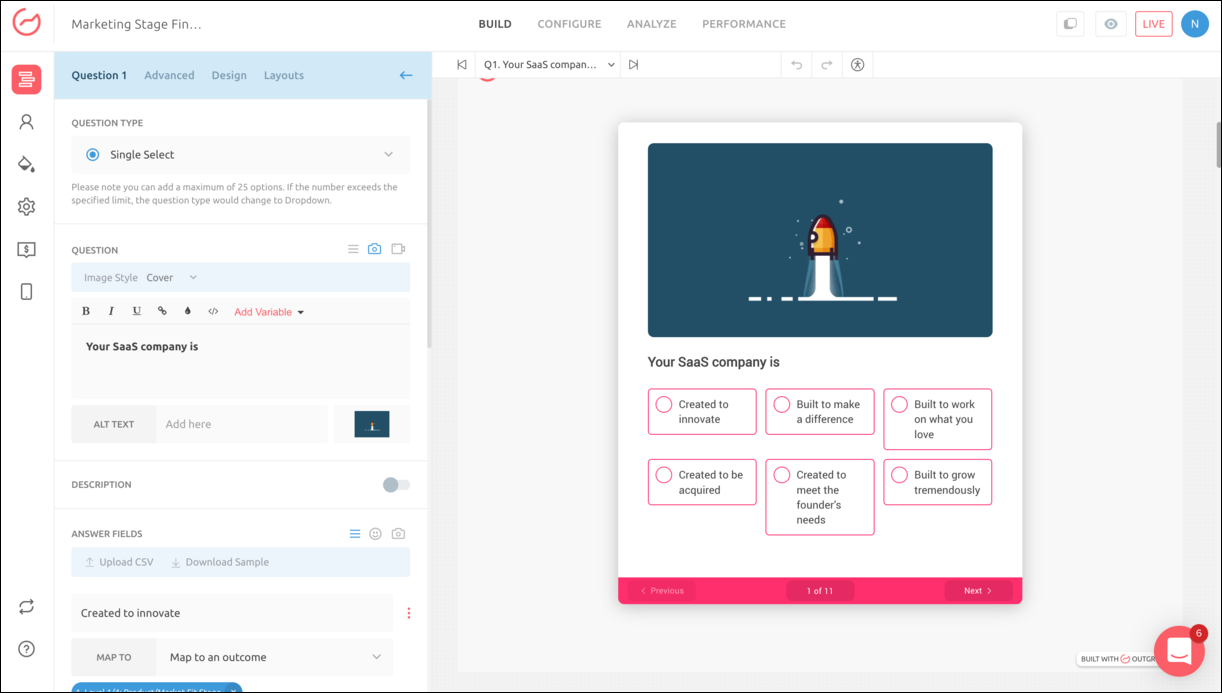
Outgrow’s onboarding is “learn by building.” You choose a content type, pick a template, edit questions, define outcomes, connect integrations, and publish.
A realistic first-week rollout looks like this:
Day 1: Pick one narrow use case
- Estimate ROI for a service
- Qualify inbound leads for sales
- Recommend the right plan based on needs
- Score readiness for a topic
The goal is focus. Outgrow can do many formats, but your first build should have one clear output.
Day 2: Start from a template
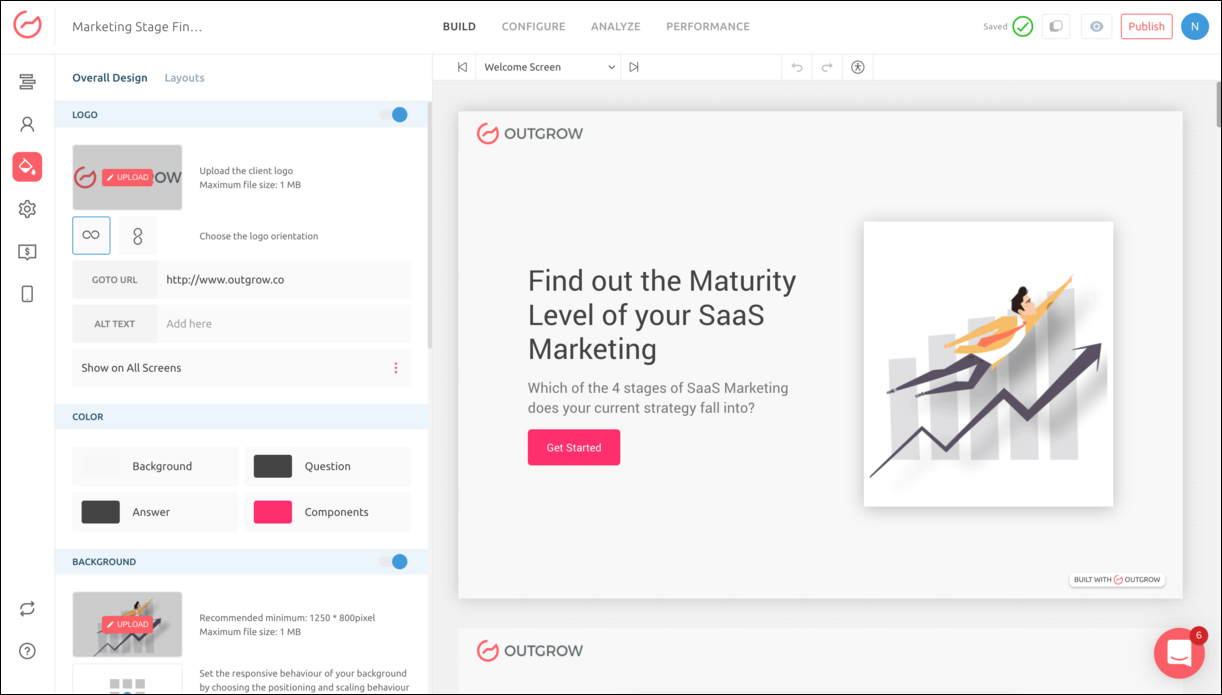
Templates prevent layout and flow mistakes and speed up launch. They also help you get mobile responsiveness “good enough” quickly.
Day 3: Decide where lead capture belongs
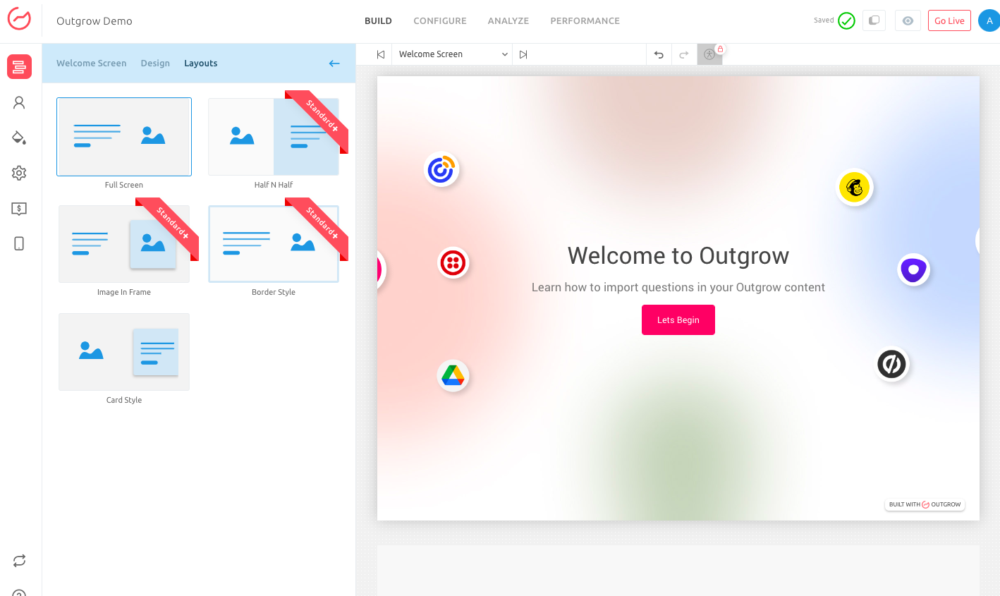
Lead capture can be placed on a welcome screen, after key questions, or near results depending on your strategy. This also affects how “save progress” behaves for longer flows.
Day 4: Define the integration goal before you connect anything
- One lead per completion vs partial completion capture
- Score and segment fields
- How product recommendations map to CRM fields
Day 5: Publish and instrument
Launch, add tracking/pixels as appropriate for your plan, and start measuring drop-off at question-level. That’s where Outgrow becomes worth paying for.
Outgrow4) The builder experience: UI, ease of use, and the learning curve
Outgrow is no-code and template-driven, but it’s not a toy. The builder has real depth: branching logic, formulas, dynamic results, charts, PDFs, analytics segmentation, and CRM mapping.
Practical learning curve:
Easy: build a quiz with outcomes and a lead form.
Medium: build a calculator with scoring and a results page.
Harder: nested logic + multiple result types + PDFs + analytics + CRM field mapping.
What the UI gets right
- Layered build flow: content type → layout → questions → logic/formulas → outcomes → embed → analyze.
- Logic and formulas are first-class: designed for real calculators, not just “score = sum.”
- Results aren’t an afterthought: charts/graphs and richer outputs are part of the product DNA.
Where the UI can feel heavy
- Too many options too early: new users can feel pulled in ten directions.
- Plan constraints shape build choices: lower tiers can force redesigns based on content type/piece limits.
Simple coping tactic: don’t touch advanced settings until you have a working version live. Ship version 1, then iterate.
5) Feature deep dive: what makes Outgrow stand out
A lot of tools can make a quiz. Fewer tools can make a calculator that behaves like a mini-product, collects clean data, pushes it into your CRM, and produces a downloadable PDF report with charts.
5.1 Content types and templates
Outgrow supports a wide range of formats—calculators, quizzes, assessments, recommendations, polls, chatbots, surveys/forms, landing pages, giveaways—and leans on templates to speed launch and reduce design mistakes.
5.2 Logic jump, branching, and personalization
Branching logic (“logic jump”) keeps experiences relevant by routing users down different paths based on answers. It’s not just nice—it changes conversion because people drop off when they feel questions don’t apply to them.
- Lead qualification by budget: under threshold → self-serve; above threshold → sales.
- Readiness assessments: high score → advanced recommendations; low score → beginner steps.
- Product matching: select use-case → show only relevant follow-ups.
5.3 Formulas that go beyond “score = sum”
Outgrow supports conditional formulas (if/else and nested logic), which is essential for real-world calculators (thresholds, ranges, exceptions). It also supports bringing spreadsheet-style logic into the platform, which is a major time-saver for teams that already have pricing/ROI models in Excel.
5.4 Conditional messaging and dynamic outcomes
Conditional messaging lets you tailor what the user sees based on result ranges. Instead of one static results page, you can personalize headlines, recommendations, and CTAs.
Rule of thumb: make the user feel understood, not sold. Personalized results should feel helpful first, promotional second.
5.5 Results pages, charts, and data visualization
Charts and graphs make numeric outputs feel legitimate. “Your ROI is 28%” is fine. A breakdown chart showing where ROI comes from is better—and more shareable.
5.6 PDFs: turning outcomes into a lead magnet
PDF export turns results into a deliverable. Many teams use this pattern:
- User completes assessment/calculator
- Result appears instantly on screen
- User downloads a branded PDF report
- You capture the lead and the user keeps a tangible artifact
5.7 Embedding and distribution: where Outgrow quietly wins
Outgrow supports multiple embed styles, which is a major advantage because publishing is often the real bottleneck. Common approaches include full-page embeds, in-page embeds, popups, exit-intent, chat-style widgets, floating rectangles, and bars.
5.8 Launch in email (when it fits)
Outgrow can start an experience inside an email by asking the first question directly in the email, then continuing the flow on click. This can lift engagement when used carefully and when the experience is genuinely lightweight.
5.9 Save progress for longer experiences
Save Progress reduces abandonment for longer assessments and multi-step qualification flows, and it can double as earlier lead capture because resume links are typically delivered via email.
5.10 Localization: multilingual support with a real constraint
Outgrow supports multilingual system messages across many languages, but your custom questions and answer options still require manual translation. That’s a realistic constraint in any marketing tool—just budget time for it.
5.11 External data: APIs for dynamic calculators
Outgrow can pull external data via APIs (for example, currency/crypto rate concepts in documentation). You may never need this, but it’s meaningful if you build calculators dependent on changing real-world rates.
6) Integrations: where your lead data goes after the quiz
Interactive content is only as valuable as what you do with the data afterward. Outgrow emphasizes a large integration footprint—native integrations plus Zapier-style connectivity—so interactive answers can become usable CRM fields and automation triggers.
What “good integrations” look like in practice
- Mapping answers to fields (not just email address)
- Preventing duplicates
- Updating existing leads/contacts correctly
- Passing scores/segments/recommended plan
- Triggering workflows based on outcomes
A realistic integration strategy
- Decide your lead object: lead, contact, deal, ticket, or a custom object.
- Define your primary segment fields: score, persona type, readiness stage, budget band, recommended plan.
- Decide return behavior: update vs create new vs ignore.
- Test in a sandbox: it’s easier to prevent data clutter than to clean it later.
7) Analytics and measurement: the quiet reason teams stay
It’s easy to build interactive content. It’s harder to improve it. Outgrow places emphasis on funnel analytics and question-level performance so you can identify drop-off points and optimize the flow.
The metrics that actually matter
- Start rate: how many people begin after seeing it
- Completion rate: how many finish
- Lead capture rate: how many submit the lead form
- Drop-off per question: where friction occurs
- Segment distribution: what “types” of leads you attract
Outgrow also supports tracking scripts/pixels and custom scripts depending on plan, which matters for attribution and campaign reporting hygiene.
8) Security, privacy, compliance, and accessibility
If you’re collecting lead data, you’re collecting personal data—and sometimes sensitive data. Outgrow publishes documentation and statements around hosting/security controls, GDPR/CCPA posture, bot protection, and enterprise identity controls like SSO (often gated to higher tiers).
What to verify during procurement
- Hosting and encryption claims (in transit / at rest)
- SOC 2 status (Type 1 vs Type 2, scope, and availability of the report)
- GDPR settings and consent workflows (cookie notice, consent checkbox, deletion process)
- CCPA documentation and data handling statements
- SAML SSO availability (plan gating)
- reCAPTCHA / bot protection options
- Accessibility documentation (WCAG alignment)
Operational note: compliance is not just a policy checkbox. You need workable workflows (consent + deletion + access controls) that your team can actually execute.
9) Customer support and learning resources
Tools with logic and formulas need support, because edge cases are inevitable. Outgrow promotes always-on access to expert support and provides documentation across advanced workflows (logic, formulas, analytics, embeds, integrations, localization, and compliance settings).
A practical way to test support quality is simple: during your trial, submit one real question about your calculator logic or CRM mapping and evaluate response quality and speed.
10) Pros and cons
Pros
- Wide set of interactive content types beyond basic quizzes/forms
- Strong branching logic and personalization
- Serious calculator support (conditional logic, spreadsheet-style complexity)
- Rich embed options (full page, in-page, popup, exit intent, chat-style, etc.)
- Analytics focus with funnel and question-level insight
- PDF output to create report-style lead magnets
- Large integration footprint (native + Zapier-style)
Cons
- Lower tiers can feel constrained by content type/piece and lead caps
- The jump to Business is large if you scale quickly
- Enterprise capabilities like SAML SSO are often gated at higher tiers
- Some users perceive it as expensive relative to entry-tier limits
11) What real users say (and what to do with that)
Don’t buy software based only on marketing copy. Reviews are messy, but they’re useful for patterns. Outgrow consistently shows strong ratings on major directories and is often praised for template variety, logic/branching depth, and support responsiveness. The most common recurring complaint is pricing relative to limits at lower tiers.
How to interpret reviews intelligently:
If you see the same complaint five times, assume you will hit it too. If you see the same praise five times, assume it’s real.
12) Alternatives: when Outgrow is not the right pick
Outgrow is not the only path to interactive lead gen. The best alternative depends on what you’re building and where it needs to live.
If you mainly need advanced forms on your site
Form-first builders can be a better fit when the primary requirement is sophisticated forms with conditional logic deeply embedded into your site workflow—especially if you don’t need calculator math, PDFs, or rich results pages.
If you want a lighter-weight quiz tool
If you’re only building simple personality quizzes or basic lead-gen quizzes, paying for Outgrow’s formula depth may be unnecessary.
If you are cost-sensitive and scale matters most
If you expect viral-level volume, model lead caps early and compare against tools with more generous caps or different pricing models. Outgrow can get expensive as volume increases.
OutgrowSide-by-side comparison (high level)
| Platform | Best for | Key strength vs Outgrow | Key weakness vs Outgrow |
|---|---|---|---|
| Outgrow | Interactive lead magnets with logic + analytics + integrations | Calculator depth, branching, results, embeds, PDFs | Can become expensive as you hit limits/need enterprise controls |
| Form-first builders | Advanced forms + conditional logic on-site | Often simpler pricing and tighter “forms” UX | Less depth in calculators/results/PDF reporting |
| Lightweight quiz tools | Simple quizzes and lead capture | Lower cost and faster setup for basic use cases | Less logic/formula depth; weaker analytics and results experience |
13) Who should choose Outgrow (and who should skip it)
Choose Outgrow if:
- You want interactive content that feels like a mini-product, not a static form
- You need branching logic, scoring, and personalization at scale
- You care about analytics beyond “how many leads”
- You want PDFs, charts, and report-style results
- You plan to integrate answers into CRM and marketing automation systems
- You want flexible embed and distribution options (page, popup, chat-style)
Skip Outgrow if:
- You only need basic forms and simple conditional logic
- You want unlimited leads at a low fixed price
- Your team won’t use logic/results personalization/analytics depth
14) Final recommendation
Outgrow is not cheap and not minimal. It’s a serious platform built for marketers who want interactive experiences that qualify leads—not just collect emails.
If you commit to it, the payoff can be strong: better engagement, better segmentation, better lead quality, and a cleaner handoff to sales or lifecycle marketing.
My advice: start with one calculator or assessment tied to a revenue-relevant question. Publish fast. Measure drop-off and completion. Improve one question at a time. Only then scale into multiple funnels and content types.
FAQ (15 practical questions)
1) Does Outgrow require coding?
Outgrow is positioned as a no-code platform. Advanced customization exists, but most builds can be completed without code.
2) Can I build calculators with complex logic?
Yes. Outgrow supports conditional logic (including nested if/else) and is designed to handle more advanced calculator behavior than typical quiz tools.
3) How many templates does Outgrow have?
Outgrow is widely described as template-rich, with large libraries intended to speed launch. Confirm the current template count and format coverage inside your trial.
4) Can I embed Outgrow content on my site?
Yes. Outgrow supports multiple embed styles, including full-page and in-page embeds, plus widget/popup variants.
5) Can I use Outgrow in emails?
Outgrow supports email-based launches for certain formats, where the first interaction can begin in the email and continue into the experience.
6) Can users save progress and finish later?
Yes. Save Progress can reduce abandonment for longer assessments and multi-step flows.
7) Can Outgrow generate a PDF report from results?
Yes. PDF output is commonly used to create “report-style” lead magnets.
8) Does Outgrow support charts on result pages?
Yes. Charts and richer result experiences are part of Outgrow’s appeal for calculator/assessment-style builds.
9) What integrations does Outgrow support?
Outgrow supports many integrations across CRMs and marketing automation tools, and typically also supports Zapier-style connectivity for the long tail.
10) Does Outgrow support SAML SSO?
SSO is generally positioned as an enterprise capability; confirm plan eligibility and IDP compatibility during procurement.
11) Is Outgrow SOC 2 certified?
Outgrow has publicly discussed SOC 2 status. Confirm the type (Type 1 vs Type 2), scope, and report availability during security review.
12) What GDPR controls does Outgrow offer?
Outgrow documents GDPR-related settings such as cookie notifications, consent fields, and data deletion workflows. Validate how it maps to your requirements.
13) Does Outgrow offer reCAPTCHA?
Outgrow documents bot protection configuration. If you run giveaways or high-traffic quizzes, validate setup early to protect lead quality.
14) Does Outgrow support multiple languages?
Yes, with the practical constraint that custom copy typically needs manual translation.
15) What is a realistic starting plan?
Many buyers start with Freelancer Limited or Freelancer Pro to validate builder fit, then move to Essentials when content count and lead volume become meaningful. The right plan depends on how many experiences you’ll publish and your expected leads per month.








By clicking Sign In with Social Media, you agree to let PAT RESEARCH store, use and/or disclose your Social Media profile and email address in accordance with the PAT RESEARCH Privacy Policy and agree to the Terms of Use.