
NiceJob Review: A Deep Dive Into Features, Pricing, Pros, Cons, and Alternatives
Online reviews are one of those business assets that compound quietly in the background. When they work, your phone rings more often, your close rate improves, and you spend less time convincing skeptical prospects. When they do not work, you can deliver great service and still lose to a competitor with a stronger Google rating and fresher feedback.
That is the pain point NiceJob is built to solve.
NiceJob positions itself as an all-in-one reputation marketing platform for local businesses, with a focus on automating review generation, turning positive feedback into marketing content, and nudging customers toward repeat bookings and referrals. It is designed for owners and small teams who want outcomes (more reviews, more trust, more leads) without hiring an internal marketer or building a complicated automation stack.
NiceJobOverall verdict: 8.7/10
Bottom line: NiceJob is one of the most approachable reputation marketing platforms in its category. It is especially strong for service businesses that live and die by Google visibility and word of mouth. The tradeoff is that some advanced capabilities (repeat campaigns, competitor insights, deeper automations) sit behind higher tiers, and multi-location or enterprise scenarios typically require custom pricing.
Score breakdown:
- Features: 9.0 / 10
- Ease of use: 9.1 / 10
- Automations & integrations: 8.6 / 10
- Analytics & insights: 8.3 / 10
- Value for money: 8.4 / 10
- Support & learning resources: 9.0 / 10
- Security & compliance posture: 8.0 / 10
Here’s what this review covers
- Company background and positioning
- Pricing and plans (with a detailed comparison table)
- Setup and onboarding experience
- User interface and ease of use
- Core features (reviews, social proof, referrals, repeats, insights, AI replies, gifting, sites)
- Advanced features and integrations (Zapier, webhooks, API, CRM/field service tools)
- Performance, reliability, and security
- Customer support and learning resources
- Pros and cons
- User feedback summary (ratings and recurring themes)
- Alternatives and comparisons
- Who NiceJob is best for (and who should avoid it)
- Final verdict and recommendations
- FAQ (15 common questions)
Company background and positioning
NiceJob is best understood as software that operationalizes your best customer moments. Instead of hoping a happy customer leaves a review, NiceJob helps you:
- Identify the right moment to ask
- Automate the ask (and reminders)
- Route customers to review sites you care about
- Repurpose positive feedback into website and social proof assets
- Follow up later to win repeats and referrals
A quick history
NiceJob was founded in 2017. In October 2021, Paystone announced it acquired NiceJob, describing it as a move to expand Paystone’s product portfolio into reputation and referral marketing.
For buyers, the practical takeaway is that NiceJob is not a side project. It is part of a broader business ecosystem, which often means more resources behind product development, partnerships, and go-to-market reach.
Target audience and market positioning
NiceJob is clearly designed for local service businesses and customer-driven operators, not for global consumer brands. In day-to-day terms, NiceJob is a strong fit if you are any of the following:
- A home service business (HVAC, plumbing, landscaping, junk removal, cleaning)
- A health and wellness business (clinics, gyms, studios)
- A professional service practice (legal, accounting, agencies)
- A multi-practitioner or multi-location business where consistency matters
Key differentiators (high level)
- Set-and-forget automation for review requests and follow-ups, with SMS and email as first-class channels.
- Marketing activation of reviews through social proof widgets, a trust badge, and “stories”-style sharing workflows (instead of leaving reviews trapped on Google).
- Bundled growth levers beyond reviews, including referrals, repeat booking reminders, and competitor insights (especially in higher tiers).
- Integration friendliness via an app marketplace, Zapier, and webhooks, so you can connect NiceJob to CRMs and field service tools.
Pricing and plans (with a detailed comparison table)
NiceJob’s pricing is mostly straightforward at the entry level, but it becomes more nuanced once you add managed websites (Sites) and extra add-ons such as additional landing pages, blog CMS modules, or multi-location requirements.
Free trial
NiceJob offers a 14-day free trial. The pricing page also states your billing date is when the trial ends, and explicitly notes that you are not locked into a contract.
Core software plans and Sites
On the pricing page, NiceJob lists two primary software plans:
- Reviews: $75 / month (USD)
- Pro: $125 / month (USD)
Separately, NiceJob lists Sites (a managed website offering):
- Sites: $99 / month plus a $199 setup fee
NiceJob also presents “Grow” and “Grow + Sites” bundles depending on the number of customers you manage (the pricing page includes a customer count selector such as 1–2,500 customers). The naming can look inconsistent at first glance because the page displays multiple packaging layers. The safest interpretation is:
- $75 / month is the baseline starting point for NiceJob’s core reputation software in common scenarios.
- $125 / month is positioned as the more complete tier for scaling faster (AI replies, repeat campaigns, competitor insights, and more are called out as Pro benefits).
- Sites can be purchased as an add-on or bundled.
Pricing comparison table
| Plan | Price (USD) | Billed | Best for | Notable inclusions / callouts |
|---|---|---|---|---|
| Reviews | $75 / month | Monthly | Businesses focused primarily on review growth | Review request automation, manual requests, SMS/email personalization, review monitoring, social proof widgets, social sharing; AI-generated replies are referenced in plan features; integrations are referenced on the page. |
| Pro | $125 / month | Monthly | Businesses that want more automation and competitive intelligence | NiceJob calls Pro its most popular plan and highlights AI replies, repeat campaigns, competitor insights, and scaling features. |
| Sites | $99 / month + $199 setup | Monthly | Teams that want a managed, conversion-oriented website | Custom-designed website, SSL certificate, call tracking, lead forms, CDN optimization, DNS migration, reporting dashboard, mobile optimization. |
| Grow (example shown for 1–2,500 customers) | $75 / month | Monthly | Review + referral automation with basic insights | Automated review and referral campaigns, social sharing automation, monitoring, insights; booking reminders are noted as beta in some plan descriptions. |
| Grow + Sites (example shown for 1–2,500 customers) | $174 / month + $199 setup | Monthly | All-in-one reputation platform + managed site | Grow features plus a managed site, SEO positioning, call tracking, lead forms, content writing, and “website coach” messaging. |
Important budgeting note: NiceJob’s pricing page includes a “How many customers do you have?” selector with multiple thresholds, which implies pricing can scale with customer volume or deployment needs. Always confirm the exact price for your customer count and plan tier at checkout.
Hidden costs and add-ons
NiceJob is fairly transparent about Sites add-ons in its FAQ. Two that can materially affect total cost are:
- Additional landing pages: $145 one-time per page + $15/month per page
- CMS modules (blog/services/locations modules you control): $245 setup per CMS + $15/month per CMS
For multi-location, franchise, or enterprise scenarios, NiceJob typically routes buyers to custom pricing discussions.
Value for money (plain English)
- If reviews materially impact your pipeline, $75/month is often easy to justify (one incremental job can cover the subscription for many local operators).
- If your review volume is already strong, the value shifts to Pro-level levers: repeat campaigns, competitor insights, deeper automation, and AI-assisted responses.
- If you need a managed website, Sites can make sense if you want a vendor accountable for performance and upkeep—but budget for add-ons if you need many landing pages or multiple CMS modules.
Setup and onboarding experience
NiceJob’s onboarding story is built around speed. The platform is clearly designed to minimize setup friction, especially if you already use a supported CRM or field service system.
Typical setup paths
Path A: You already have customer data in another system (best case)
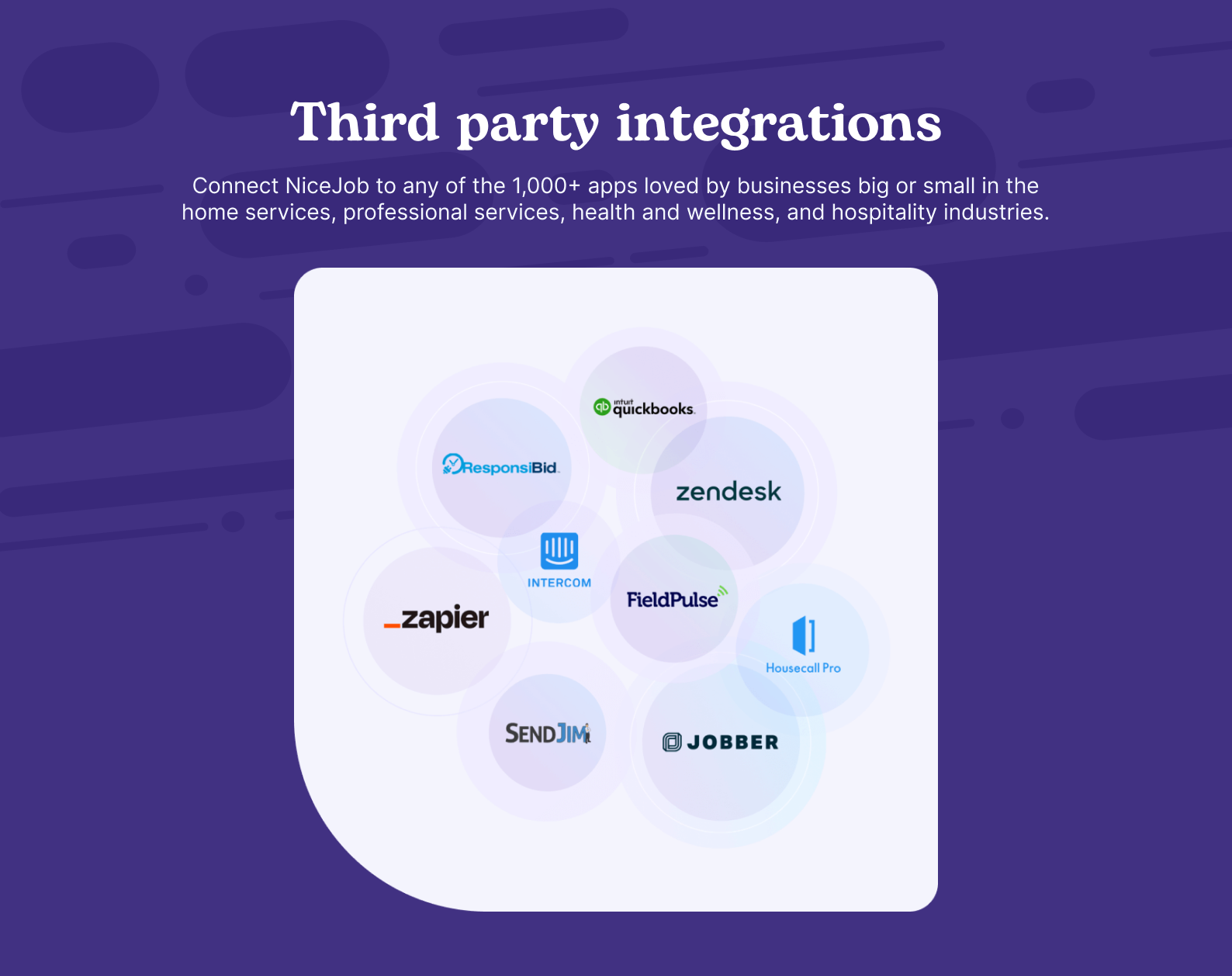
- Connect your system of record (for example: Jobber, Housecall Pro, ServiceTitan, QuickBooks, Square, HubSpot, or another supported integration).
- Sync contacts into NiceJob so campaigns can run automatically.
- Configure your review request cadence and channels (SMS, email, or both).
- Connect review sites you care about (Google is usually the priority).
- Turn on automation and monitor early results.
Path B: You are starting from scratch
- Import customers via CSV.
- Confirm phone number hygiene (SMS success depends on this).
- Segment customers where needed (service type, recency, location, exclusions).
- Define exclusions so automation feels professional (not spammy).
Implementation reality: The tool can automate outreach, but you still need basic operational rules about who should receive review requests and when. Good segmentation prevents the “robotic automation” effect.
Onboarding resources
NiceJob maintains a structured Help Center with clear category organization (getting started, reviews, sites, referrals, stories, campaigns, connections, widgets, billing). This is helpful for owner-operators who do not have a dedicated ops lead.
User interface and ease of use
NiceJob is not trying to be a full CRM. It is closer to a specialized growth layer that sits on top of your existing operational system.
What the UI is optimized for
- Show what is happening now (new reviews, pending requests, opportunities)
- Make campaign configuration approachable
- Make sharing reviews frictionless
- Keep integrations in the foreground (because integrations power automation)
Learning curve
- New users: set up one simple review campaign first, then expand into social proof widgets and referrals.
- Experienced users: get the most value by investing time in segmentation, timing, and integration-trigger discipline.
Customization that actually matters
Customization in NiceJob is less about dashboards and more about tuning the customer experience:
- Personalized SMS and email invite messaging
- Personalized referral invite links
- Formatting and edits when sharing reviews as “stories”
- Rule-based tone and length controls for AI replies
Core features breakdown
NiceJob’s feature set is best understood as a pipeline:
- Collect trust (reviews)
- Amplify trust (social proof and sharing)
- Convert trust (leads, repeats, referrals)
- Improve trust (insights, competitor monitoring, AI-assisted replies)
1) Review generation and review request automation
This is NiceJob’s core capability. A typical workflow looks like this:
- A job is completed or an invoice is paid in your system of record.
- That event triggers enrollment into a NiceJob campaign.
- NiceJob sends a review invite by SMS, email, or both.
- If the customer does not respond, NiceJob sends a follow-up reminder.
- When a review is posted, NiceJob pulls it into the platform so you can monitor, respond, and reuse it.
Strengths
- Automation depth without complexity (strong for owner-operators)
- SMS as a first-class channel (often the highest response path in services)
- Personalization controls that reduce the “robotic automation” vibe
Weaknesses / limitations to plan for
- Review platform constraints: what you can request depends on what NiceJob supports and what each platform allows.
- Segmentation is on you: you need basic rules about who gets asked and when.
2) Review monitoring and management
Monitoring matters for two reasons: (1) you can respond quickly to negative feedback, and (2) you can identify operational issues before they become patterns. NiceJob also emphasizes opportunities reports and review insights (including staff/employee leaderboard concepts).
3) Responding to reviews with AI replies
NiceJob includes AI-assisted review responses with controllable tone and style. This tends to help most with speed, consistency, and coverage.
Practical operating model: “AI drafts, humans approve” at first. Once outputs are consistently on-brand, some teams move to auto-publish for simple positive reviews while keeping human review for negative or sensitive cases.
4) Social sharing and customer stories
NiceJob wants you to treat reviews as marketing assets, not just reputation metrics. A realistic workflow is:
- Customer leaves a strong review mentioning a specific service benefit.
- You share it as a branded “story” post on social.
- You embed the review/social proof on service pages to lift conversion.
5) Social proof widgets, trust badge, and lead capture
NiceJob offers multiple ways to display trust on your website, including social proof widgets, a trust badge concept, and a review microsite that can generate leads.
6) Referrals
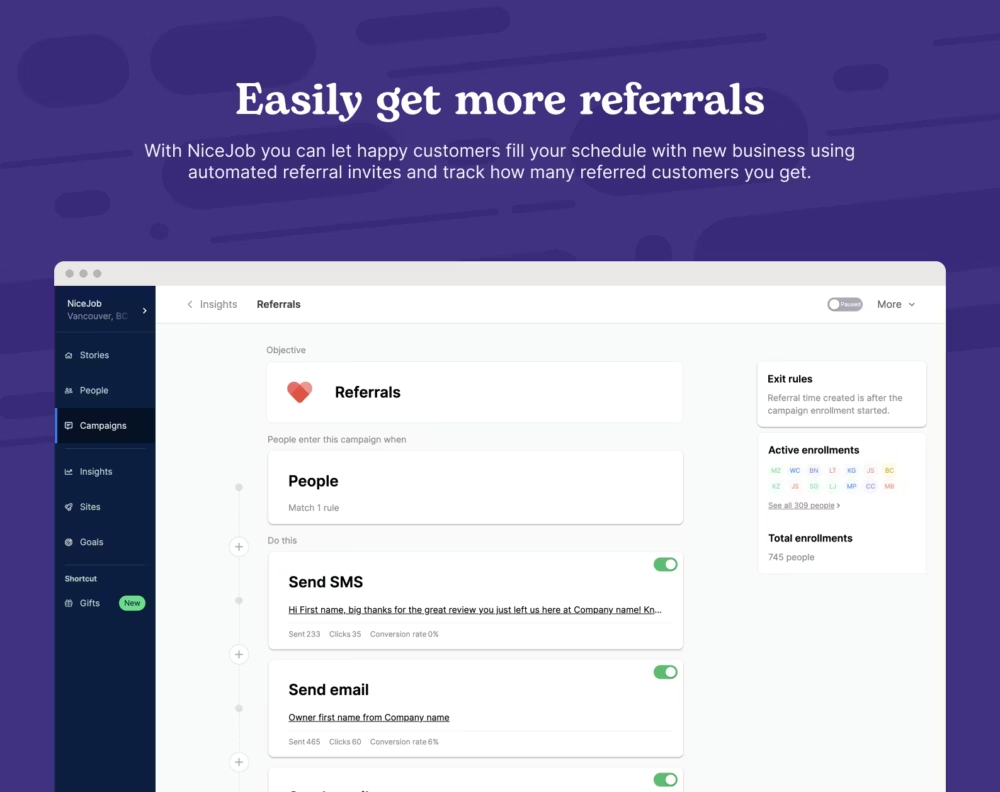
NiceJob includes referral automation to help turn customers into a repeatable lead source. Tracking is valuable here because it enables attribution, follow-ups, and (if you choose) rewards.
7) Repeats (repeat booking reminders)
NiceJob’s Repeats feature is designed to bring past customers back through personalized follow-ups after a customer’s last service. This is especially relevant for recurring or seasonal services (maintenance, inspections, wellness renewals).
8) Insights and competitor monitoring
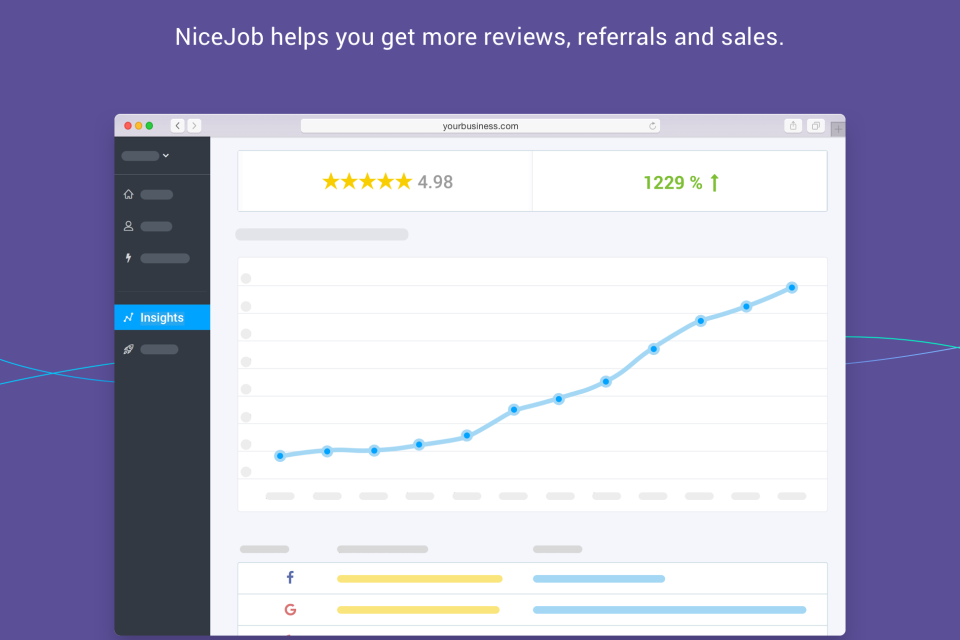
NiceJob emphasizes both internal insights (campaign analytics, trending topics, opportunities) and external insights (competitor review/SEO insights). Competitor monitoring is most useful when you need to understand why a competitor is outranking you and what customers praise them for.
9) Gifts automation
NiceJob includes gifting automation as a way to delight loyal customers. In practice, gifting tends to matter most in highly competitive local markets where differentiation is hard. Availability may depend on plan tier and specific integrations.
10) Sites (managed website offering)
NiceJob Sites is a managed website product positioned as conversion-focused, and includes features like SSL, call tracking, lead forms, CDN optimization, DNS migration, reporting, and mobile optimization. It can be a strong fit if you want one vendor accountable for upkeep and performance, but budget for add-ons if you need many landing pages or CMS modules.
NiceJobAdvanced features and integrations
NiceJob’s positioning leans heavily into “simple connections” and reducing setup burden. In practice, the seamlessness depends on the integration type:
- Native integrations (common field service tools/CRMs) tend to feel smoother because trigger events and data mapping are predictable.
- Zapier-based integrations widen the ecosystem dramatically, but trade simplicity for flexibility.
- Enterprise systems can require more credentials and coordination.
High-value automation setups (practical examples)
- Closed-won deal → review request (CRM-driven reputation growth tied to revenue outcomes)
- Invoice paid → review request (asks at the moment of successful transaction completion)
- Negative feedback → internal ticket (prevents issues from sitting unnoticed)
- Seasonal repeat reminder (turns past customers into current pipeline)
Zapier, webhooks, and API
NiceJob references an app marketplace plus broader connectivity through Zapier/webhooks, and it publishes REST API documentation (OAuth2 authentication is referenced). For teams that want deeper automation or data flows, this is the path to make NiceJob part of a larger marketing/ops stack rather than a standalone tool.
Performance, reliability, and security
Performance and reliability
NiceJob does not prominently publish an uptime dashboard in the materials referenced in the draft, so you should not assume public SLA-style transparency by default. If uptime reporting is important in your procurement process, ask NiceJob directly during evaluation.
Scalability
NiceJob references franchise and multi-location solutions and typically routes those buyers toward custom pricing and tailored setup. That is a signal that pricing and configuration can vary with scale, and that governance/branding consistency is part of the intended scope.
Security, privacy, and compliance
- Customer data handling: NiceJob states it does not sell your customer information and will not share it unless you explicitly ask.
- HIPAA messaging: NiceJob publishes a HIPAA compliance statement (treat this as a starting point for due diligence, not the end of vendor review).
- API authentication: API documentation references OAuth2.
- Formal terms: NiceJob publishes terms of service defining service scope and user responsibilities.
Regulated environments: If you operate in healthcare, legal, or other regulated industries, validate data retention/deletion controls, access controls, authentication policies, and available vendor security documentation as part of procurement.
Customer support and learning resources
NiceJob supports users through a structured Help Center and provides chat support cues on its site/app. It also lists phone and email contact options and support hours on its resource hub, which is stronger than many SMB SaaS tools that rely only on ticketing.
NiceJob also maintains a resource hub with guides, webinars, and case studies, which can reduce the burden on your team to figure out reputation marketing strategy from scratch.
Pros and cons
Pros
- Strong automation for review generation with SMS/email personalization
- Trust-building beyond reviews: widgets, microsite, sharing workflows, and trust badge concepts
- AI-assisted review responses with controllable tone and style
- Repeat and referral levers that turn reputation into revenue outcomes
- Integration ecosystem through marketplace + Zapier + webhooks + API
- Transparent Sites add-on pricing (setup fee + landing pages + CMS module pricing)
- Strong ease-of-use reputation in common review ecosystems
Cons
- Plan packaging can feel confusing due to multiple naming layers tied to customer volume selection
- Some capabilities are gated (certain features may depend on Pro and/or specific integrations)
- Multi-location deployments often require sales involvement and custom pricing
- Managed Sites costs can rise if you need many landing pages or multiple CMS modules
- Review platform coverage varies and platform-specific constraints can frustrate some users
User reviews and ratings summary
Public ratings are not perfect, but they are useful directional signals. In the draft source set, NiceJob shows strong performance on common review platforms (with sample sizes varying substantially by site).
Common praise themes
- Ease of use and speed to value
- Automation that saves time (requests + follow-ups handled reliably)
- Support responsiveness (especially for owner-operators)
- Clear outcomes (visible review lift over time)
Common complaint themes
- Pricing sensitivity for buyers who only use a subset of features
- Platform coverage gaps or review-network-specific constraints
- Noise in small-sample review distributions (some platforms skew more polarized)
How to interpret reviews intelligently: If reviewers consistently praise automation, ease of use, and support, that is likely the true core value. If complaints focus on pricing or edge-case platform constraints, validate those specific constraints during your trial.
Alternatives and comparisons
NiceJob competes in a crowded market that includes reputation platforms, messaging-first tools, and enterprise experience management suites. The right alternative depends on whether you want:
- A broader CX suite for multi-location brands
- A messaging-first “inbox” platform with reviews as one module
- An agency-first review platform with deeper local SEO reporting
- An enterprise platform with heavy governance and SLAs
High-level comparison table
| Platform | Best for | Typical positioning vs NiceJob |
|---|---|---|
| NiceJob | Local service businesses focused on reviews + referrals + repeats | Owner-friendly reputation marketing engine; strong automation and activation of social proof |
| Birdeye | Multi-location brands and broader CX workflows | Broader platform with per-location economics; often heavier than SMBs need |
| Podium | Messaging-first lead conversion and inbox workflows | Stronger if messaging is the “system of action”; reviews are part of a wider comms stack |
| GatherUp | Agency-oriented reputation + local SEO reporting | Often favored when agencies need reporting depth and multi-location management patterns |
| ReviewTrackers | Review monitoring and reporting (often per-location pricing) | Can be simpler if you mostly need monitoring (not generation + marketing activation) |
| Reputation.com | Enterprise-scale reputation and CX governance | Deeper governance + enterprise tooling; typically quote-based with heavier implementation |
Who NiceJob is best for (and who should avoid it)
NiceJob is best for
- Home service businesses that want more Google reviews without extra admin work
- Businesses with a field service tool or CRM already in place (integrations are a multiplier)
- Operators who want referrals and repeat business built into the same motion
- Teams that want to activate social proof across website and social channels
Who should be cautious
- Enterprise buyers who need heavy governance, formal SLAs, and deep compliance tooling
- Teams that want full control over a website stack (Sites is managed and add-ons can add up)
- Buyers who only need monitoring and do not care about automation or marketing activation
Final verdict and recommendations
NiceJob is a strong pick if you want a reputation marketing platform that feels built for real operators, not marketing departments.
It focuses on the activities that actually move the needle for local businesses:
- Generate reviews consistently
- Amplify credibility through social proof
- Automate follow-ups for referrals and repeats
- Integrate with the systems you already use
- Reduce the workload of responding and sharing with AI-assisted workflows
My overall rating: 8.7 / 10
Primary caution: Understand the plan packaging, validate what is included in your tier, and model total cost if you add Sites plus extra landing pages or CMS modules.
Recommendation (best way to evaluate NiceJob)
- Start the 14-day trial.
- Connect one operational system (for example: Jobber, Square, or HubSpot) and one review destination (usually Google).
- Run one campaign for two weeks.
- Measure review lift and response rates.
- If you have website traffic, add a social proof widget and monitor conversion impact.
If you see lift quickly, the subscription tends to justify itself.
NiceJobFAQ (15 common questions)
1) What does NiceJob actually do?
NiceJob helps businesses automate review generation, monitor reviews, share reviews as marketing assets, and drive referrals and repeat business through automated campaigns.
2) Does NiceJob offer a free trial?
Yes. NiceJob lists a 14-day free trial on its pricing page, and notes billing begins when the trial ends.
3) Is there a contract?
NiceJob states you are not locked into a contract during your subscription.
4) How much does NiceJob cost?
NiceJob lists $75/month for the Reviews plan and $125/month for the Pro plan, with Sites at $99/month plus a $199 setup fee. Confirm current pricing during purchase.
5) Are NiceJob plans priced in USD?
Yes. NiceJob’s pricing page indicates plans are denominated in USD.
6) What is the difference between Reviews and Pro?
NiceJob frames Pro as the tier that adds more scaling levers beyond the Reviews plan, including AI replies, repeat campaigns, and competitor insights.
7) Can NiceJob respond to reviews automatically?
NiceJob includes AI-generated replies and promotes automation of review responses. Many teams start with “AI drafts, human approves” and evolve from there.
8) Which review sites does NiceJob support?
NiceJob’s documentation commonly references support for major platforms like Google and Facebook, and also lists multiple additional review networks. Confirm the exact list in NiceJob’s current Help Center if a specific platform is critical.
9) Can NiceJob integrate with my CRM or field service software?
Yes. NiceJob references an app marketplace and broad integration coverage (including common tools in field service, CRM, and payments/POS ecosystems).
10) Does NiceJob work with Zapier?
NiceJob supports Zapier-based workflows, which expands integration coverage significantly.
11) Does NiceJob offer an API?
Yes. NiceJob publishes REST API documentation and references OAuth2 authentication.
12) What is NiceJob Sites?
NiceJob Sites is a managed website offering positioned around conversion performance, including features like SSL, call tracking, lead forms, CDN optimization, DNS migration, reporting, and mobile optimization.
13) What add-on costs should I expect with Sites?
NiceJob lists add-on pricing for additional landing pages and optional CMS modules (each with setup fees and recurring monthly fees).
14) Does NiceJob sell my customer information?
NiceJob states it does not sell your customer information and will not share it unless you explicitly ask.
15) Is NiceJob HIPAA compliant?
NiceJob publishes HIPAA compliance messaging. If HIPAA is in scope for your organization, treat this as the beginning of due diligence (BAA expectations, data handling, access controls, and retention should be confirmed during procurement).








By clicking Sign In with Social Media, you agree to let PAT RESEARCH store, use and/or disclose your Social Media profile and email address in accordance with the PAT RESEARCH Privacy Policy and agree to the Terms of Use.