
monday.com Review: A Practical Guide to This All-in-One Work Management Platform
If you have ever watched a simple project turn into a maze of Slack threads, spreadsheet versions, and meetings that exist only to clarify the last meeting, you already understand the problem monday.com is trying to solve.
monday.com positions itself as a Work OS. In plain terms, that means it is a configurable platform where teams build workflows for projects, processes, and operational work using boards, automations, dashboards, docs, and integrations.
This review goes deep on what monday.com does well, where it can frustrate teams, how pricing actually behaves as you scale, and how to decide if it fits your organization.
Overall verdict (short version): monday.com is extremely strong when you treat it like a configurable internal product, not a plug-and-play task list. The flexibility is the point—and also the risk.
- Score: 9.0 out of 10
- Best for: teams that need a flexible system to manage cross-functional work with strong visibility, dashboards, and no-code automation—especially when the alternative is spreadsheets plus scattered tools.
- Not ideal for: teams that want a minimal, opinionated project tool with low administration overhead, or organizations that need deep, enterprise-grade portfolio governance without careful configuration and process discipline.
Monday.com
Monday.com is the new name of a product previously known as dapulse, namely one of the market’s leading collaboration and communication apps for teams. It syncs all information in a single, accessible hub, and empowers agents and team members to make important decisions together. Monday.com has a user-friendly interface to share all the information with the clients. A client board allows the user to invite clients to view their project roadmap. On that board, the user can list all the projects/tasks they are working on, share deadlines and plan ahead. There are various options to visualize the work for the…
• Collaboration ,communication & motivation tool
• Lead management & lead tracking
• Email notifications & Email updates
• Integrations to Dropbox, Google Drive, Pipedrive
• Video Production Management & Client Management
• Franchise Business & Post Merger Integration
• Workflow Management & Product Manager Solution
• Designer Project Management & Venture Capital
• Basic – $25/month (billed annually)
• Standard – $39/month (billed annually)
• Pro – $59/month (billed annually)
• Enterprise – $118/month (billed annually)
Table of contents
- What monday.com is, and what it is not
- The monday.com product lineup
- How monday.com works (the core building blocks)
- First-time setup and onboarding experience
- User experience and ease of use
- Core capabilities deep dive
- Automation and integration quotas (how to think about limits)
- Pricing and plans (what you get, what you do not)
- Security, compliance, and administration
- Performance and reliability considerations
- Support, enablement, and learning resources
- What real users tend to like and dislike
- Comparisons and alternatives
- Who should choose monday.com (and who should avoid it)
- Practical recommendation and rollout strategy
- Final verdict
- FAQ
What monday.com is, and what it is not
What it is
At its core, monday.com is a structured collaboration system that sits between:
- A spreadsheet (rows of items, columns of fields, filters, grouping, formulas)
- A project management tool (owners, timelines, dependencies, progress tracking)
- An automation layer (triggers and actions to reduce repetitive work)
- A reporting layer (dashboards pulling from one or many boards)
- A lightweight application platform (apps, integrations, and customization patterns)
If you have used Airtable, Smartsheet, Asana, ClickUp, Notion databases, or Jira, monday.com will feel familiar in pieces. The difference is that monday.com heavily emphasizes:
- Visual workflow building for non-technical teams
- Prebuilt templates plus modular building blocks
- Cross-board reporting for leaders
- Integration breadth for operations teams
What it is not
monday.com is not a magic replacement for messy processes. The platform can make work visible, standardized, and automated, but it cannot decide your governance model for you.
In practice, monday.com fails when teams try to skip the hard questions:
- What is the unit of work we track (task, deliverable, ticket, request, asset)?
- Who owns each stage, and what does “done” mean?
- What data must be captured consistently for reporting to be trusted?
- What is the minimum viable workflow that people will actually use?
If you do not answer those, you get boards that look impressive but do not drive execution.
The monday.com product lineup
monday.com is not a single product in the way that a simple task manager is. monday.com organizes its offering into multiple “tailored” products, including:
- monday work management
- monday CRM
- monday dev
- monday campaigns
- monday service
From an evaluation standpoint, this matters for two reasons:
- You may buy monday.com for one team, then expand to others using different monday “flavors” that share a platform foundation.
- Governance and data design become more important as you expand. A marketing team can run happily in isolation. A whole company needs shared standards.
For this review, I focus primarily on the platform and monday work management, because that is where most organizations start.
MondayHow monday.com works (the core building blocks)
To evaluate monday.com properly, you need a clear mental model of its building blocks. If you do not have that model, the platform can feel overwhelming because there are many ways to solve the same problem.
Boards as the system of record
In monday.com, a board is the main container for structured work. Think of it as a configurable table that can represent:
- A project plan (deliverables and tasks)
- A pipeline (leads, deals, stages)
- A request queue (IT tickets, creative requests, legal reviews)
- An operational tracker (inventory, vendor onboarding, compliance tasks)
Each row is typically an “item” (a task, request, deal, or record). Each column captures attributes: owner, status, date, priority, tags, numbers, files, formulas, relationships, and more.
The reason this matters: once you choose what an item represents, everything else follows. Dashboards, automations, and reporting depend on consistent structure.
Views as different ways to see the same data
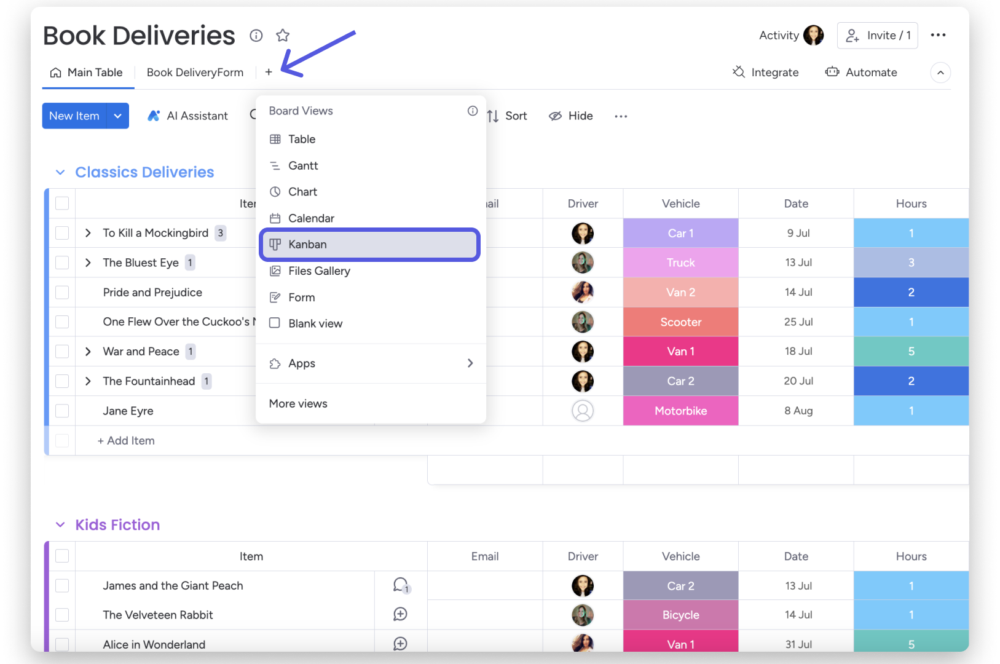
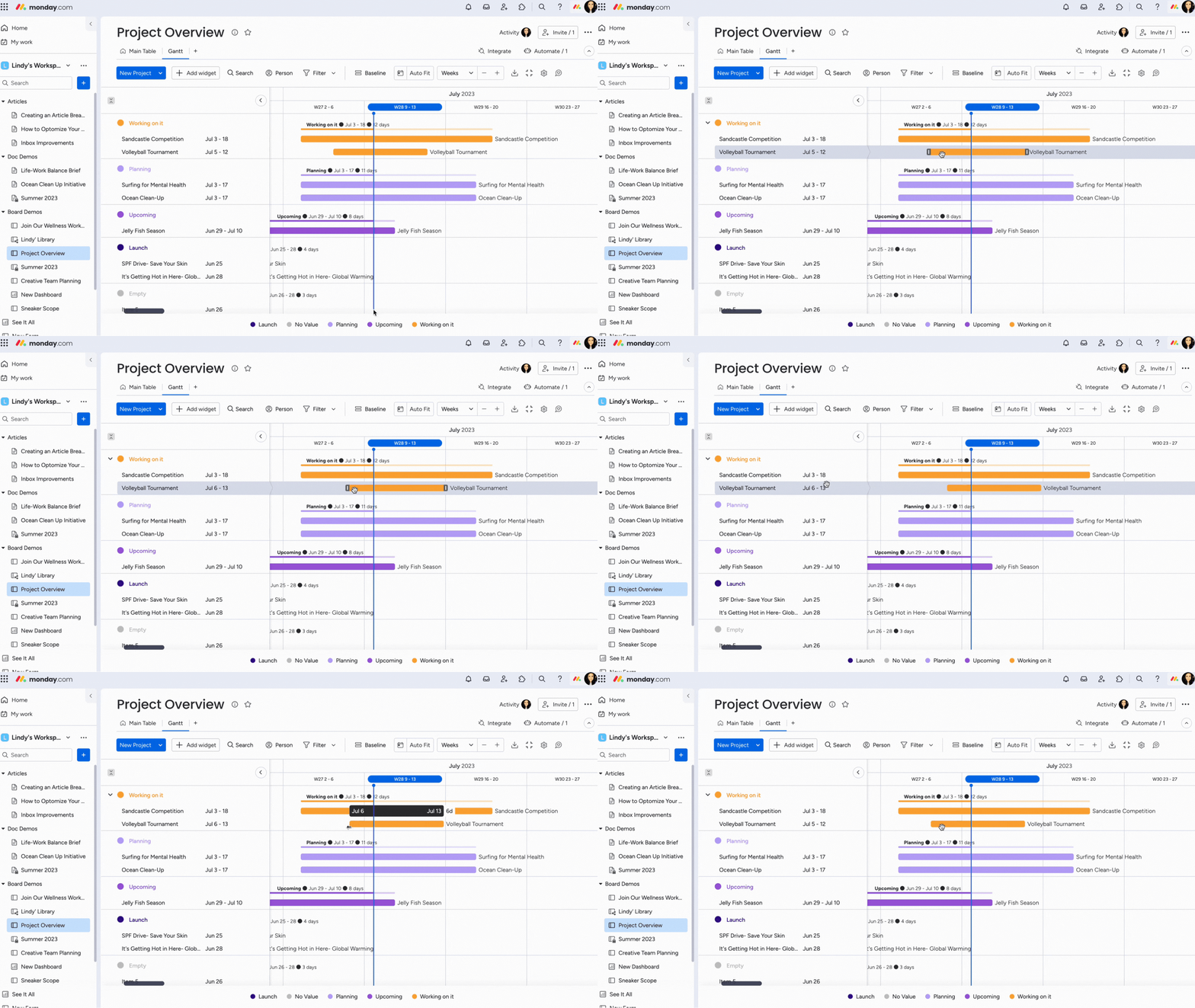
monday.com supports multiple board views, so one dataset can be presented differently for different roles. For example, a project manager may want Gantt, while a team member wants a Kanban board.
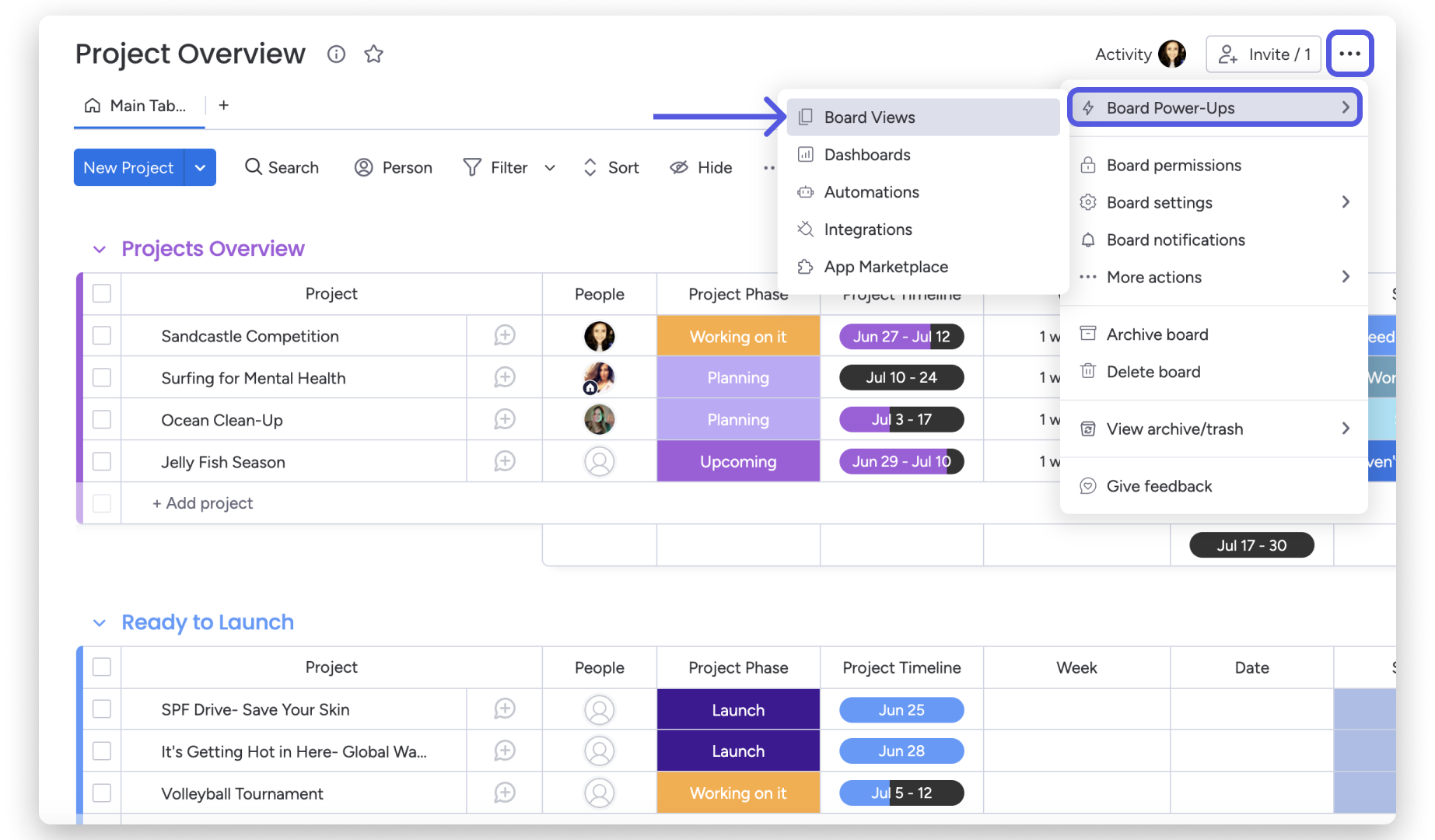
monday.com supports many board views, including Table, Gantt, Timeline, Files Gallery, Map, Workload, Chart, Calendar, Form, Kanban, Cards, and Pivot Boards. It also supports adding additional views from the apps marketplace, and boards can support up to 100 views.
Dashboards as cross-board reporting
Dashboards pull data from one or multiple boards and turn it into summary reporting. monday.com emphasizes:
- Data-based insights for decision making
- High-level overviews
- Real-time tracking
- 50+ widgets and apps
- No-code customization
This is a key differentiator because many tools are good at execution but weak at leadership-level reporting without exporting data.
Automations as the no-code workflow layer
Automations in monday.com use triggers, conditions, and actions. A practical implication: automation can remove a lot of manual coordination, but you need to understand quotas and design automations to avoid waste.
Integrations as connective tissue
monday.com positions integrations as a major strength, promoting 200+ integrations and apps, with the promise of centralizing information and automating work across tools.
The practical implication: monday.com can become a hub, but it can also become one more system if you do not connect it meaningfully to communication and source systems.
Docs and forms as intake and collaboration surfaces
monday workdocs and WorkForms are two “surface area” tools:
- Workdocs helps teams collaborate in narrative form while still connecting to structured board execution.
- WorkForms helps teams collect requests and inputs into boards in a standardized way.
Both play a critical role in adoption, because they reduce the friction between “writing about work” and “tracking work.”
First-time setup and onboarding experience
A good way to judge monday.com onboarding is to separate two experiences:
- The product experience (how quickly you can build something useful)
- The organizational experience (how quickly you can standardize usage across people)
The product experience: fast starts are real
monday.com includes 200+ templates, and it also includes unlimited docs even at the Free tier. That combination matters: templates reduce blank-page anxiety, and docs give teams a place to explain context without leaving the platform.
In practice, the fastest way to start is:
- Pick one workflow that already exists in spreadsheets or email
- Build one board
- Add one intake form if the workflow involves requests
- Add one dashboard to show status and bottlenecks
- Add one automation to remove a repetitive step
You get value quickly because you do not need to integrate everything on day one.
The organizational experience: success requires governance
monday.com’s flexibility makes it easy for every team to create their own world. That feels great until leadership asks, “How many projects are off track?” and you realize no one captures “off track” the same way.
If you plan to scale usage, onboarding is less about showing features and more about establishing standards:
- Naming conventions
- Status design (what statuses exist, what each means)
- Ownership discipline (no unassigned critical work)
- Intake rules (requests must come through forms, not DMs)
This is not unique to monday.com, but monday.com’s low barrier to building workflows makes it especially important.
User experience and ease of use
monday.com is widely considered user-friendly relative to older enterprise work management tools, but ease of use is nuanced. It is easy to use once a workflow is designed well. It is harder when a workflow is designed poorly.
What feels good
- Visual clarity and structure: Boards and dashboards provide immediate visibility. For many teams, that visibility is the primary value driver.
- Multiple views for different roles: Table, Kanban, Gantt, Calendar, and Workload-style views reduce friction across roles.
- Dashboards feel like a leadership product: Dashboards are positioned as real-time insights with many widgets and no-code configuration.
Where friction appears
- Flexibility can create choice overload: New users may not know whether they need multiple boards, multiple views, or multiple dashboards.
- Teams can overbuild too early: Too many statuses, automations, and columns before confirming actual usage patterns.
- Navigation can get messy at scale: As you add workspaces, boards, dashboards, docs, and forms, information architecture becomes a real problem.
Core capabilities deep dive
Boards and structured work management
Boards are where monday.com earns its keep. They support structured tracking, ownership assignment, status-based workflows, and (at higher tiers) timeline and dependency planning.
Practical strengths:
- You can represent almost any operational workflow in a board.
- Teams can start simple and mature gradually.
- Boards scale better than spreadsheets because they add collaboration, permissions, automations, and reporting.
Practical weaknesses:
- Without governance, boards become inconsistent and reporting loses credibility.
- Some organizations want stronger enforcement of process than monday.com naturally provides without careful design.
Views: designing for different working styles
monday.com’s view library is one of its core adoption levers. Here is how to think about views strategically:
- Table: data entry and operational updates
- Kanban: stage-based flow where work moves across columns
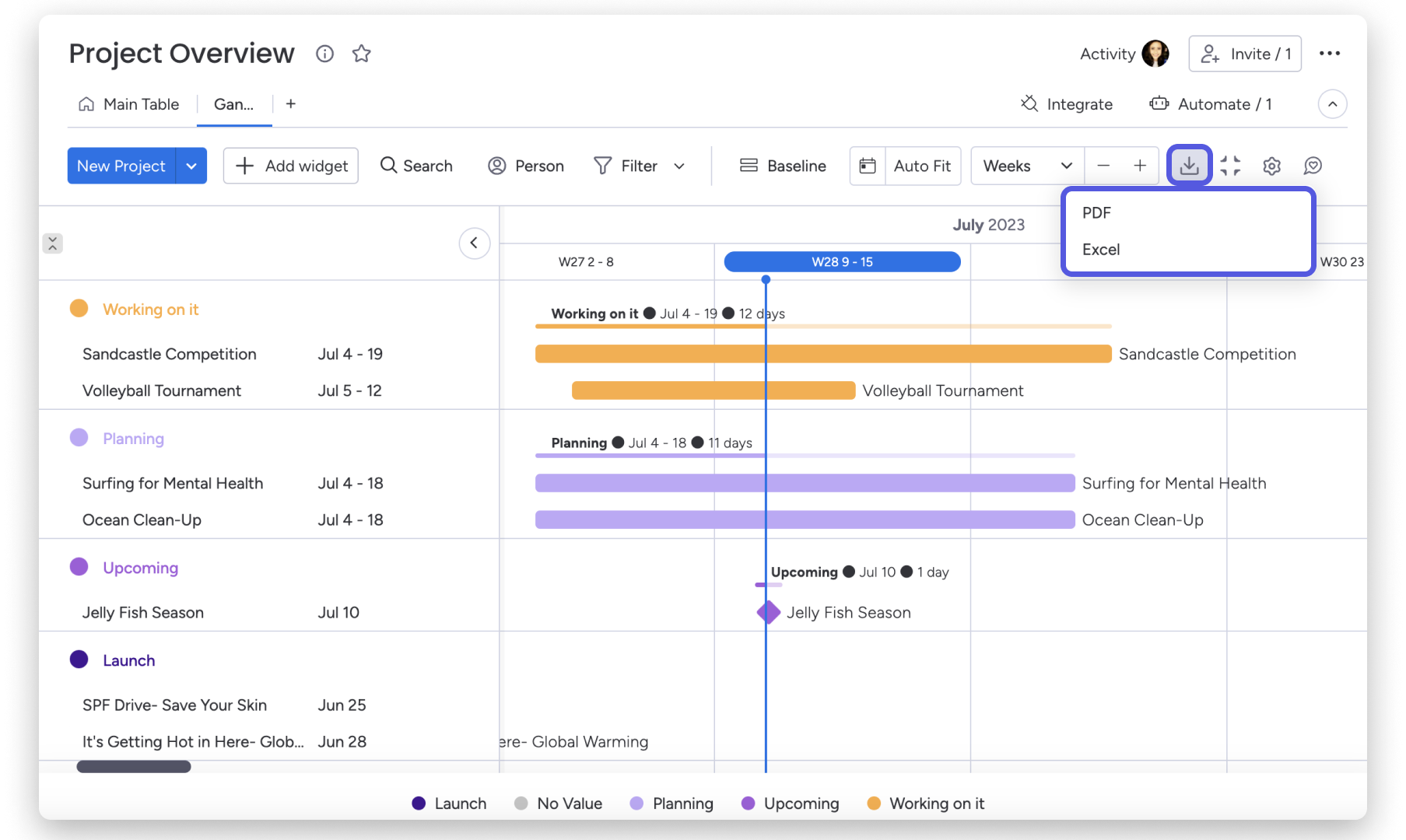
- Gantt / Timeline: dependency planning, milestones, and schedule management
- Workload: resource balancing (agencies, shared services)
- Calendar: date-anchored workstreams
- Pivot / Chart views: analysis rather than execution
A subtle but important point: views are not just visual preferences. They change behavior.
Dashboards and reporting: one of monday.com’s strongest areas
Dashboards are a major differentiator, especially for leaders and operations managers who need aggregated visibility.
Dashboards matter because most teams do not struggle to create tasks. They struggle to answer questions like:
- What is blocking delivery this week?
- Where are we overloaded?
- Which initiatives are drifting off timeline?
- Are we spending time where we said we would?
Dashboards turn boards into something executives and stakeholders can consume.
Plan constraint to watch: monday.com limits how many boards a dashboard can combine. Standard combines 5 boards, Pro combines 20 boards, and Enterprise combines 50 boards.
monday workdocs: the bridge between narrative and execution
Workdocs are positioned as more than a document editor. They support collaboration (tagging, multiple editors, live updates, embedded elements, autosave) and connection to structured execution.
Why workdocs can matter more than you expect: most project failure is not due to missing tasks. It is due to missing context (why, success criteria, decisions, constraints). Workdocs can keep that context next to execution.
WorkForms: making intake structured instead of chaotic
WorkForms connects internal or external requests into boards, capturing responses as items. It is one of the biggest adoption levers because it reduces “intake through email and DMs.”
- WorkForms is directly connected to boards (turns unstructured intake into structured workflow).
- Creating a WorkForm on the mobile app is currently unsupported (relevant for field teams).
Automations: where monday.com shifts from tracking to execution support
Automations in monday.com are built around a trigger → (optional) condition → action model, and actions are counted each time an automation runs.
What automations do well:
- Assign ownership automatically
- Notify stakeholders when status changes
- Move items between groups when conditions are met
- Create recurring operational rhythms
- Reduce manual coordination and “did you see this?” messages
Where teams get burned:
- Automation sprawl: too many automations makes behavior hard to predict.
- Quota waste: noisy automations consume actions without improving outcomes.
- Debugging complexity: no-code still requires ownership and maintenance.
Integrations: one of monday.com’s strongest positioning points
monday.com promotes 200+ integrations and apps, including common tools like Slack, Gmail, Microsoft Teams, Outlook, Excel, DocuSign, and Mailchimp. The strategic rule: do not integrate everything—integrate what removes friction and eliminates manual re-entry.
Automation and integration quotas (how to think about limits)
If you take nothing else from this review, take this: monday.com value often scales with automations and integrations, but those are governed by monthly action quotas depending on plan.
The commonly referenced monthly quotas by plan are:
- Standard: 250 automation actions and 250 integration actions per month
- Pro: 25,000 automation actions and 25,000 integration actions per month
- Enterprise: 250,000 automation actions and 250,000 integration actions per month
Why quotas matter
- If you use monday.com as a manual tracker, Basic (or even Free) can be fine.
- If you use monday.com as an operational system where intake, routing, notifications, and syncs are automated, quotas can become a real constraint.
How to estimate quota needs (simple method)
- List the automations you want per board.
- Estimate how many items move through the workflow per month.
- Multiply runs by actions per run.
Example:
- 10,000 items per month
- 3 automations run once per item
- Each automation uses 1 action
That is 30,000 actions/month. Standard will not work, and Pro may be tight depending on integration usage.
The upside: quotas create a clear upgrade path. The downside: teams sometimes buy Standard expecting automation to transform work, then outgrow 250 actions quickly.
Pricing and plans (what you get, what you do not)
monday.com pricing is best understood in three layers:
- Seats and plan tier (the base subscription)
- Feature gating by plan (what is included vs locked)
- Operational volume (automation and integration actions, dashboards across boards)
Publicly listed plans and example pricing
The public pricing page typically presents:
- Free: $0, up to 2 seats, up to 3 boards, unlimited docs, 200+ templates
- Basic: starts at $9 per seat per month (example: $27 billed monthly), unlimited items, 5 GB storage, prioritized support, unlimited free viewers
- Standard: $12 per seat per month (example: $36 billed monthly), timeline and Gantt views, calendar view, guest access, automations and integrations (entry-level quotas), dashboards combining 5 boards
- Pro: $19 per seat per month (example: $57 billed monthly), private boards, chart view, time tracking, formula column, automations and integrations (higher quotas), dashboards combining 20 boards
- Enterprise: quote-based, larger quotas, dashboards combining 50 boards, advanced reporting and analytics, enterprise security and governance, multi-level permissions
Plan-by-plan breakdown (practical interpretation)
| Plan | Best use case | Key strengths | Main limitations |
|---|---|---|---|
| Free | Personal exploration, very small teams | Real experience with boards and docs, templates | Limited seats and boards |
| Basic | Simple tracking for teams updating manually | Unlimited items, basic structure, viewers support | Weaker planning and reporting; automation/integration leverage is limited |
| Standard | Project planning + lightweight automation | Timeline/Gantt, calendar, guest access, dashboards across 5 boards | Automation and integration quotas are often too low for operational workflows |
| Pro | Automation-heavy teams and mature execution | 25,000 actions, time tracking, formulas, dashboards across 20 boards | Cost increases meaningfully with seats |
| Enterprise | Large orgs with governance and security requirements | Multi-level permissions, large quotas, advanced analytics, scalable dashboards | Quote-based pricing; requires disciplined rollout |
Hidden cost drivers to watch
- Seat growth: adoption can expand quickly across departments.
- Automation and integration scale: quotas can push upgrades once you rely on automation as an operating model.
- Dashboards across many boards: executives love dashboards; board-combination limits can force plan decisions.
- Enterprise governance requirements: SSO (SAML), SCIM provisioning, and audit logs are typically enterprise requirements and are not always available at lower tiers.
Security, compliance, and administration
Security is a core evaluation area for any platform that becomes a system of record for operational data.
Compliance and certifications (vendor-claimed)
monday.com positions itself with a broad compliance posture (e.g., ISO and SOC programs, privacy frameworks such as GDPR/CCPA, and HIPAA references). If compliance is material to your procurement, validate the current scope, plan eligibility, and obtain the relevant reports directly from monday.com.
Identity and access management (practical implications)
Identity features are often “plan deciding” requirements. Commonly referenced controls include:
- SAML SSO: typically treated as Enterprise-only in monday.com documentation.
- Google SSO: often referenced as available on Pro and Enterprise.
- SCIM provisioning: commonly positioned as Enterprise-only.
Auditability
Audit logs are a meaningful governance feature in regulated environments. monday.com documentation commonly positions audit logs as an Enterprise feature.
Practical interpretation: If you need SAML SSO, SCIM provisioning, and audit logs, you should assume you are in Enterprise territory and plan your rollout accordingly.
Performance and reliability considerations
Most work management tools feel fast when you have one team and a few boards. Performance becomes real when:
- You have many items
- Dashboards pull from many boards
- Automations trigger frequently
- Many users operate concurrently
Third-party review summaries are broadly positive but commonly mention learning curve, pricing complexity, and occasional performance issues. Treat performance as a scaling consideration and design around it:
- Keep boards focused rather than dumping entire departments into one massive board
- Build dashboards intentionally, not as an afterthought
- Avoid automation spam
- Establish governance for who can build what
Support, enablement, and learning resources
For a platform that can become operational infrastructure, support quality matters. monday.com positions support as always-on (24/7 references appear across product and support materials). In practice, the bigger enablement factor is not just vendor support availability—it is whether your organization invests in:
- Internal champions
- Standard templates for common work
- Training for board owners
- Governance for automations and reporting
monday.com can work in a decentralized way, but adoption improves significantly when there is a small center of excellence.
What real users tend to like and dislike (based on reviews)
A useful way to interpret monday.com is to look at how users describe it at scale.
Ratings snapshot
- G2: 4.7 out of 5 with 14,736 reviews (monday Work Management listing snapshot)
- Capterra: 4.6 out of 5 based on 5,655 reviews (listing snapshot), with pricing confusion and bugs commonly cited as negatives
Common themes users like
- Visibility: teams like seeing work clearly without chasing updates.
- Customization: boards can match how a team works rather than forcing rigid process.
- Dashboards: leadership can consume status and risk without exporting data to BI first.
- Integrations: users appreciate connecting to the tools they already live in.
Common themes users dislike
- High and confusing pricing structure (especially as feature needs and seats expand)
- Learning curve (flexibility creates complexity for admins/builders)
- Performance glitches reported by some users at scale
- Advanced features concentrated in higher plans
The consistent pattern: monday.com is widely liked when it is well implemented. It is criticized when organizations expect it to impose order without design effort—or when pricing and plan gating do not match what teams assumed they were buying.
Comparisons and alternatives
Choosing monday.com is rarely about whether it is “good.” It is about whether its strengths match your needs.
monday.com vs Asana
Choose monday.com if you need more structure like a database, stronger dashboards and cross-board reporting, and more customization in how workflows look and behave.
Choose Asana if you want a more opinionated task and project experience with less configuration overhead.
monday.com vs ClickUp
Choose monday.com if you want a more polished governance story at scale and strong emphasis on dashboards and structured execution.
Choose ClickUp if you want a broad feature set at aggressive pricing and you can accept a higher “everything workspace” complexity risk.
monday.com vs Smartsheet
Choose monday.com if you want a modern UX with strong collaboration and automation emphasis.
Choose Smartsheet if you want a spreadsheet-first experience with deep enterprise adoption in certain industries.
monday.com vs Airtable
Choose monday.com if work execution and tracking is the primary model and you want dashboards and automation tied to operational workflows.
Choose Airtable if database flexibility and richer relational modeling is the core requirement.
monday.com vs Jira
Choose monday.com if you need cross-functional work tracking beyond engineering and easier adoption for business teams.
Choose Jira if you need deep engineering workflow control and software delivery governance.
Who should choose monday.com (and who should avoid it)
monday.com is a strong choice if you are in one of these situations
- You have cross-functional work living in too many places: spreadsheets, email threads, and ad-hoc tools.
- You need leadership-level reporting: dashboards provide a clear stakeholder surface.
- You want automation without building custom software: no-code automations remove repetitive coordination work.
- You use many SaaS tools and need them connected: integrations can turn monday.com into an operational hub.
- You expect to scale governance over time: Enterprise features exist but require disciplined rollout and plan alignment.
You should be cautious if you are in one of these situations
- You want a tool that enforces process without design effort: monday.com requires workflow design and governance.
- You are highly price-sensitive but expect extensive automation at low tiers: quotas can be a real constraint.
- Your organization struggles with tool sprawl: monday.com can become “another tool” unless you explicitly define what it replaces.
- You need strict portfolio management out of the box: portfolio patterns are possible but require configuration and operating discipline.
Practical recommendation and rollout strategy (how to succeed with monday.com)
A good monday.com rollout is closer to product implementation than software installation.
Step 1: Pick a workflow where structure pays off immediately
Best candidates:
- Request intake (creative, IT, HR)
- Campaign execution
- Operational handoffs (sales → onboarding, onboarding → support)
- Project portfolio tracking
Step 2: Build a minimal board first
A strong minimal board usually has:
- Item name
- Owner
- Status
- Due date
- Priority
- Notes or updates discipline
Only add complexity when the team proves they will maintain it.
Step 3: Add one dashboard for visibility
Dashboards are where stakeholders buy in. Build one dashboard that answers the leadership questions that cause meetings today.
Step 4: Add automations carefully
Use automations for routing, reminders, status-driven notifications, and handoffs. Remember: automations consume actions and those actions are plan-limited.
Step 5: Establish governance early
If you want monday.com to scale, establish:
- Template standards for boards
- Rules for statuses
- Ownership rules for who can create automations
- Reporting definitions
This prevents the platform from becoming a patchwork of incompatible workflows.
Final verdict
monday.com is one of the strongest options in the work management category when you need flexibility plus visibility.
Standout strengths:
- Configurable boards that can represent real operational workflows
- Dashboards with broad widget support and no-code customization
- Strong integrations positioning (200+ integrations/apps)
- No-code automations with a clear trigger/condition/action model
- A credible enterprise governance path with security and identity controls at higher tiers
Biggest risks:
- Over-customization without governance
- Pricing complexity at scale (especially quotas and dashboards across boards)
- Performance concerns reported by some users as environments grow
Final score: 9.0 out of 10
If you approach monday.com with a “build the workflow deliberately” mindset, it can become a genuine operational backbone for cross-functional work.
If you approach it as “a tool that will fix our chaos automatically,” you will likely end up with colorful boards that do not change outcomes.
Monday.com
Monday.com is the new name of a product previously known as dapulse, namely one of the market’s leading collaboration and communication apps for teams. It syncs all information in a single, accessible hub, and empowers agents and team members to make important decisions together. Monday.com has a user-friendly interface to share all the information with the clients. A client board allows the user to invite clients to view their project roadmap. On that board, the user can list all the projects/tasks they are working on, share deadlines and plan ahead. There are various options to visualize the work for the…
• Collaboration ,communication & motivation tool
• Lead management & lead tracking
• Email notifications & Email updates
• Integrations to Dropbox, Google Drive, Pipedrive
• Video Production Management & Client Management
• Franchise Business & Post Merger Integration
• Workflow Management & Product Manager Solution
• Designer Project Management & Venture Capital
• Basic – $25/month (billed annually)
• Standard – $39/month (billed annually)
• Pro – $59/month (billed annually)
• Enterprise – $118/month (billed annually)
FAQ (15 questions)
1. Is monday.com a project management tool or a database tool?
It is closer to a Work OS that combines both. Boards behave like structured tables, while views, timelines, dashboards, automations, docs, and integrations push it into project and operations territory.
2. What is the biggest reason teams upgrade from Standard to Pro?
Automation and integration scale is a top driver. Standard commonly includes 250 actions per month for automations and integrations, while Pro commonly includes 25,000.
3. Are dashboards really different from standard reports?
Yes. Dashboards aggregate data across boards and can be customized with many widget types, making them a stakeholder-facing reporting surface rather than a single-board view.
4. Does monday.com support Gantt charts?
Yes. Gantt is available as a board view, and timeline/Gantt features commonly appear starting at Standard tier.
5. How many integrations does monday.com support?
monday.com promotes 200+ integrations and apps, including Slack, Gmail, Microsoft Teams, Outlook, Excel, DocuSign, and Mailchimp.
6. Can monday.com be used for intake and requests?
Yes. WorkForms is designed to collect requests via forms and automatically create items on boards, turning chaotic intake into structured work.
7. Can many people collaborate on docs inside monday.com?
Yes. Workdocs supports real-time collaboration with multiple editors, tagging, embedded elements, and autosave.
8. Does monday.com offer SAML-based single sign-on?
Yes, but SAML SSO is commonly positioned as an Enterprise plan feature in monday.com documentation.
9. Does monday.com support SCIM provisioning?
Yes, but SCIM provisioning is commonly positioned as an Enterprise plan feature.
10. Is there an audit log for security events?
Yes. Audit logs are commonly positioned as an Enterprise feature and used for account security and governance visibility.
11. What compliance programs does monday.com claim?
monday.com positions itself with a broad compliance posture (e.g., ISO and SOC programs, GDPR/CCPA, and HIPAA references). If compliance is critical, validate the current scope and obtain the relevant reports directly from monday.com.
12. What do reviews generally say about monday.com?
Major platforms report strong satisfaction at scale (e.g., G2 and Capterra listings show high overall ratings), while commonly noting learning curve, pricing complexity, and occasional bugs or performance issues.
13. Is monday.com good for very small teams?
It can be, especially with Free and Basic tiers. The best value typically appears when you leverage dashboards, automations, and integrations—features that become more meaningful (and sometimes more accessible) at higher plans.
14. What is the single best way to make monday.com successful?
Design one workflow that matters, make it the source of truth, standardize intake with forms, and build a dashboard stakeholders actually use—then iterate based on real bottlenecks.
15. What is the biggest mistake teams make in monday.com?
They build too much too soon. Start with a simple board and one dashboard, then add automations and integrations based on real needs and quota economics.








By clicking Sign In with Social Media, you agree to let PAT RESEARCH store, use and/or disclose your Social Media profile and email address in accordance with the PAT RESEARCH Privacy Policy and agree to the Terms of Use.