
Looka Review: Can This AI Logo Maker Actually Build a Professional Brand Kit?
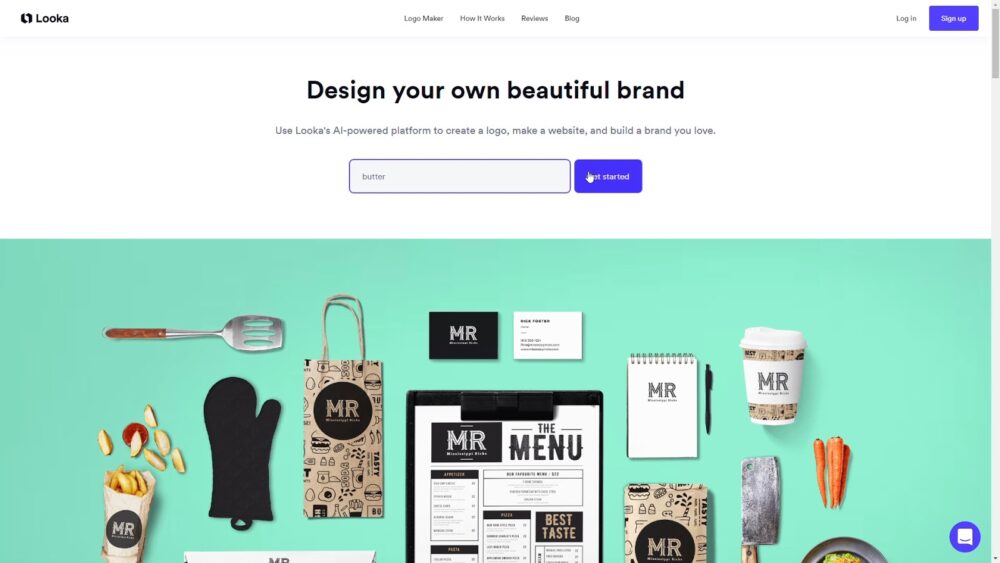
If you are starting a business, launching a side project, or rebranding an existing one, the first real friction point is usually not your product. It is your presentation. You need a logo that looks intentional, basic brand rules so you stop picking random colors, and enough branded assets to look consistent across email, social profiles, invoices, and a simple website.
That is the gap Looka aims to fill.
Looka started life as Logojoy in 2016 and later rebranded to Looka in 2019 as it expanded beyond just logo generation into a broader branding toolkit. The core promise is straightforward: generate a logo using an AI-driven workflow, refine it in a guided editor, and then extend that same brand identity across a Brand Kit that includes templates and assets for common small business needs.
LookaOverall verdict (short version):
Rating: 8.6/10 for early-stage founders and small teams that want speed and consistency.
Looka is at its best when you want a credible brand foundation fast, without hiring a designer, and you are comfortable with template-driven customization. The logo creation flow is approachable, the file packages cover the formats most businesses actually need, and the Brand Kit is genuinely useful if you plan to produce a steady stream of simple marketing assets.
Important reality check (uniqueness & trademark risk): Looka explicitly notes that it sources icons and fonts from a database and cannot guarantee copyright of individual elements. If you need deep creative control, highly distinctive iconography, or stronger exclusivity assurances, you should treat Looka as a rapid starting point—not a bespoke identity engagement.
Here’s what this review covers
- Overview and company background
- How Looka works (workflow + editor limits)
- Pricing and plans (logo packages + Brand Kit + website)
- Brand Kit (templates, assets, business cards)
- Website builder and ecommerce (what it is and what it is not)
- Ownership, copyright, and trademark considerations
- Support experience and security posture
- Pros and cons
- User reviews and ratings summary
- Alternatives and comparisons
- Who Looka is best for (and who should avoid it)
- Step-by-step expert guide (how to get the best results)
- Final verdict and recommendations
- FAQ (15 common questions)
Overview and company background
What is Looka?
Looka is an AI-powered logo maker and branding platform designed primarily for entrepreneurs, freelancers, and small business owners. The product family spans:
- A logo generation and editing workflow
- Downloadable logo file packages (logo-only purchases)
- A Brand Kit subscription that generates and manages branded templates and assets
- Business card designs within the Brand Kit
- A website builder included with specific Brand Kit Web plans
Looka positions itself as free to start, with payment required only when you decide to purchase a logo package or subscribe to a Brand Kit plan. Looka’s marketing frequently references scale claims such as being trusted by “over 20 million entrepreneurs.” Treat that as Looka’s own positioning rather than an independently verified metric.
LookaCompany background and why the history matters
Looka’s background is useful context because it explains why the product feels more like a guided workflow than a blank canvas.
- The founder, Dawson Whitfield, launched the company in 2016 under the name Logojoy.
- The company rebranded from Logojoy to Looka in 2019 to signal expansion beyond logo creation into broader brand assets and supporting products.
- In 2018, Logojoy announced a Series A funding round of $6 million CAD, explicitly tied to expanding the AI-powered design platform.
This matters because Looka’s strengths are consistent with its origin: it is optimized to reduce decision fatigue for non-designers. It does not try to replace professional brand strategy. Instead, it pushes you through structured choices that produce acceptable outcomes quickly.
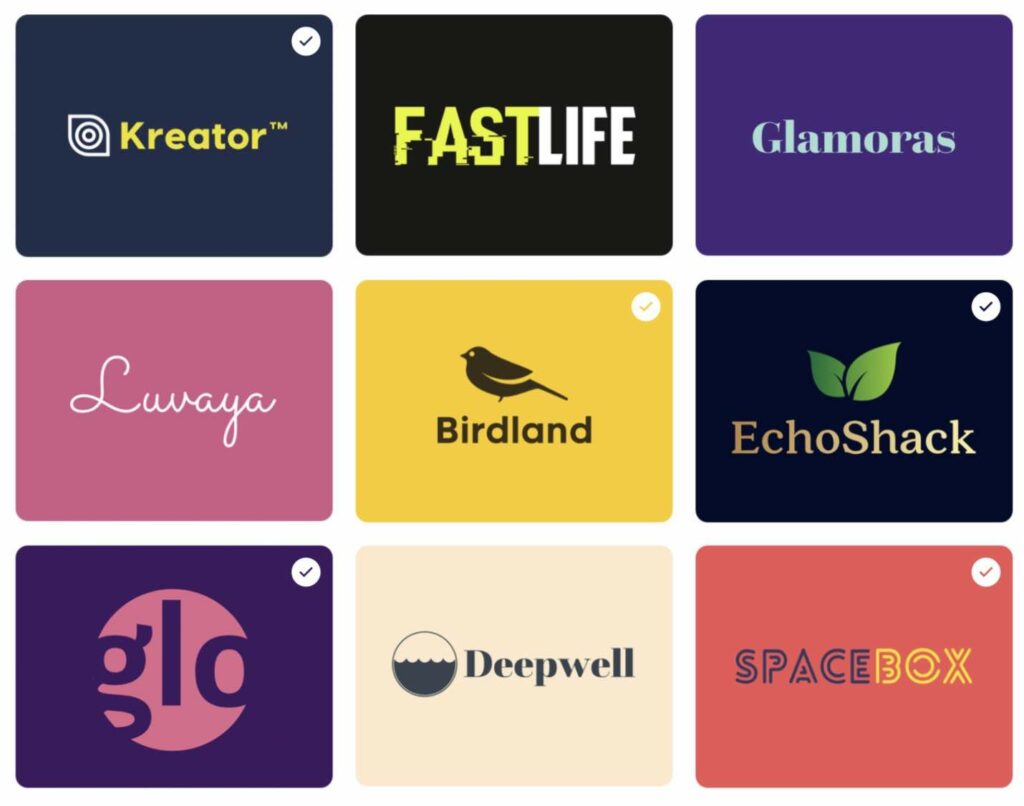
How Looka works
Looka’s logo creation workflow is designed to do two things:
- Capture enough preference data to generate reasonably relevant options.
- Limit your degrees of freedom so you do not destroy consistency by accident.
At a high level, the flow looks like this:
- Enter your company name and industry
- Select styles, colors, and symbols you like
- Browse AI-generated logo options
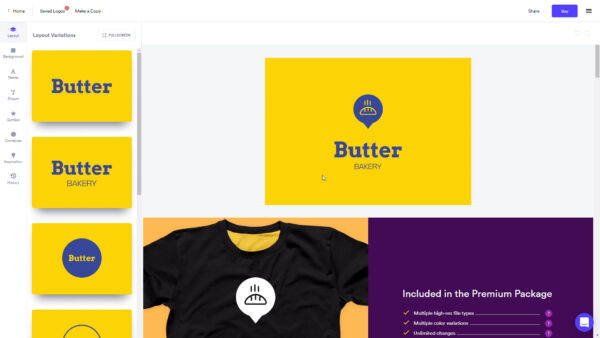
- Customize in the editor (colors, fonts, icons, layout, spacing)
- Preview mockups to see real-world usage
- Purchase and download the appropriate file package
A practical way to approach the workflow (recommended loop)
- Generate options and favorite anything that is directionally correct.
- Make one variable change at a time (font, then icon, then layout).
- Preview at small sizes and in black and white before you get attached.
- Decide which contexts matter most: website header, social profile, print, or signage.
- Choose the file package that supports those contexts.
The logo editor: what you can control (and what you cannot)
Looka’s editor supports the customization knobs most small businesses actually use:
- Colors
- Fonts
- Icons or symbols
- Layout variations
- Spacing and sizing adjustments
The key limitation is that Looka’s system is still template-driven. You are not designing arbitrary vector shapes from scratch. You are selecting and adjusting within a constrained design space.
That constraint is not inherently bad. For non-designers, it is often what prevents common brand mistakes like inconsistent spacing, mismatched type styles, and cluttered layouts. The tradeoff is uniqueness. If you want a truly distinctive mark with custom illustration, you will likely outgrow what Looka can generate.
Pricing and plans
Looka’s pricing structure is easier to evaluate when you separate logo output from ongoing brand production.
Logo-only packages (one-time)
Looka separates its offering into one-time logo packages and subscription brand packages. From the help documentation, Looka’s logo-only packages are one-time purchases that include only logo files, not the Brand Kit assets like social templates or business cards.
| Package | Price | Best for | What you get | Key watch-outs |
|---|---|---|---|---|
| Basic Logo-Only | $20 (one-time) | Basic digital usage | One 1000px × 1000px PNG logo file; colored background; low resolution; editable post-purchase | Not print-ready; no vector formats |
| Premium Logo-Only | $65 (one-time) | Most real businesses | High-res PNG; PDF; vector EPS & SVG; transparent + colored backgrounds; all-black + all-white variants; lifetime technical support; full ownership for commercial and non-commercial use; re-download and edits | Company name field cannot be edited after purchase |
Simple rule: If you need print, signage, vendor handoffs, or large-format resizing, buy Premium for vector formats (EPS/SVG). Basic is best viewed as a starter export.
Brand Kit subscription pricing (recurring)
Looka frames the Brand Kit as the step after logo creation, where you generate templates and marketing materials that match your logo’s colors and typography. Looka states Brand Kit subscriptions start at $96 per year and include ongoing access to brand tools and assets.
Looka documents both annual and monthly subscription approaches:
- Annual Brand Kit Subscription: positioned as full access to logo files in various formats plus the Brand Kit templates.
- Monthly Brand Kit Subscription: positioned as a lower-commitment option, but the monthly subscription can only be purchased as an add-on with a logo package and does not provide additional logo files beyond your purchased logo package.
Brand Kit Web subscription (website included)
Looka also offers a Brand Kit Web plan that bundles the Brand Kit with a hosted website builder. Looka’s help documentation lists:
| Plan | Price | Includes | Best for |
|---|---|---|---|
| Brand Kit Web Basic | $129 per year | Brand Kit + hosted website builder | Simple, on-brand website launch |
| Brand Kit Web Ecommerce | $299 per year | Website builder + ecommerce capability | Small catalogs and early ecommerce |
Refund policy (plan around this)
Looka’s refund policy is clear enough to plan around, but you need to follow the practical rule: do not download or use the assets if you think you might request a refund.
- Logo packages: refundable within 7 days, but only if you have not downloaded or used the logo.
- Brand Kit subscriptions: refundable within 14 days, but only if you have not downloaded or used the logo or any Brand Kit designs.
Brand Kit
Many logo tools can generate a mark. Looka’s differentiator is what happens after you have the logo.
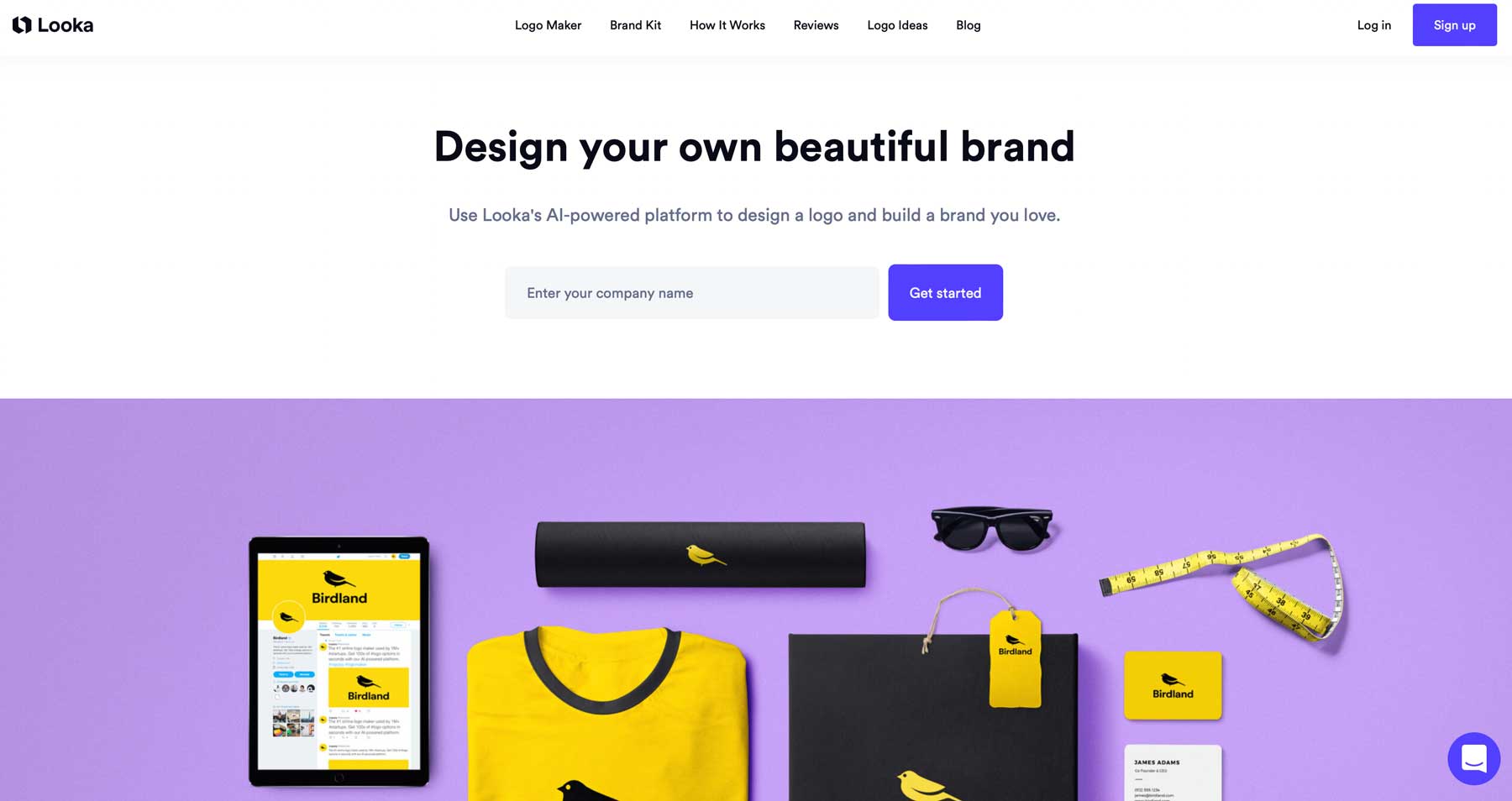
Looka’s Brand Kit is presented as a dashboard that gives you “hundreds” of branded templates, and the Brand Kit page prominently advertises “300+ designs.” Looka’s help documentation describes Brand Kit access as “300+ branded templates” and explains that your company information can be automatically added to designs. Looka also describes the Brand Kit subscription as ongoing access, with new designs added regularly.
What assets are included
On the Brand Kit page, Looka lists categories such as:
- Business cards
- Websites
- Social covers
- Social posts
- Social profiles
- Email signatures
- Letterheads
- Brand guidelines
- Social stories
- Invoices
- Advertisements
- Posters
- Flyers
- Presentations
- Cards
- Blog banners
- Business proposals
- Newsletters
- Brochures
- Invitations
How Brand Kit generation works
Looka describes a three-step Brand Kit approach:
- Start with a logo (upload your own or create one with Looka)
- Looka imports your logo colors and sets complementary fonts and patterns, plus industry-related photos and copy
- Use the Brand Kit editor to customize templates and export in multiple formats
Looka also states that it takes around 10 seconds to generate a category of designs, and that if you update your logo, brand preferences, or contact information, designs automatically regenerate to reflect changes.
Why this auto-regeneration matters:
This is one of Looka’s best ideas. It turns branding into a system rather than a one-off activity. It also reduces the “I updated my logo but forgot to update every template” failure mode.
Editing capabilities inside the Brand Kit
Looka’s Brand Kit editor allows changes to photos, text, colors, backgrounds, and other template elements, with customized designs saved automatically. Looka also supports importing your own photos and integrates stock photos via Unsplash inside the editor.
Partner offers
Looka states that Brand Kit subscriptions include access to “over $3,000” in partner offers. Treat this as a bonus, not a primary reason to subscribe. Partner offer bundles vary in relevance based on your geography and business type.
Business cards (stronger than you might expect)
Business cards are a good test of whether a branding platform is serious, because print introduces constraints. You need bleed, margins, and predictable export formats.
- Business card designs are available with Brand Kit subscriptions.
- You can export business card designs as PDF and optionally include bleed lines.
- Business card files include both front and back in one PDF.
- There are over 80 business card templates available.
- You can upload an existing logo and create business cards with it.
Looka’s “How it works” content also references business card templates and implies ongoing creation with a Brand Kit subscription, though it references 20 templates in that section. The business card FAQ page’s “over 80” figure likely reflects expansion over time.
Social media assets (built for consistency)
Looka positions the Brand Kit as a way to generate social profiles, posts, covers, and stories in correctly-sized formats for major platforms.
For many small businesses, the real pain is not designing one social post. It is maintaining consistent typography and color usage across weeks of posts. Looka’s approach reduces that pain by locking you into a brand system derived from your logo, applying that system automatically across templates, and allowing edits within defined boundaries.
Website builder and ecommerce
Looka’s website builder is included in Brand Kit Web plans, and Looka describes it as a way to launch an on-brand website quickly.
From Looka’s own content, the website builder includes:
- Drag-and-drop tools
- AI-generated copy based on your business
- Layouts pre-matched to brand colors, fonts, and logo
- Access to stock imagery in-app
From the Brand Kit Web subscription documentation, Looka also highlights hosting included, mobile-friendly design, SEO tools, unlimited storage and bandwidth, and that a custom domain is not included (you can use your own domain, but it is not included in the plan).
Ecommerce capability (what’s actually included)
Looka’s documentation is very specific about ecommerce:
- Ecommerce is not included in the Brand Kit Web Basic plan.
- There is an Ecommerce plan at $299 per year.
- The Ecommerce plan supports selling up to 100 products, has no transaction fees, supports over 40 payment methods, and supports selling on channels such as Google, Facebook, and Instagram.
Practical framing: If ecommerce is core to your business, treat Looka’s website builder as an entry-level ecommerce option rather than a Shopify replacement.
In practical terms, Looka’s website builder makes the most sense for service businesses that need credibility and lead capture, portfolio sites, simple informational sites, and early-stage brands that want everything to match quickly. If you need advanced SEO workflows, complex integrations, or a large content publishing operation, you will likely want a dedicated platform.
Ownership, copyright, and trademark
Commercial use and ownership
Looka states that once you purchase your logo, you are free to use it commercially or non-commercially and you have full ownership of it.
The important nuance about individual elements
Looka also states that:
- Copyright applies to your logo as a whole, not the individual elements.
- Icons and fonts are acquired from a database.
- Looka cannot guarantee the copyright of individual elements and does not remove them from the database after purchase.
This means you should assume another customer could use the same icon or font in a different logo. If your business requires a highly defensible, distinctive mark, you may want a designer to create custom illustration or custom typography, or at least heavily modify the Looka output.
Trademarking (and what Looka will and won’t do)
Looka explicitly states it cannot give legal advice about trademarking and that trademarking is a legal process requiring an attorney familiar with your jurisdiction.
If you are serious about trademark protection, a reasonable approach is:
- Use Looka to prototype and launch quickly.
- Before you invest heavily in signage, packaging, or large campaigns, run a trademark search in your relevant markets and consult a professional if needed.
Adding TM, SM, and registered marks
Looka notes you can use TM, SM, and © on non-registered marks, but ® can only be used for officially registered trademarks. It also notes that not all fonts support special characters, and that if Looka support adds symbols externally, changes may not reflect in your editable logo inside your account and are generally treated as a one-time modification.
Support experience and security posture
Support experience and operating hours
Looka’s Brand Kit page states that its Canada-based support team is available by live chat or email every day between 9am and 5pm, and that they also provide video tutorials and help center articles.
Security posture (what is visible publicly)
Looka publishes a Vulnerability Disclosure Program and invites security researchers to report vulnerabilities via email, describing scope and responsible reporting expectations. This is not the same as a formal compliance certification, but it is a positive indicator that the company has at least some structured process for handling security reports.
If you are an enterprise buyer with formal vendor security requirements, you would likely need to request additional documentation through procurement channels. Looka’s public materials, at least in what is readily visible, are more aligned with small business buyer expectations.
LookaPros and cons
| Pros | Cons |
|---|---|
|
|
User reviews and ratings summary
To ground the review in market sentiment, it helps to look at both ratings and the themes that show up repeatedly.
| Platform | Headline rating (as cited) | Review count (as cited) | What it suggests |
|---|---|---|---|
| Trustpilot | 4.5/5 | 14,360 reviews | High satisfaction for fast outcomes; support responsiveness highlighted in summaries |
| G2 | 2.7/5 | 16 reviews | Buyer expectations around subscriptions, limitations, and refunds can drive harsher evaluations |
| Capterra | 5.0/5 | 4 reviews | Very small sample size; useful but not definitive |
When you see a split like this, do not average them. Interpret them:
- Trustpilot often reflects consumer-style volume and satisfaction with quick outcomes.
- G2 often reflects business software buyer expectations and may penalize limitations more aggressively, especially around billing and feature clarity.
The practical takeaway is simple: Looka appears to satisfy many customers who want fast branding, but you should read the plan details carefully so you do not buy a subscription expecting multi-logo usage or full creative freedom.
Alternatives and comparisons
The easiest way to compare branding tools is to group them by what you actually need:
If you want an all-purpose design suite
Tools like Canva are often favored for broad design needs, but they require more manual brand enforcement unless you set up brand kits and templates yourself. Looka itself frames Canva as a drag-and-drop template platform and contrasts that with Looka’s automated brand asset generation.
If you want a website-first workflow
Wix’s logo maker and website ecosystem is often used by small businesses that want logo plus website integration, though reviews highlight typical AI logo uniqueness limitations and pricing structure differences.
If you want human designers
Marketplaces like Fiverr and services like 99designs can deliver more uniqueness and creative collaboration, but they trade away the speed and predictability of a guided self-serve workflow. Looka’s own comparison content frames these as options when you want human involvement.
Simple rule: pick Looka when you value speed and cohesion more than originality and deep control.
Who Looka is best for (and who should avoid it)
Looka is a strong fit if you are in one of these scenarios
- You need to launch fast and look credible immediately: Looka’s workflow is designed for speed, with quick generation, previews, and file downloads.
- You want brand consistency without building a design system yourself: the Brand Kit applies colors, fonts, and patterns across templates and regenerates assets when you update preferences.
- You are not a designer and you do not want to become one: Looka reduces the learning curve by constraining options and providing usable defaults.
- You want practical exports, not just a logo image: Premium logo packages include vector formats and multiple color variations, which supports real vendor workflows.
You should consider alternatives if
- Your brand requires a truly distinctive mark: Looka’s documentation notes icons and fonts come from a database and individual elements are not guaranteed exclusive.
- You need deep creative control and custom illustration: Looka’s editor is guided customization, not full vector artwork creation.
- You expect a subscription to cover multiple brands or multiple unrelated logos: treat Brand Kit as centered around one brand identity unless explicitly stated otherwise in the plan details you purchase.
- You need advanced website capabilities: Looka’s website builder is useful for small business use cases, but is not positioned as a complex platform for large-scale content and integration.
A step-by-step “expert guide” to getting the best results from Looka
The easiest way to waste money on a logo tool is to treat it like a slot machine: keep clicking until something looks good, buy it, and hope it holds up in real use.
A better approach is to treat brand creation like building a technical foundation. Start with constraints, iterate, validate, then scale.
Step 1: Define your brand inputs before you open Looka
Write down:
- Your brand personality in 3 to 5 adjectives (example: modern, friendly, minimal, premium)
- Two competitors you want to look distinct from
- Where the logo will appear most often (website header, app icon, storefront sign, packaging)
- Whether you need print-ready assets now or later
This step is not about design. It is about preventing random choices.
Step 2: Use the logo generation phase to explore directions, not to pick instantly
Looka’s workflow starts with company name and industry, then style and inspiration choices. When you are picking inspiration logos, prioritize layout style you like, symbol complexity (simple marks scale better), and font personality. Avoid over-indexing on color early. Color is easy to change later.
Step 3: Customize like a professional: change one variable at a time
Looka’s editor supports changes to colors, fonts, icons, layouts, and spacing. Do not change everything at once. If you do, you cannot tell what improved the design.
A structured loop looks like:
- Lock a layout you like
- Test two font families
- Test two icon directions
- Then adjust color
Step 4: Validate the logo in real contexts using previews
Use previews for practical checks:
- Can you read the wordmark at small sizes?
- Does the icon still look intentional when shrunk?
- Does it work on light and dark backgrounds?
Step 5: Buy the right package the first time
If you plan to do anything beyond basic digital use, Premium is usually the rational choice because it includes vector formats and multiple variations. If you buy Basic and later need EPS or SVG for print, you may end up paying twice or doing a workaround.
Step 6: Build your Brand Kit only if you will actually use it
The Brand Kit shines when you will produce ongoing assets (social posts, flyers, email signatures, proposals, simple ads). If you only need the logo and you already have a separate design workflow, skip the subscription and keep things simple.
Step 7: Treat trademarking as a separate workstream
Looka is clear that trademarking is a legal process and you will need jurisdiction-specific guidance. The practical workflow is: launch with a strong enough mark, validate it is not conflicting with existing marks, and invest in trademark only when the business warrants it.
Final verdict and recommendations
Looka is one of the more complete “logo to brand assets” platforms in the self-serve category. Its real value is not that it can generate a logo. Many tools can do that. Its value is that it can help you operationalize a brand identity across many asset types, with a workflow that a non-designer can realistically maintain.
If you want to bootstrap a brand fast, export professional file formats, and maintain visual consistency across common marketing needs, Looka is a strong choice.
If you need high originality, deep creative control, or exclusivity assurances, use Looka as a prototype tool and graduate to professional design work once the business justifies it. Looka’s own documentation about element sourcing makes that a rational, transparent stance.
Rating: 8.6/10
FAQ (15 common questions)
1) Is Looka free to use?
Looka positions itself as free to start, with payment required when you purchase a logo package or subscribe to Brand Kit products.
2) How much does Looka cost?
As described in Looka’s published materials: Basic logo-only is $20, Premium logo-only is $65, Brand Kit subscriptions start at $96/year, Brand Kit Web Basic is $129/year, and Brand Kit Web Ecommerce is $299/year.
3) What is the difference between Basic and Premium logo packages?
Basic is a low-resolution starter export (a single 1000×1000 PNG). Premium is the practical business package: high-res files plus vector formats (EPS/SVG), multiple color variations, and transparent backgrounds.
4) What files do I get with the Premium logo package?
Looka’s Premium logo-only package includes high-resolution PNG, PDF, EPS, and SVG files, plus transparent background versions and black or white variants.
5) Does the Basic logo package include vector files?
No. The Basic package is positioned as the cheapest option and includes a single 1000×1000 PNG logo file (not vector).
6) Can I edit my logo after purchasing?
Looka indicates you can make changes and re-download your logo, with a key restriction: the company name field cannot be edited after purchase.
7) Can I bring my own logo into Looka?
Yes. Looka states you can upload an existing logo for certain Brand Kit flows and business card creation.
8) What is the Brand Kit?
Looka describes the Brand Kit as a tool that provides access to 300+ branded templates generated using your logo, colors, fonts, and relevant stock content—and it can automatically add your company information to designs.
9) What kinds of assets does the Brand Kit include?
Looka lists a broad set of assets including business cards, social posts/covers/stories, email signatures, letterheads, invoices, ads, flyers, presentations, blog banners, proposals, and more.
10) What is Looka’s refund window?
Looka states 7 days for logo packages and 14 days for Brand Kit subscriptions, with the condition that you have not downloaded or used the assets.
11) Can I cancel the Brand Kit subscription anytime?
Looka states you can cancel from account settings and keep access until the end of your billing period, with no hidden fees.
12) If I pay monthly for Brand Kit, do I get extra logo files?
Looka’s documentation states the monthly subscription is an add-on with a logo package and does not provide additional logo files beyond your purchased logo package.
13) Does Looka include a website builder?
Yes. Looka includes a website builder in specific Brand Kit Web plans, positioned for launching an on-brand site quickly with hosted infrastructure.
14) Does Looka’s website plan include a domain?
Looka explicitly states the custom domain is not included in the Brand Kit Web subscription, though you can use your own domain.
15) Can I trademark a Looka logo, and is it exclusive?
Looka states it cannot provide legal advice and that trademarking requires an attorney familiar with your jurisdiction. It also notes icons and fonts come from a database and individual elements are not guaranteed exclusive. A practical approach is to launch quickly, then pursue trademark search/legal guidance before major investment.








By clicking Sign In with Social Media, you agree to let PAT RESEARCH store, use and/or disclose your Social Media profile and email address in accordance with the PAT RESEARCH Privacy Policy and agree to the Terms of Use.