
Landingi Review: How This Platform Streamlines Landing Page Creation, A/B Testing, and Campaigns
If you have ever tried to scale landing pages beyond a handful of one-off campaigns, you quickly learn a frustrating truth: landing pages are easy to build once, and hard to run as a repeatable system.
You are not just designing a page. You are managing a workflow that includes:
- Copy and creative iteration
- UTM hygiene and attribution
- Form and lead routing
- QA across devices
- Page speed and uptime risk
- A/B testing discipline
- Consistency across dozens or hundreds of pages
- Collaboration across marketing, product, sales, and agencies
Landingi is built for that reality. It positions itself as a landing page automation platform that helps teams create, publish, and optimize landing pages, while also adding scale-oriented features like Smart Sections, programmatic landing pages, and built-in micro-conversion tracking via EventTracker.
LandingiOverall verdict (short version): 8.7/10
Best for: performance marketing teams running many campaigns at once who need fast iteration, A/B testing, and reliable publishing paths; agencies managing multiple client accounts who value reusable components and governance; and multi-region teams that need multi-language landing pages with an automated translation workflow.
Not ideal for: businesses that only need a simple page builder a few times per year; teams that want a full marketing automation suite inside the landing page tool itself; and organizations that need extremely advanced experimentation programs across full websites (not primarily landing page ecosystems).
Landingi
Landingi is a lead capture software that provides everything a user requires to create a landing page. Landingi provides you with a drag and drop editor that enables you to easily change, customize, and add anything you require to appear on your landing page with no coding required. Landingi makes it easy to choose a design for your landing page by providing you with more than one hundred customizable templates. The primary features offered by Landingi include creation of Landingi page, publishing landing page, managing leads, automate key tasks, analyze and optimize, and work with customer. In publication of landing…
• Create landing page
• Publish landing page
• Manage leads
• Analyze and manage all your leads
• Stay updated with key analytical indicators
• Optimize your conversation rates and get the maximum out of your landing page
Here’s what this review covers
- Introduction (the real problem Landingi solves)
- Landingi at a glance
- Company background and maturity signals
- The editor experience (day-to-day usability)
- Templates and starting points
- Conversion mechanics (forms, popups, tracking hygiene)
- Personalization (dynamic text + multi-language workflows)
- Optimization (A/B testing + EventTracker)
- Scale features (Smart Sections + programmatic pages)
- Funnels (multi-step conversion journeys)
- Publishing and hosting options (WordPress, PHP, reverse proxy)
- Infrastructure, reliability, and security posture
- Integrations and how data moves out of Landingi
- Pricing structure, limits, and real cost of ownership
- Real user feedback (review platforms + themes)
- Strengths and weaknesses in plain terms
- How to get the most value (staged adoption plan)
- Alternatives and how to choose
- Final verdict
- FAQ (15 questions)
Introduction
The short version: Landingi is strong when you want landing page production and optimization to behave like a system, not a pile of disconnected assets.
Most landing-page churn isn’t caused by “bad design.” It is caused by operational friction:
- Teams rebuild the same blocks again and again.
- Tracking gets inconsistent across campaigns.
- Pages drift out of compliance when legal or brand updates happen.
- A/B testing becomes “something we’ll do later.”
- Publishing slows down because marketing can’t ship without engineering.
Landingi’s feature set is designed to reduce those failure modes with reusable sections, scalable page creation, built-in behavior tracking, and multiple publishing pathways that work with WordPress and enterprise web stacks.
Landingi at a glance
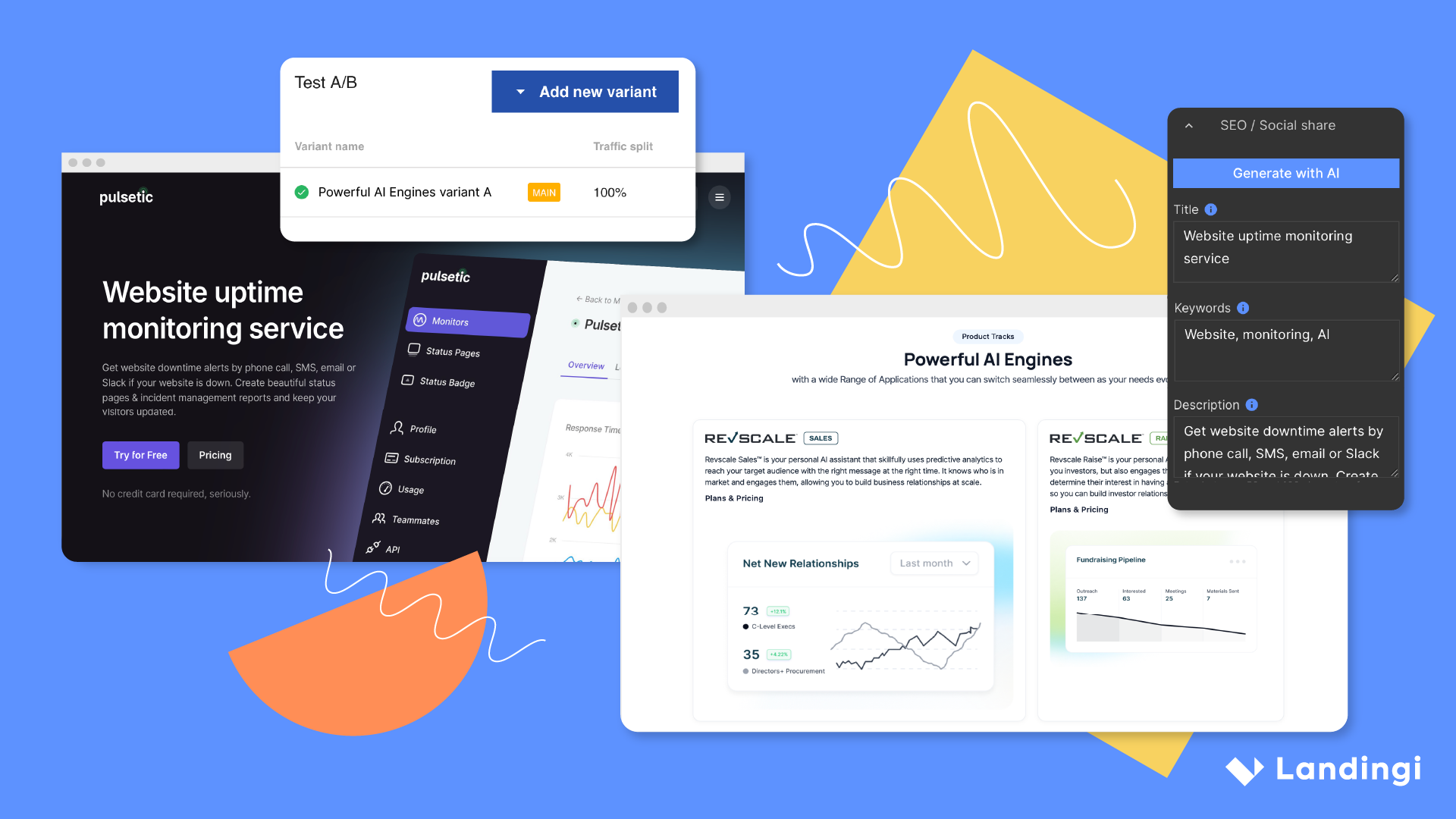
Landingi is a no-code landing page builder designed for building and optimizing landing pages through a drag-and-drop editor, templates, popups, analytics, and testing. Its Help Center describes a practical five-step flow:
- Pick a template
- Customize it
- Plan the form
- Add a thank-you step
- Launch
At the platform level, Landingi emphasizes three themes:
- Speed to launch: templates, a visual editor, reusable components.
- Optimization: A/B testing + reporting, plus micro-conversion tracking (EventTracker).
- Scale: Smart Sections and programmatic landing pages for high-volume page production.
Company background and maturity signals
Landing page tools become infrastructure. If your paid acquisition program depends on them, you want maturity signals that reduce platform risk.
Origin and footprint
Landingi describes its origin as a bootstrap project started in 2011, becoming “Landing” in 2013 after joining an acceleration program, with headquarters in Gliwice, Poland and a North America HQ in Dallas, Texas.
Operational maturity signals that matter
- Status transparency: Landingi runs a public status page with component-level uptime reporting (useful for incident awareness and vendor accountability).
- Infrastructure and security positioning: Landingi highlights AWS-based infrastructure, external penetration tests, optional 2FA, user permissions, audit logs, landing page history, and automatic SSL workflows.
The Landingi editor experience (what it feels like to build pages)
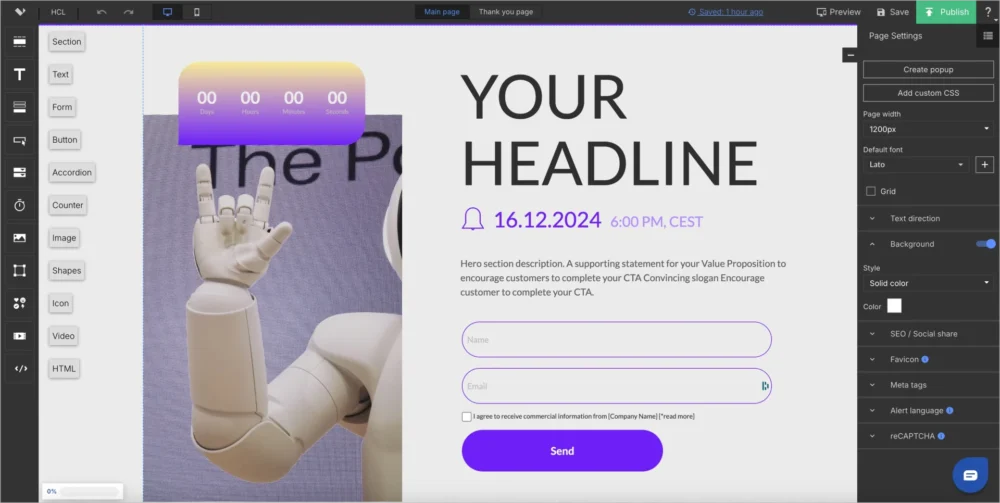
Most landing page platforms live or die on the editor. Landingi’s editor is positioned as a drag-and-drop builder where you place elements into an active area and manage layout/design via toolbars and context menus.
What Landingi gets right
- A workflow-aligned creation flow: template → customize → form design → thank you step → launch. This matches how high-performing teams operate.
- Form-first emphasis: treating the conversion mechanism as a first-class decision reduces downstream issues in lead quality, routing, and attribution.
- Page-level settings: common metadata/SEO/social-share options are accessible, which helps with technical hygiene and brand consistency.
Where friction can still appear
No-code builders sometimes trade fine-grained responsive control for speed and governance. In user feedback across review platforms, a recurring theme can be mobile-layout constraints (for example, padding or design edge cases on mobile view). This is not unique to Landingi, but it is worth validating early if your brand standards are strict.
Practical evaluation tip: during your trial, rebuild one of your real “high pressure” pages (tight layout, mobile-sensitive) to confirm the editor can match your standards without heroics.
Templates and starting points
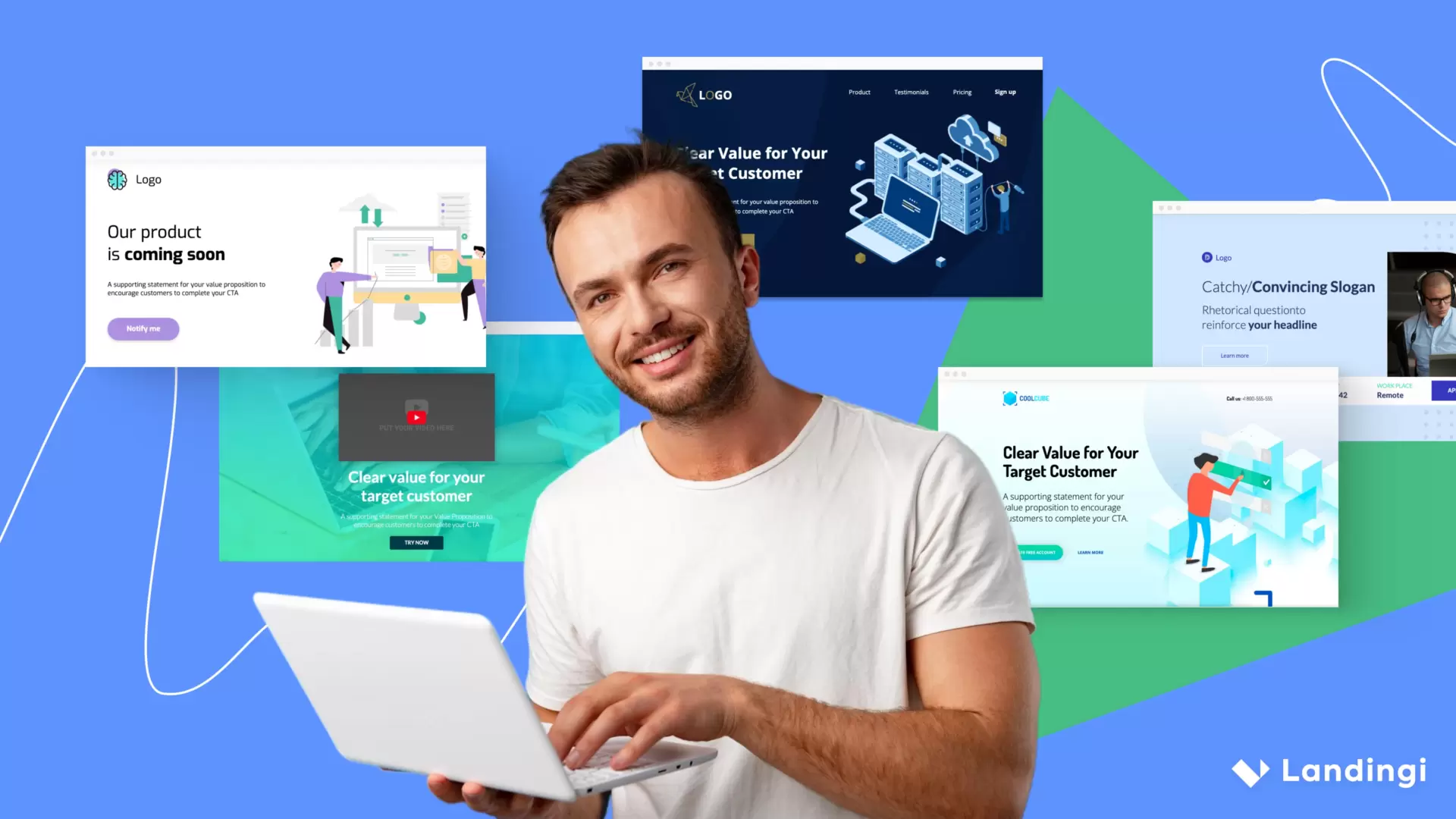
Landingi emphasizes a large template library (landing pages, popups, and sections). Templates matter for two reasons:
- Throughput: they reduce time-to-first-launch.
- Pattern reuse: they embed conversion patterns teams often forget when building from scratch.
The real value appears when templates become your internal system—a standardized set of page patterns and reusable blocks your team trusts.
Conversion mechanics (forms, popups, lead capture discipline)
Forms: where most landing page programs succeed or fail
Landingi supports form configuration features that are operationally meaningful for performance teams—especially hidden fields used to capture attribution parameters.
Hidden fields enable best practices such as:
- Persisting UTM source/medium/campaign into your CRM record
- Capturing custom parameters (ad group, keyword theme, creative variant)
- Routing leads based on campaign source or offer
- Connecting ad spend to downstream outcomes
Multi-step logic: a lever for lead quality
If your program relies on qualifying leads (not just collecting emails), multi-step logic can reduce perceived friction and improve completion rates. If multi-step forms are central to your workflow, confirm the exact behavior and plan availability during your trial.
Popups and lightboxes: recover attention without chaos
Landingi distinguishes popups and lightboxes and supports trigger logic such as exit intent and scroll depth. The mature approach is not “add more popups.” It is:
- Use popups to recover abandoning attention.
- Use lightboxes for deliberate secondary actions.
- Keep one primary conversion goal per page.
Personalization (dynamic text replacement + multi-language workflows)
Dynamic text replacement (message match for paid search)
Landingi documents dynamic text replacement via URL parameters, a high-leverage feature for paid search message match (query → ad copy → landing page headline alignment). The most practical adoption pattern is:
- Start with one replacement element (headline phrase).
- Always set safe default values.
- Introduce a naming convention for URL parameters (to reduce QA failures).
- Expand carefully once your QA process is proven.
Multi-language pages and automated translation
Landingi describes a multi-language workflow that duplicates and automatically translates pages into 35+ languages (powered by DeepL). This matters because international expansion often fails for workflow reasons—not strategy reasons.
Best-practice approach:
Use automated translation for first-pass versions, then apply human review for high-spend markets. Maintain legal and compliance blocks via Smart Sections so updates propagate consistently across all languages.
Optimization (A/B testing + EventTracker micro-conversions)
A/B testing: what matters operationally
Landingi’s Help Center describes A/B testing workflows and constraints that are typical for landing page experimentation programs, including requirements around publishing variants before starting tests and using a shared URL for variants.
A practical testing maturity model:
- Level 1: one-variable tests (headline, CTA, hero image).
- Level 2: structured layout tests (social proof placement, short vs long form).
- Level 3: funnel-level tests (page + thank-you flow changes, step-based capture).
EventTracker: the missing layer many teams need
EventTracker is positioned as micro-conversion tracking that captures events like button clicks and scroll depth without custom instrumentation. This matters because form submissions are lagging indicators; micro-conversions help diagnose why a page underperforms.
Micro-conversions help answer questions like:
- Are users scrolling far enough to see the pricing section?
- Are they clicking secondary links but not the primary CTA?
- Does Variant B increase CTA clicks even if form completion hasn’t moved yet?
Landingi also documents sending EventTracker events into GA4, which can be useful if GA4 is your reporting “source of truth.”
Scale features (Smart Sections + programmatic landing pages)
Smart Sections: scale without inconsistency
Landingi defines Smart Sections as reusable sections added to multiple pages, edited once, where published changes propagate across every page using that section. For teams managing dozens of pages, this is one of the highest-leverage features.
High-value Smart Section use cases:
- Headers/footers and navigation patterns for campaign families
- Legal disclaimers and compliance blocks
- Trust sections (logos, certifications, testimonials)
- Pricing modules or feature grids reused across offers
Programmatic landing pages: where Landingi becomes automation
Landingi describes programmatic landing pages as dynamically generated pages driven by variables defined in a CSV (and also via API), enabling large-scale creation of personalized pages. Landingi also notes that programmatic generation requires credits.
This is particularly relevant for:
- Multi-location and regional businesses (“service + city” programs)
- Ecommerce category and variant pages
- Directory/marketplace long-tail coverage
- SEO programs where volume is strategic (with careful governance)
Programmatic best practice:
Build one high-quality template, define the minimum variables that truly matter, generate a small batch first for QA, then scale only once tracking and conversion behavior are proven.
Funnels (connecting pages into a conversion journey)
Landingi’s Help Center describes funnels as connecting two or more landing pages, transferring lead data between pages, and integrating forms with third-party tools.
Funnels matter when you want to:
- Run step-down offers (Offer A → Offer B)
- Qualify leads in stages (low-friction step one, deeper step two)
- Build webinar registration + confirmation flows
- Create post-conversion upsell or next-step journeys
Publishing and hosting options (where many tools disappoint)
A landing page tool can be great until you try to publish at scale. Landingi supports multiple publishing pathways, including hosting by Landingi, publishing to WordPress, embedding via PHP, and reverse proxy deployment.
Publishing options comparison (practical view)
| Publishing method | Best for | Why it matters | Watch-outs |
|---|---|---|---|
| Landingi hosting | Fast launch with minimal IT involvement | Simple domain/subdomain setup; rapid iteration | Plan limits on domains/traffic can shape cost |
| WordPress plugin | Teams running WordPress who want pages under the primary site | Marketing can iterate without dev deployments; URL path control | SSL and WP governance still apply |
| PHP embed | Custom infrastructure teams needing more hosting control | Marketing edits in Landingi while hosting remains internal | Requires server access and disciplined routing/ops |
| Reverse proxy | Enterprise IT governance + marketing speed | Pages appear hosted on your domain; IT controls routing | Requires IT involvement and correct proxy configuration |
If your organization is sensitive to “third-party hosted pages,” reverse proxy is often the cleanest enterprise-friendly path: marketing iterates, IT governs the web perimeter.
Infrastructure, reliability, and security posture
Landing pages are revenue infrastructure. If they go down, you lose money immediately. Landingi provides multiple operational signals here, including public status visibility and published security posture details.
Reliability signals
- Status page visibility: component-level uptime reporting helps teams monitor risk and respond faster during incidents.
- Uptime positioning: Landingi references high uptime performance and encourages checking platform status.
Security posture highlights (buyer-relevant)
- AWS-based infrastructure positioning
- Regular external penetration tests
- Account protections (lockouts after failed attempts, strong password posture)
- reCAPTCHA support
- Optional 2FA
- User permissions and audit logs
- Landing page version history / restore workflows
- Automatic SSL for configured domains
- GDPR-oriented messaging and controls (validate your requirements separately)
Procurement note: if you are in regulated industries, treat “security posture” as an input. You should still validate your required contractual controls, data processing terms, and administrative governance in procurement.
Integrations and how data moves out of Landingi
Landing pages are never standalone. You need leads and conversion data to flow into your CRM, email system, analytics stack, and automation workflows.
Landingi describes three integration paths:
- Native integrations inside Landingi
- Zapier as the “integration multiplier”
- Webhooks for custom integrations
A practical integration strategy (that avoids broken data)
- Analytics first: ensure GA4 and primary ad pixels are correct. If using EventTracker, decide whether you want events forwarded into GA4.
- Lead destination second: decide the system of record (CRM, marketing automation, help desk).
- Attribution hygiene third: implement UTMs and hidden fields so downstream systems receive context.
- Automation last: only after clean tracking should you expand into routing, enrichment, and segmentation automation.
Integration methods table (quick operational view)
| Method | Best for | Complexity | Notes |
|---|---|---|---|
| Native integrations | Common CRMs and marketing tools | Low | Best when available and sufficient |
| Zapier | No-code routing and automation across many tools | Low–Medium | Great for MVP workflows; govern for scale |
| Webhooks | Custom pipelines and engineering-led stacks | Medium–High | Best for ownership, scale, and reliability |
Pricing structure, limits, and the real cost of ownership
Pricing is where many buyers get surprised—not always because the base subscription is expensive, but because limits and add-ons change the effective cost as you scale.
Free plan (useful for evaluation, limited for real programs)
Landingi lists Free plan limits including:
- 5 landing pages
- 1 custom domain
- 100 conversions per month
- 100 unique visits per month
- 2 users
- 1 month of data retention
Traffic caps: the most common budget surprise
Landingi lists monthly unique visit allowances by plan and indicates traffic scaling options via add-on capacity.
| Tier (as listed) | Included unique visits / month (signal) | What this means in practice |
|---|---|---|
| Lite | 5,000 | Suitable for smaller campaigns or early testing programs |
| Professional | 50,000 | Designed for active performance teams running multiple campaigns |
| Enterprise | 500,000 | Built for high-volume operations and multi-team governance |
Domains and add-ons
- Additional domains: Landingi lists an extra domain cost (for example, $5/month per extra domain as shown on the pricing page).
- AI credits: AI assistance is positioned as credit-based; additional packs can be purchased.
- EventTracker: listed as a paid add-on, with a 14-day free trial referenced in documentation.
- Agency Hub: also listed as an add-on (relevant for agency governance workflows).
Pricing hygiene note: packaging and pricing can change over time. Treat any “as-of” pricing signals (including third-party directories) as directional, and confirm exact plan pricing and limits on Landingi’s pricing page during procurement.
Real user feedback (review platforms + recurring themes)
A mature evaluation combines feature analysis with user patterns from review platforms.
Ratings snapshot (as referenced)
- G2: 4.5/5 (387 reviews)
- Capterra: 4.8/5 (206 reviews)
Common positive themes
- Ease of use and speed of building pages
- Template variety and customization flexibility
- Integration usefulness within broader marketing stacks
- Support responsiveness (varies by expectations and tier)
Common negatives / watch-outs
- Mobile layout control constraints in some cases
- Learning curve when teams are new to testing discipline and analytics workflows
- Pricing sensitivity as usage grows (often driven by visitor caps and add-ons rather than base subscription)
Strengths and weaknesses in plain terms
Strengths
- Scale features that matter: Smart Sections and programmatic page generation are high-leverage for high-volume teams.
- Optimization loop: A/B testing plus EventTracker micro-conversions creates a more complete diagnosis-and-iteration workflow than “builder-only” tools.
- Publishing flexibility: Landingi hosting, WordPress plugin, PHP embed, and reverse proxy cover most real-world environments.
- Integration flexibility: native integrations + Zapier + webhooks reduce lock-in risk.
- Maturity signals: public status visibility and documented security controls are positives for infrastructure software.
Weaknesses
- Some design control limitations can appear on mobile layouts.
- Pricing and limits require careful modeling if you run high-traffic paid acquisition.
- If you need fully custom front-end control, any no-code builder may feel constrained compared to code-driven approaches.
How to get the most value from Landingi (a staged adoption plan)
Stage 1: Week one — launch a clean baseline
Goal: ship one campaign page that is correctly tracked and reliably published.
- Build from a template and customize branding.
- Set a clear conversion goal and form structure.
- Add hidden fields for UTMs if you run ads.
- Publish using a path-based URL strategy when possible.
Success looks like: leads flow to the right destination with attribution context.
Stage 2: Week two — make your workflow repeatable
Goal: reduce time-to-launch the next pages by at least 30%.
- Create Smart Sections for repeated blocks (header/footer, trust, legal).
- Create a naming convention for pages and variants.
- Standardize publishing (Landingi hosting vs WordPress vs reverse proxy).
Success looks like: no reinventing the wheel.
Stage 3: Week three — start optimization with discipline
Goal: run one A/B test that is meaningful and learn from it.
- Duplicate a variant and change one high-leverage element.
- QA and publish each variant before starting the test.
- Use EventTracker micro-conversions to diagnose behavior, not only outcomes.
Success looks like: one clear lesson you can apply to the next iteration.
LandingiStage 4: Month two — scale responsibly
Goal: scale page volume without losing control.
- Prototype programmatic pages with a small CSV batch before scaling.
- Use automated translation workflows, then apply human review for priority markets.
- Add governance habits: permissions, audit log review, and version discipline.
Alternatives and how to choose
Landingi competes in a crowded space. The right comparison depends on what you value most.
Choose a different tool if your top priority is:
- Full website design system with developer-level control: a framework-driven approach or a tool like Webflow may fit better.
- Enterprise-grade experimentation across full web properties: dedicated experimentation platforms may be stronger (though you may still want a landing page workflow tool).
- All-in-one funnel + checkout platform: specialized funnel tools may fit if checkout is central inside the page builder.
Choose Landingi when your priorities are:
- Building, testing, and optimizing landing pages in one system
- Scaling page volume with reusable components and programmatic generation
- Publishing flexibility (WordPress, custom hosting, reverse proxy)
- Broad integration coverage through native integrations + Zapier + webhooks
Final verdict: should you buy Landingi?
Landingi is a strong choice if you treat landing pages as an ongoing capability, not a one-time project.
The biggest reason to choose it is not that it can build pages. Many tools can do that. The reason is that Landingi supports the full operational lifecycle:
- Build quickly
- Publish reliably across multiple environments
- Optimize through testing
- Understand behavior through micro-conversions
- Scale through reusable components and programmatic generation
If you match that profile—especially if you are running many campaigns, managing multiple client accounts, or operating in multiple markets—Landingi is likely to deliver a strong return.
Landingi
Landingi is a lead capture software that provides everything a user requires to create a landing page. Landingi provides you with a drag and drop editor that enables you to easily change, customize, and add anything you require to appear on your landing page with no coding required. Landingi makes it easy to choose a design for your landing page by providing you with more than one hundred customizable templates. The primary features offered by Landingi include creation of Landingi page, publishing landing page, managing leads, automate key tasks, analyze and optimize, and work with customer. In publication of landing…
• Create landing page
• Publish landing page
• Manage leads
• Analyze and manage all your leads
• Stay updated with key analytical indicators
• Optimize your conversation rates and get the maximum out of your landing page
FAQ (15 questions)
1) Does Landingi require coding?
No. Landingi positions its editor as a drag-and-drop builder requiring no coding knowledge.
2) Can I run A/B tests in Landingi?
Yes. Landingi documents A/B testing workflows, variant requirements, and testing behavior (including publishing variants before starting tests).
3) Can I track clicks and scroll depth without custom scripts?
Yes. EventTracker is described as automatically tracking micro-conversions such as button clicks and scroll depth without custom code installation.
4) Can Landingi send EventTracker data into GA4?
Yes. Landingi documentation describes integrating EventTracker with GA4 to send events into GA4 reports.
5) Can I publish Landingi pages on WordPress?
Yes. Landingi documents publishing to WordPress through a dedicated plugin workflow.
6) Can I publish on my own server?
Yes. Landingi supports embedding pages via PHP on your own server while continuing to edit in Landingi.
7) What is reverse proxy publishing and why would I use it?
Reverse proxy publishing is an enterprise-friendly approach where a proxy fetches the landing page from a Landingi subdomain and displays it on your domain as if hosted on your website—often useful when IT wants tighter control of domain routing and perimeter security.
8) Does Landingi support dynamic text replacement for paid search?
Yes. Landingi documents dynamic text replacement via URL parameters and references use cases like paid search keyword/message matching.
9) Does Landingi support multi-language pages?
Yes. Landingi describes duplicating and translating pages into 35+ languages via an automated translation workflow (powered by DeepL).
10) What are Smart Sections?
Smart Sections are reusable page sections that can be applied to multiple landing pages; you update the section once and publish changes across all pages using it.
11) What are programmatic landing pages in Landingi?
Programmatic pages are dynamically generated pages tailored to variables defined in a CSV (and also via API), allowing creation of many pages efficiently; Landingi notes you need credits to generate them.
12) Does Landingi have a free plan?
Yes. Landingi lists a Free plan with limits including 5 landing pages, 100 conversions/month, and 100 unique visits/month.
13) Does Landingi offer a free trial?
Landingi references a 14-day trial on multiple pages and a 30-day money-back guarantee.
14) How reliable is Landingi?
Landingi provides a public status page and positions itself with high uptime performance for key platform components.
15) What do user reviews say overall?
As referenced in this review: G2 lists Landingi at 4.5/5 (387 reviews) and Capterra lists 4.8/5 (206 reviews). Use reviews as directional signals and validate fit through a trial using your real workflows.








By clicking Sign In with Social Media, you agree to let PAT RESEARCH store, use and/or disclose your Social Media profile and email address in accordance with the PAT RESEARCH Privacy Policy and agree to the Terms of Use.