
Freshworks Review: Enterprise-grade Service Software
If you’re evaluating Freshworks, you’re probably trying to solve a problem that sounds deceptively simple:
- “We need better support.”
- “IT tickets are chaos.”
- “Sales is living in spreadsheets.”
- “We’ve got too many tools, and none of them talk to each other.”
In practice, those problems stack. Customer conversations live in one system, internal requests in another, and revenue work in yet another—so every handoff becomes a mini migration project. The result is predictable: slower resolutions, inconsistent reporting, and a growing sense that your “stack” is really just a set of disconnected islands.
Freshworks positions itself as the antidote: enterprise-grade service software without the enterprise-grade complexity—a suite spanning customer support, IT service management, CRM, and marketing automation.
FreshworksMy overall verdict: 8.7/10
Best for: SMB-to-mid-market organizations that want to move fast, consolidate tools, and adopt automation/AI in a practical (not overengineered) way.
Not ideal for: organizations that need extreme customization, deep enterprise governance everywhere on day one (ServiceNow/Salesforce-class), or very advanced contact-center WFM/WFO requirements.
What this review covers
- Overview and company background
- Pricing and plans (with tables + hidden costs)
- Setup and onboarding experience
- User interface and ease of use (plus recommended screenshots)
- Core feature breakdown (Customer Service, ITSM/ESM, CRM/Marketing)
- Advanced features and integrations (AI, platform, APIs, marketplace)
- Performance, reliability, and security
- Customer support and learning resources
- Pros and cons
- User reviews and ratings summary
- Alternatives and comparisons
- Who Freshworks is best for (and who should avoid it)
- Final verdict and recommendations
- FAQ (15 common questions)
Overview and company background
What is Freshworks?
Freshworks is a cloud-based SaaS company offering a portfolio of business applications focused on:
- Customer service: Freshdesk, Freshdesk Omni, Freshchat, Freshcaller
- IT & employee service management (ITSM/ESM): Freshservice
- CRM & revenue workflows: Freshsales, Freshsales Suite
- Marketing automation: Freshmarketer
The theme across products is consistent: deliver customer and employee experiences with less complexity and faster time-to-value than traditional “enterprise-first” stacks.
Company milestones that matter to buyers
From a buyer’s standpoint, company history matters insofar as it answers: (1) stability, (2) product direction, and (3) long-term investment in AI/platform capabilities.
- Founded: 2010 (originating as Freshdesk in Chennai, India).
- Rebrand: shifted from Freshdesk to Freshworks as it expanded into a multi-product suite.
- Public company: IPO in 2021 (a typical “maturity step” for SaaS vendors).
- Leadership transition (2024): founder moved to executive chairman; a new CEO appointment reflects “operational scaling” behavior common to public SaaS companies.
- Acquisitions aligned to IT ops and incident response: adds signal that ITSM/operations is an investment area (not only support ticketing).
Market positioning: where Freshworks sits
Freshworks most often appears in evaluations where teams are choosing between:
- Best-of-breed: Zendesk for support, ServiceNow for ITSM, Salesforce for CRM
- Suite-first: HubSpot or Zoho
- Modern mid-market: faster deployment + lower admin burden (Freshworks’ strongest posture)
High-level differentiators
- Deployability: many teams can go live without a long implementation program.
- Suite optionality: start with one module, expand later without ripping and replacing.
- Platform extensibility: marketplace apps, SDKs, and a platform layer reduce custom build friction.
- Pragmatic AI packaging: Freddy AI features increasingly map to add-ons/sessions/tiers that are easier to budget than ambiguous AI pricing.
Pricing and plans
Freshworks pricing is best understood as a portfolio of products (each with its own tiers), rather than “one suite price.” That’s good (you can buy only what you need) and risky (it’s easier to misalign tiers across teams or underestimate add-ons/usage).
Freshworks pricing snapshot (annual billing)
| Product | Entry tier | Published annual-billed price (baseline) | Notes (buyer interpretation) |
|---|---|---|---|
| Freshdesk | Growth | $15/agent/month | Ticketing-first support desk; higher tiers add routing, custom objects, auditability. |
| Freshdesk Omni | Growth | $29/agent/month | Omnichannel + AI posture; typically for multi-channel environments (not just email). |
| Freshservice | Starter | $19/agent/month | ITSM/ESM; maturity tiers usually map to governance and process depth. |
| Freshchat | Free / Growth | $0 (up to 10 agents) / $19/agent/month | Strong entry free tier; paid tiers expand channels and operational controls. |
| Freshcaller | Free / Growth | $0 + pay/min / $15/agent/month + pay/min | Variable cost model; minutes, numbers, and concurrency affect TCO. |
| Freshsales | Growth | $9/user/month | Sales CRM; higher tiers add AI, sequences, governance controls. |
| Freshsales Suite | Growth | $9/user/month | Sales + marketing alignment packaging; watch marketing contacts allowance. |
| Freshmarketer | Free / Enterprise | $0 / $15/month | Contact packaging is the real cost driver; plan for list growth early. |
Trials and free plans: what’s available
- Free trials are common (often with access to higher tiers temporarily).
- Free plans / free programs exist across parts of the suite (Freshchat and Freshsales are notable entry points).
- Reality check: free tiers are best for pilots and micro-teams; production rollouts usually land in paid tiers because governance and automation are tier-gated.
Hidden costs and add-ons (where budgets drift)
Freshworks’ base per-seat pricing is usually reasonable—but total cost can change meaningfully based on:
- AI usage and AI packaging: Freddy AI agent sessions and Copilot add-ons can behave like usage-based spend.
- Telephony usage: pay/min exposure + additional numbers + included minutes per account (not always per agent).
- Marketing contacts: list growth can turn “cheap” marketing automation into a larger spend line.
- Connector tasks / automation consumption: integrations can carry their own operational usage model depending on product/app.
Budgeting tip: Treat AI and telephony like usage services. Model volume (sessions/minutes), define success metrics (deflection, faster resolution, higher CSAT), and monitor cost per resolved outcome.
Setup and onboarding experience
A realistic onboarding assessment should answer two questions:
- How fast can we reach “first value”?
- What’s the complexity ceiling once we scale?
Freshworks generally performs well on time-to-first-value and remains manageable at scale if you control governance (permissions, workflows, integrations) early.
A pragmatic “first 30 days” onboarding plan
Week 1: Establish a working baseline
- One inbound channel (email or web)
- Minimal required fields
- A single SLA policy
- One dashboard: open / overdue / breached
Week 2: Add routing and knowledge
- Basic routing rules (by category/priority/language)
- Create/import top 20 knowledge articles
- Define escalation paths (VIP, urgent issues)
Week 3: Add integration and automation
- Slack/Teams notifications
- CRM lookup for support context
- 2–3 automation rules that remove repetitive steps (tagging, assigning, templated replies)
Week 4: Optimize with reporting and AI
- Review top 10 drivers
- Refine categories + macros/canned responses
- Pilot Freddy AI in one measurable workflow (e.g., suggested replies for a narrow category)
Where teams hit early hurdles
- Over-configuring too soon: building “perfect workflows” before frontline needs are understood.
- Underestimating governance: roles, permissions, audit logs, and sandbox needs become real once multiple teams onboard.
- Integration sprawl: too many connectors without an owner becomes brittle quickly.
User interface and ease of use
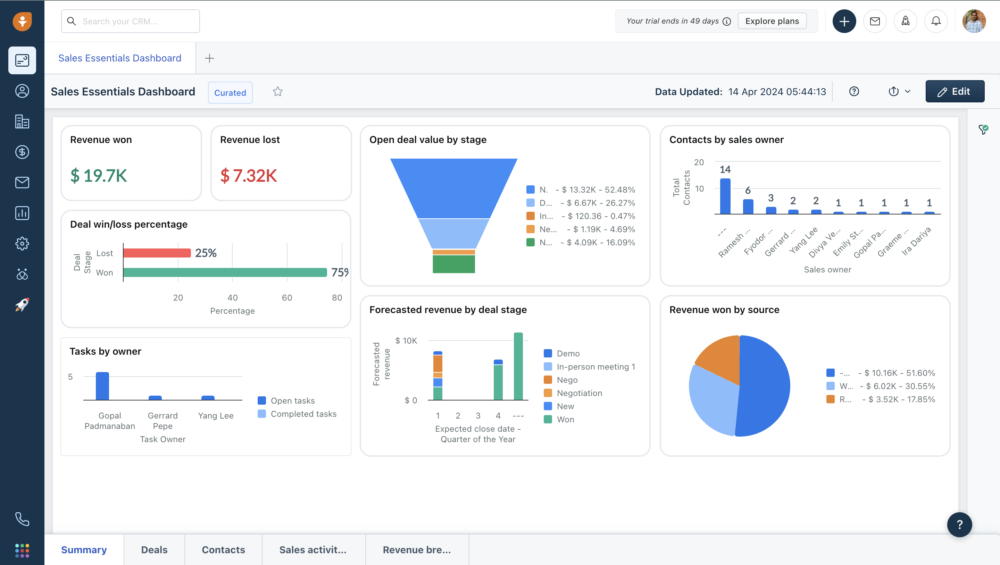
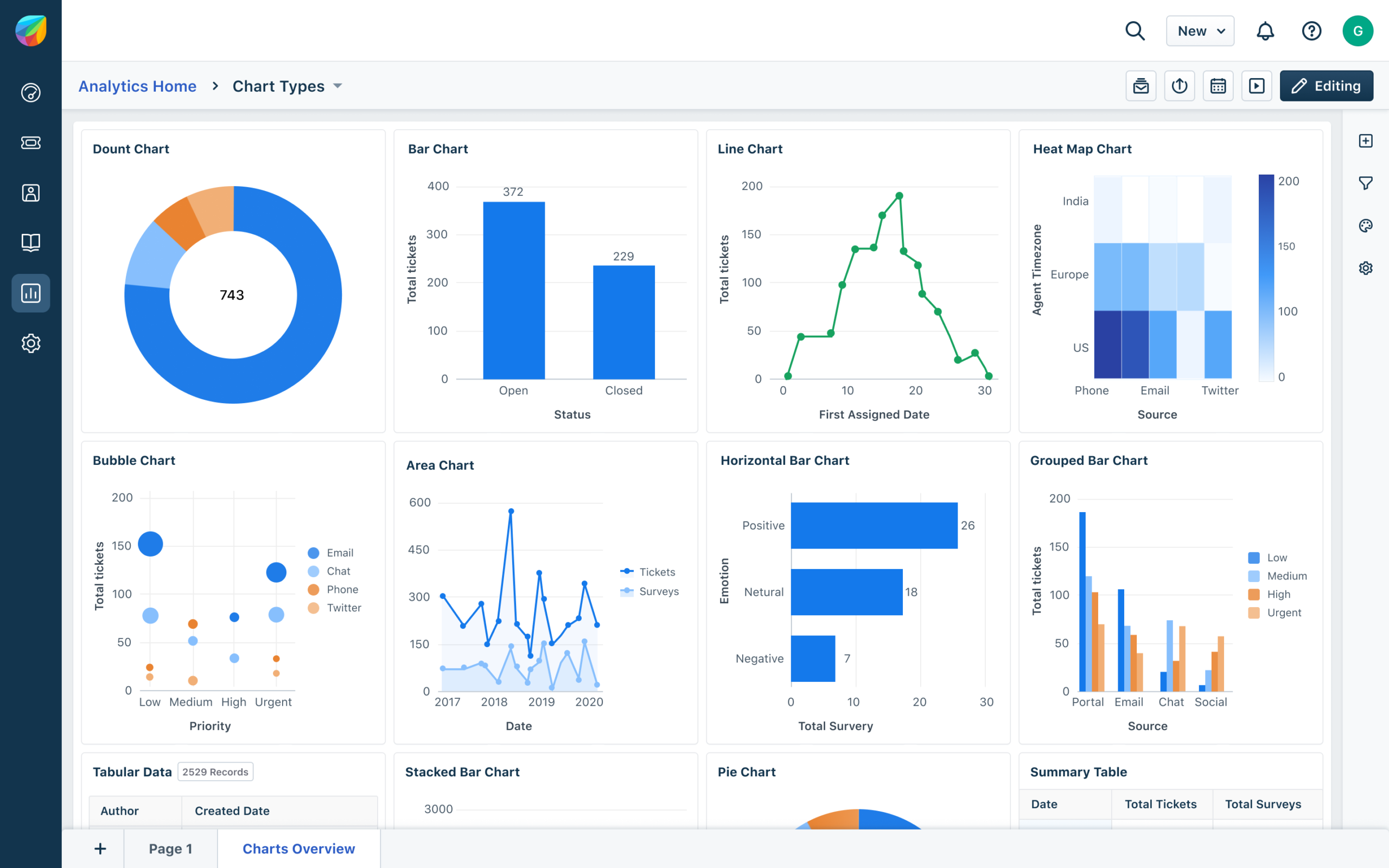
Freshworks’ UI strategy across products is one of its core strengths: consistent navigation patterns and a “workspace” style approach that reduces cross-tool friction—especially if you run multiple Freshworks modules.
What the UI typically feels like
- Left-hand navigation for core modules
- List views + record/ticket detail panes
- Admin/configuration behind settings and roles
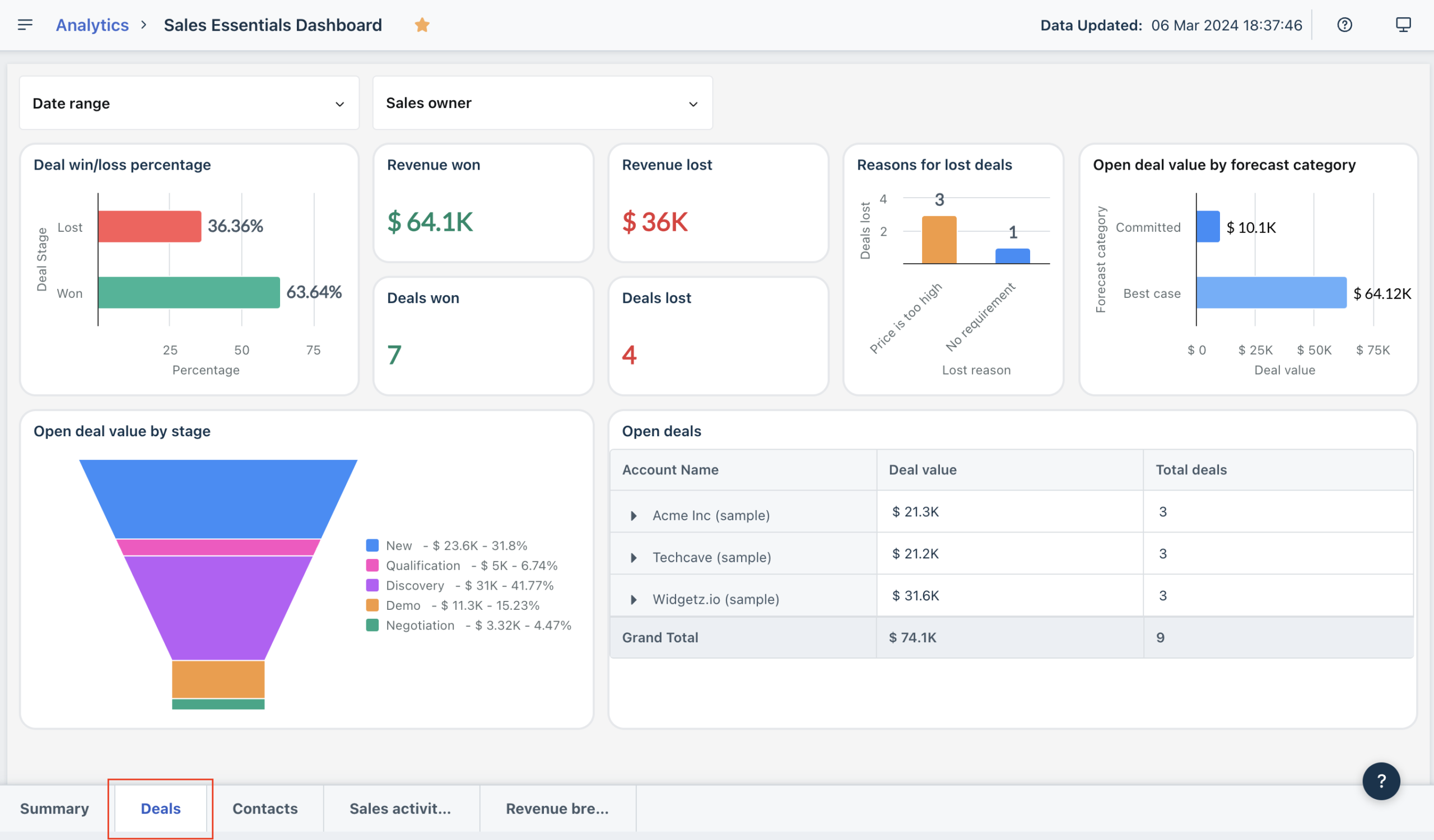
- Dashboards/reporting accessible without feeling like a separate BI tool
Recommended screenshots to include in your publication
- Freshdesk dashboard (ops view)
- Ticket conversation view (agent workflow + internal notes)
- Freshservice service catalog (or incidents view + SLA policy screen)
- Freshsales contact/deal record view (timeline + pipeline)
- Freshchat unified agent workspace
- Freshcaller call queue/IVR configuration
- Marketplace / integrations directory screen
- Freddy AI settings (session visibility + enablement controls)
Implementation note: Ease of use for frontline users usually stays high. The admin experience depends mostly on whether you keep workflows and permissions intentionally simple in the first 4–6 weeks.
Core feature breakdown
Freshworks isn’t “one product,” so a useful review needs to evaluate the portfolio in logical buckets:
- Customer Service: Freshdesk, Freshdesk Omni, Freshchat, Freshcaller
- IT & Employee Service: Freshservice
- CRM & Marketing: Freshsales, Freshsales Suite, Freshmarketer
- Platform layer: marketplace, extensibility, shared records/events
- Freddy AI: usage + governance across modules
1) Customer Service
Freshdesk (ticketing-first support)
Freshdesk is strongest when you need ticketing that scales without feeling heavy. Practically, the tier progression typically maps to:
- Growth: core ticketing + portal + reporting (baseline support operations)
- Pro: stronger routing, customization, custom reporting, operational mechanisms
- Enterprise: audit logs, approvals, skills-based assignment, stronger governance/security controls
Freshdesk Omni (omnichannel + AI posture)
Omni is for environments where chat/messaging/voice are first-class. If your support motion is mostly email, Omni may be more than you need. If you have channel sprawl, Omni can unify operations.
Freshchat (chat & messaging operations)
Freshchat is compelling for teams that want conversational support at scale. The free tier is meaningful for pilots and smaller teams, with paid tiers expanding channels and operational controls.
Freshcaller (cloud telephony)
Freshcaller is transparent about variable costs. Treat it as a usage service: minutes, concurrency, and numbers matter as much as seats. If you don’t know your call volume, run a pilot and measure before committing.
Freshworks2) IT & Employee Service: Freshservice
Freshservice is Freshworks’ ITSM/ESM product. In practice, it’s typically deployed first for IT and then extended to other service functions (HR, facilities, legal) once the pattern is stable.
Common deployments:
- Incident management (break/fix)
- Service requests (access, software, hardware, onboarding)
- Knowledge base deflection
- SLA policies + reporting
- ESM expansion once IT proves the model
3) CRM & Marketing
Freshsales (sales CRM)
Freshsales is positioned as a practical CRM: pipeline discipline, automation, built-in engagement tools, and AI assistance (Freddy) without the implementation burden of enterprise CRMs.
Freshsales Suite (sales + marketing alignment)
Suite packaging matters if marketing needs to share the same system of record as sales. The key buyer variable here is often marketing contact allowances and how fast your list grows.
Freshmarketer (marketing automation)
Freshmarketer’s cost reality is contact-based packaging and add-ons. Treat “marketing contacts” as a forecast line item—not a footnote.
Advanced features and integrations
Freshworks platform layer: marketplace + extensibility
Freshworks becomes materially more valuable when you treat it as an ecosystem rather than a single app. In practical deployments, you’ll typically extend Freshworks through:
- Marketplace apps: fastest to deploy
- Connector automations: low-code cross-tool workflows (watch consumption models)
- Custom apps: for internal workflows and data models where marketplace apps don’t fit
Freddy AI across the stack: powerful, but requires governance
Freshworks monetizes and scopes Freddy AI in increasingly concrete ways (sessions, add-ons, and tier-based packaging). Two buyer-critical realities:
- Session definitions vary by channel (email vs chat), which affects cost behavior.
- AI can become a silent line item if you don’t define workflows and monitor cost-per-outcome.
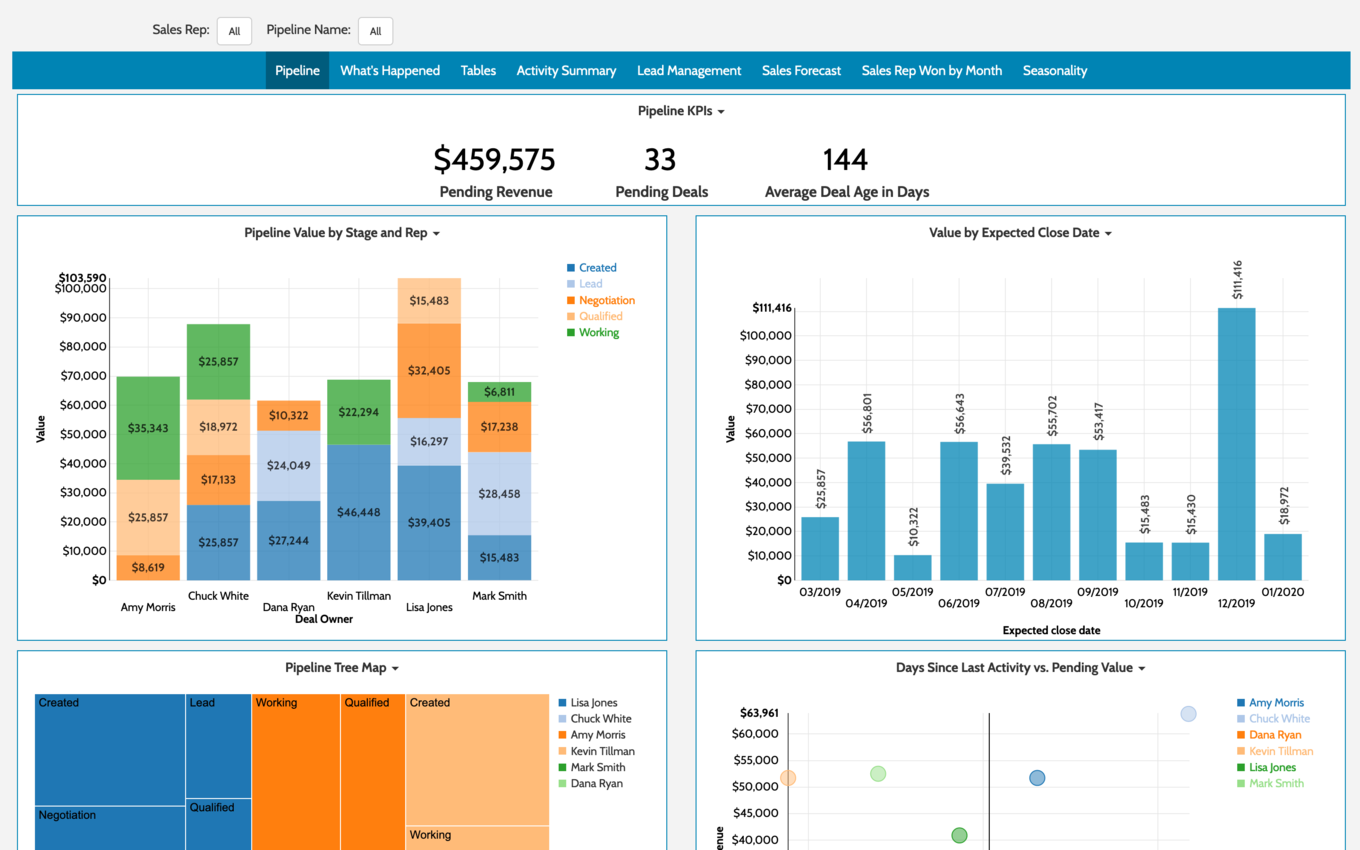
Operational recommendation: Treat Freddy AI like any automation program: define workflows, set success metrics (deflection, resolution time, CSAT), and track usage plus cost per resolved outcome.
Top integration targets (practical buyer list)
| Integration target | Why it matters | Typical Freshworks outcome |
|---|---|---|
| Slack / Microsoft Teams | Escalations, approvals, faster internal routing | Faster response on priority incidents/tickets |
| Google Workspace / Microsoft 365 | Email/calendar alignment; identity coordination | Less manual logging; cleaner user lifecycle |
| Jira / Azure DevOps | Support-to-engineering handoff | Cleaner bug/incident escalation workflows |
| SSO / Identity provider | Access control, security posture | Centralized onboarding/offboarding |
| Ecommerce (Shopify/WooCommerce) | Order context in support | Faster order-related resolutions |
| Data warehouse / BI | Portfolio-level reporting across service + revenue | Unified analytics and KPI governance |
Performance, reliability, and security
Reliability and transparency
Freshworks maintains public status pages across major products. The existence of product-specific status reporting is an underrated trust signal: it enables operational teams to validate incidents and reduces “is it us or the vendor?” ambiguity.
Security posture (what to validate in procurement)
For mid-market and up, procurement should validate:
- Latest compliance reports (SOC 2, ISO, etc.) via the vendor trust center process
- Data residency and region hosting requirements
- SSO requirements and identity provider compatibility
- Audit log needs and retention expectations
Scalability considerations (the practical ones)
- Governance scale: roles/permissions and auditability often force tier upgrades.
- Integration maintenance: integration sprawl becomes brittle without ownership.
- AI and telephony usage: variable costs can become material if you don’t model volume early.
Customer support and learning resources
Freshworks commonly references 24x5 support across products. In real-world deployments, support experience varies by product and tier—so treat support as part of your operating model, not a marketing bullet.
What to evaluate (before you buy)
- Which support channels are included at your tier (email/ticket/chat/phone)
- Whether response times are contract/SLA-driven
- Whether you need premium support for a business-critical rollout
Self-serve resources (risk reducer)
- Help center docs and admin guides
- Product training and certifications (Freshworks University concept)
- Developer documentation for marketplace apps, SDKs, and extensions
Pros and cons
| Pros | Cons |
|---|---|
|
|
User reviews and ratings summary
Aggregate rating posture (directional signal)
Freshworks generally shows strong sentiment signals across review ecosystems, with recurring praise for usability and time-to-value. As always: ratings are directional; your outcome depends on workflow design, governance, and how deeply you integrate.
Common praise themes
- Ease of use and quick adoption
- Fast time-to-value without heavy consulting
- Unified workflows when multiple Freshworks products are used together
Common complaint themes
- Support responsiveness varies by tier/context
- Base tiers can feel limiting as workflow complexity grows
- Add-ons and usage components can surprise budgets if not modeled early
Alternatives and comparisons
Freshworks is best compared as a portfolio, not a single product. Your best alternative depends on which module you’re buying.
| Platform | Best at | Trade-offs | Best fit |
|---|---|---|---|
| Freshworks | Fast deployment + suite optionality + practical AI | Less extreme customization than top enterprise stacks | SMB–mid-market, multi-team rollouts |
| Zendesk | Support maturity + CX tooling | Can become pricey; suite breadth may require add-ons | Support-led orgs |
| ServiceNow | ITSM/ESM depth + enterprise governance | High implementation/admin overhead | Large enterprises with mature IT |
| Salesforce | CRM customization + ecosystem | Admin complexity and cost | Sales-led orgs with complex processes |
| HubSpot | CRM + marketing UX + onboarding | Costs rise with scale; packaging can surprise | Growth-stage orgs |
| Zoho | Suite breadth + price efficiency | UX and depth vary across apps | Cost-sensitive suite buyers |
Who Freshworks is best for (and who should avoid it)
Best for
- SMB to mid-market organizations professionalizing support, IT, or sales quickly
- Teams that value fast onboarding and adoption over ultra-bespoke workflows
- Organizations wanting suite optionality (start small, expand later)
- Lean ops/admin teams that can’t support heavy enterprise tooling overhead
Avoid (or evaluate carefully) if…
- You require extreme customization and deep enterprise governance everywhere on day one
- You already standardized on another ecosystem (Salesforce/ServiceNow/Zendesk) and switching costs outweigh benefits
- You need advanced contact-center WFM/WFO beyond typical helpdesk/telephony packaging
Final verdict and recommendations
Overall score: 8.7/10
| Category | Score | Buyer interpretation |
|---|---|---|
| Features | 9/10 | Breadth is strong; depth is good in most categories for SMB/mid-market. |
| Ease of use | 9/10 | Consistent UI strategy; typically deployable without heavy training. |
| Integrations & extensibility | 8.5/10 | Marketplace + platform options are credible; avoid integration sprawl. |
| Value | 8/10 | Entry pricing is strong; add-ons/usage must be modeled early. |
| Governance & enterprise readiness | 8/10 | Solid but tier-gated; not ServiceNow-level. |
My recommendations (what I’d do if I were buying)
- Pick the primary problem first (support vs IT vs sales vs marketing). Don’t buy the whole suite “just in case.”
- Pilot a real workflow for 2–4 weeks (not a demo script).
- Model hidden costs: AI sessions (email vs chat), telephony minutes, marketing contacts growth.
- Lock governance early: roles, permissions, audit logs, sandbox needs—then map to tiers.
- Use the marketplace intentionally: standardize the few integrations that matter most.
FAQ (15 common questions)
1) Is Freshworks a CRM or a help desk?
It’s a suite. Freshworks includes customer service products (Freshdesk, Freshchat, Freshcaller, Freshdesk Omni) and CRM products (Freshsales, Freshsales Suite), plus ITSM (Freshservice) and marketing (Freshmarketer).
2) What’s the difference between Freshdesk and Freshdesk Omni?
Freshdesk is ticketing-centric. Freshdesk Omni is positioned as an AI-powered omnichannel solution designed for multi-channel environments where chat, messaging, and voice are operationally central.
3) Does Freshworks have free plans?
Yes—free tiers or free programs exist across parts of the portfolio (notably Freshchat and Freshsales). Free is best for pilots and very small teams; production usually requires paid tiers for governance and automation.
4) How long are Freshworks free trials?
Many Freshworks products offer short trials (often around 14 days for support tools and longer trials for CRM). Confirm the exact duration per product at the time of signup.
5) What are the biggest hidden costs in Freshworks?
AI session consumption, telephony pay/min usage, marketing contacts expansion, and automation/connector consumption models are the most common cost drivers that can change TCO.
6) What are “Freddy AI sessions” and why do they matter?
They’re a consumption unit for AI agent usage. Session definitions can differ by channel (email vs chat), which affects how costs scale as volume increases.
7) Is Freshworks good for small businesses?
Often yes. Freshworks is particularly compelling for SMB and mid-market organizations that prioritize deployability, usability, and fast time-to-value.
8) Is Freshservice only for IT?
It’s usually deployed by IT first, but many organizations extend it to employee service management across HR, facilities, and other business teams once workflows are established.
9) Does Freshworks include telephony?
Yes—Freshcaller is Freshworks’ cloud telephony product. It uses per-agent tiers and pay/min usage, so call volume forecasting matters.
10) Does Freshworks have a marketplace?
Yes. Freshworks maintains a marketplace ecosystem and supports integrations and extensions through apps and developer tooling.
11) Can we build custom apps on Freshworks?
Yes. Freshworks provides developer tooling and an extensibility layer suitable for building custom workflows and integrations when marketplace apps don’t fit.
12) How should we pilot Freshworks properly?
Pick one real workflow (e.g., email support triage, IT onboarding, or CRM lead routing), run it for 2–4 weeks with a small team, and measure outcomes (resolution time, backlog, SLA breaches, response time, and user adoption).
13) When does Freshworks become “too limited”?
If you require extreme customization, highly specialized governance everywhere, or very advanced enterprise workflows from day one, you may hit constraints compared to ServiceNow/Salesforce-class stacks.
14) What’s the most common “gotcha” when buying Freshworks?
Under-modeling add-ons and usage-based components (AI sessions, marketing contacts, telephony minutes). Build a simple forecast early and review it monthly during rollout.
15) What’s the cleanest way to consolidate tools with Freshworks?
Start with the highest pain area (support or IT), standardize workflows and reporting, then expand deliberately into CRM/marketing. Avoid buying multiple modules “just in case” before governance and ownership exist.








By clicking Sign In with Social Media, you agree to let PAT RESEARCH store, use and/or disclose your Social Media profile and email address in accordance with the PAT RESEARCH Privacy Policy and agree to the Terms of Use.