
CallRail Review: Pros, Cons, and Real-World Performance in Call Attribution and Conversation AI
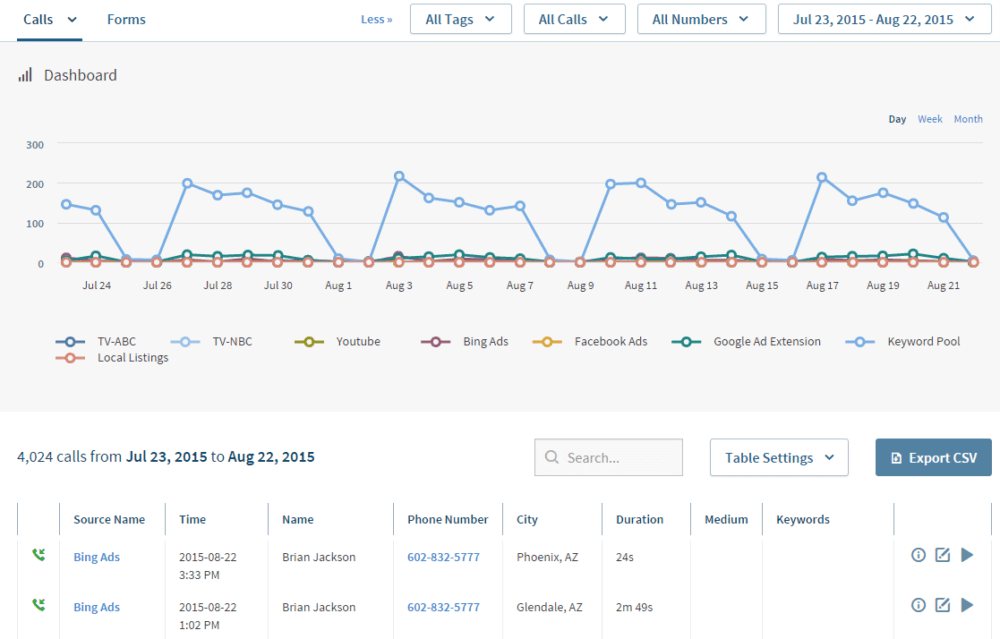
If you have ever looked at your marketing dashboard and thought, “Clicks are up, forms are steady, but the phone keeps ringing and I cannot prove what caused it,” you are in the exact problem space CallRail was built to solve.
Phone calls are still one of the highest intent conversion signals for local services, healthcare, legal, and many high consideration purchases. The catch is that calls are notoriously hard to attribute. A lead might click a Google ad, browse a few pages, leave, come back through organic search, then call three days later. Meanwhile, your CRM says “phone lead,” your ad platform says “no conversion,” and your team is stuck debating what to fund next month.
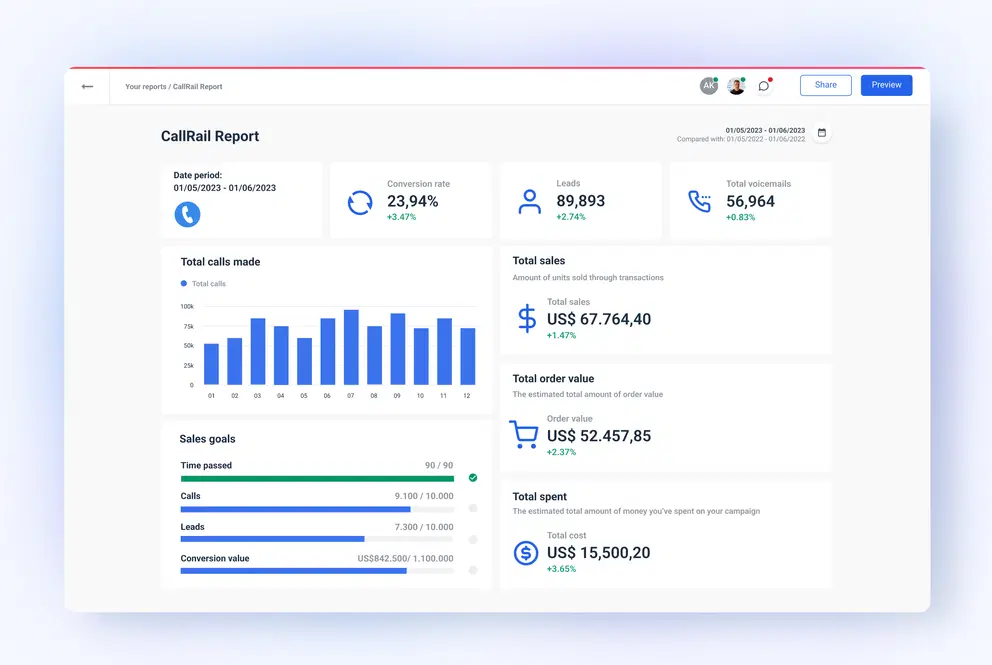
CallRail positions itself as the bridge between marketing activity and the conversations that actually convert. It combines call tracking, text tracking, form tracking, attribution reporting, and conversation intelligence so teams can see what drove each lead and what happened after the lead made contact.
CallrailOverall verdict: 8.8/10
CallRail is one of the most approachable platforms for marketing-driven call attribution, and it has grown meaningfully into AI-powered conversation analysis. It is not a full contact center suite, and its usage-based billing can surprise teams that do not plan for scaling numbers, minutes, transcription, and messaging.
Important roadmap note: the announcement that Lead Center will be sunset in early 2026 is a major strategic shift that some buyers should factor into their evaluation.
Here’s what this review covers
- Overview and company background
- Pricing and plans (with a detailed comparison table)
- Setup and onboarding experience
- User interface and ease of use
- Core features breakdown (call tracking, automation, multi-channel, reporting, AI)
- Advanced features and integrations
- Performance, reliability, and security
- Customer support and resources
- Pros and cons
- User reviews and ratings summary
- Alternatives and comparisons
- Who CallRail is best for (and who should avoid it)
- Final verdict and recommendations
- FAQ
Overview and Company Background
A quick history of CallRail
CallRail’s origin story is unusually clear: it started as a practical solution to a practical problem. According to CallRail, co-founder Andy Powell ran an online directory business and needed proof that the directory was driving calls. Along with Kevin Mann, he built call tracking software that could connect calls back to sources, and CallRail was born in 2011, rooted in Atlanta.
From there, the platform expanded from core call tracking into adjacent lead intelligence capabilities:
- Form Tracking to capture web form submissions and attribute them back to marketing sources
- Conversation Intelligence features like transcription, keyword analysis, summaries, and sentiment for quality and conversion insights
- Convert Assist, positioned as an AI-powered layer to reduce missed opportunities and improve conversion outcomes
On the business side, CallRail reports it crossed $100M in annual recurring revenue in 2024, serves 220,000+ businesses, and has 270+ employees.
Key corporate milestones and signals of maturity include:
- A $75M investment announced in 2017
- An additional $56M investment announced around the end of 2020, as CallRail reported surpassing $60M ARR that year (per CallRail’s own narrative and related announcements)
- The acquisition of PhoneWagon in 2021
- CEO leadership transition, with Marc Ginsberg joining as CEO in 2021
Target audience and market positioning
CallRail consistently positions itself around small and mid-sized businesses and marketing agencies that rely on inbound leads and need clearer attribution and conversion insights.
In practice, CallRail tends to show up in these environments:
- Local services (home services, HVAC, plumbing, contractors)
- Legal services and intake-driven firms
- Healthcare marketing teams and clinics
- Multi-location businesses and franchises
- Agencies managing marketing performance across multiple client accounts
High-level differentiators
- Marketing-first attribution design: mapping calls, texts, forms, and sessions back to channels, campaigns, and often keywords.
- Breadth across lead types: calls, texts, forms, and (historically) chats in a unified view.
- Conversation Intelligence that is approachable for SMBs: transcription, summaries, keyword spotting, and sentiment without a full contact center stack.
- Strong integration footprint: Google Ads, GA4, HubSpot, Salesforce, Slack, Zapier, and API-based extensions.
Important caveat: Some of the chat and unified inbox experience has historically been tied to Lead Center, which is now scheduled to sunset.
Pricing and Plans
CallRail’s pricing is best understood as:
- A base subscription (tiered by feature set)
- Plus usage-based costs for numbers, minutes, texts, form submissions, and transcription, once you exceed included allowances
Free trial and contract basics
CallRail promotes a 14-day free trial. CallRail’s own setup guide explicitly notes no credit card required for starting the trial.
Annual billing is available with savings up to 10% (CallRail states “save up to 10% with a yearly plan”).
Plan comparison table
The table below reflects the pricing shown on CallRail’s pricing page (monthly view) plus what is included with each tier.
Note on annual pricing: CallRail advertises “up to 10%” annual savings, but totals can vary by checkout and plan configuration. The “estimated annual total” below assumes a full 10% discount for budgeting purposes.
| Plan | Price per month (monthly billing) | Estimated annual total (up to 10% savings) | Best for | Key included features | Key included limits |
|---|---|---|---|---|---|
| Call Tracking | $45 | ~$486/year (estimated) | SMBs and agencies that mainly need call attribution and routing | Call and text tracking and attribution, call recording and routing | 5 local numbers, 250 local minutes, 25 text messages (post-trial) |
| Call Tracking + Conversation Intelligence | $90 | ~$972/year (estimated) | Teams that want transcripts and keyword insight from calls | Everything in Call Tracking plus call transcripts and keyword analysis | Includes Call Tracking limits plus 7,500 transcription minutes |
| Call Tracking + Form Tracking | $90 | ~$972/year (estimated) | Businesses that capture leads through both calls and forms | Everything in Call Tracking plus form tracking and custom form builder | Includes Call Tracking limits plus 1,000 form submissions |
| Call Tracking Complete | $175 | ~$1,890/year (estimated) | Teams that want both call and form attribution plus richer AI insights | Transcripts, keyword analysis, form tracking, call summaries, sentiment analysis, conversation trend reports | Includes Call Tracking limits plus 10,000 transcription minutes |
What “included monthly” actually means
This is where buyers should slow down and read carefully. CallRail includes baseline usage with plans, then charges overages.
Included with all plans (per pricing page):
- 5 local numbers
- 250 local minutes
- 25 text messages (CallRail notes messaging is available after the trial ends)
Overage costs highlighted on the pricing page include:
- Additional local numbers: $3 each per month
- Additional toll-free numbers: $5 each per month
- Additional local minutes: $0.05 per minute
- Additional toll-free minutes: $0.08 per minute
- Additional text messages: $0.03 each
- Additional form submissions: $0.02 each
- Additional transcription minutes: $0.02 per minute (Conversation Intelligence plan) and $0.04 per minute (Complete plan)
Plain-English mental model: your bill grows with how many numbers you use (tracking strategy), how many minutes you generate (call volume and duration), how much transcription you enable (minutes × transcription), and how much messaging/forms you run.
Hidden costs and budget traps to watch
CallRail’s pricing is fairly transparent about overages. The “hidden” part is not fine print—it’s how easily usage scales.
- Dynamic number insertion pools: keyword/visitor tracking often needs a pool of numbers. Under-provisioning degrades attribution; over-provisioning increases number costs.
- Agency or multi-location expansion: sub-accounts (“Companies”) improve governance but often increase number count and reporting complexity.
- Transcription overages: if you rely on transcripts/summaries for QA and coaching, minutes can spike.
- Messaging growth: included SMS is small; heavy SMS workflows usually incur overages.
- Porting timelines: CallRail notes ports “typically take 4 to 6 weeks,” which can create parallel-run effort and launch planning costs.
Value for money analysis
- Call Tracking ($45): the “prove my marketing works” entry point for attribution + routing.
- Conversation Intelligence ($90): valuable when you need “call quality” insights, not only “call volume.”
- Form Tracking ($90): best when forms are a meaningful channel and you want consistent attribution discipline.
- Complete ($175): best when you want calls + forms plus richer AI analysis (summaries, sentiment, trend reports).
If your organization is moving toward a true contact center platform (deep WFM, complex QA suites, high-volume queues), CallRail can still be valuable for attribution—but you may choose to run it as a marketing intelligence layer connected to another phone system.
Setup and Onboarding Experience
CallRail’s onboarding is one of its strengths, mainly because it is built around a simple sequence:
- Create an account and start the trial
- Create a tracking number
- Route it to your real destination number
- Install dynamic number insertion (DNI) if you want website attribution
- Connect integrations like Google Ads or GA4 if you want conversion reporting
Signing up and first-time configuration
CallRail’s setup guide describes the initial sign-up flow as starting from the pricing page, selecting a trial, and completing prompts with business contact info. It explicitly states no credit card required.
Immediately after signing up, CallRail pushes you toward creating your first tracking number. The “getting started with call tracking” support content explains that right after trial sign-up, you choose what kind of tracking number you want to create, and later you can create numbers from the dashboard or create icon.
Installing the JavaScript snippet for website attribution
If you are only tracking offline campaigns (billboards, direct mail, radio), setup can be very fast because you can place a static tracking number wherever you need it.
If you want keyword-level or visitor-level tracking on your website, you install CallRail’s JavaScript snippet for dynamic number insertion.
The real hurdle is governance, not code:
- Who owns tag management
- Which pages must display a swapping number
- How you handle numbers inside images (requires special handling)
Time to get started
Most SMB implementations can get to “first tracked call” quickly:
- Create a tracking number
- Route it to your business number
- Place it on a landing page or campaign asset
- Make a test call and confirm it shows in the call log
The moment you add DNI and keyword-level tracking, implementation time depends on your website complexity and how your team handles tag deployments.
Data migration and organization
CallRail includes concepts that help structure accounts:
- “Companies” as sub-accounts for agencies, franchises, or departments
- Multiple user roles (Notification, Reporting, Manager, Administrator)
- Bulk uploading contacts via CSV (useful if you want contact/lead views aligned to an existing dataset)
Training and onboarding resources
- CallRail Classroom (video library and tutorials)
- A searchable help center and community forum
User Interface and Ease of Use
CallRail’s interface is oriented around a few primary jobs:
- Review lead activity quickly (calls, texts, forms, sessions)
- Filter and segment data by number, source, campaign, time, company
- Listen to recordings and review transcripts
- Tag, score, and route leads for follow-up
- Report attribution outcomes to marketing platforms and stakeholders
Dashboard and navigation experience
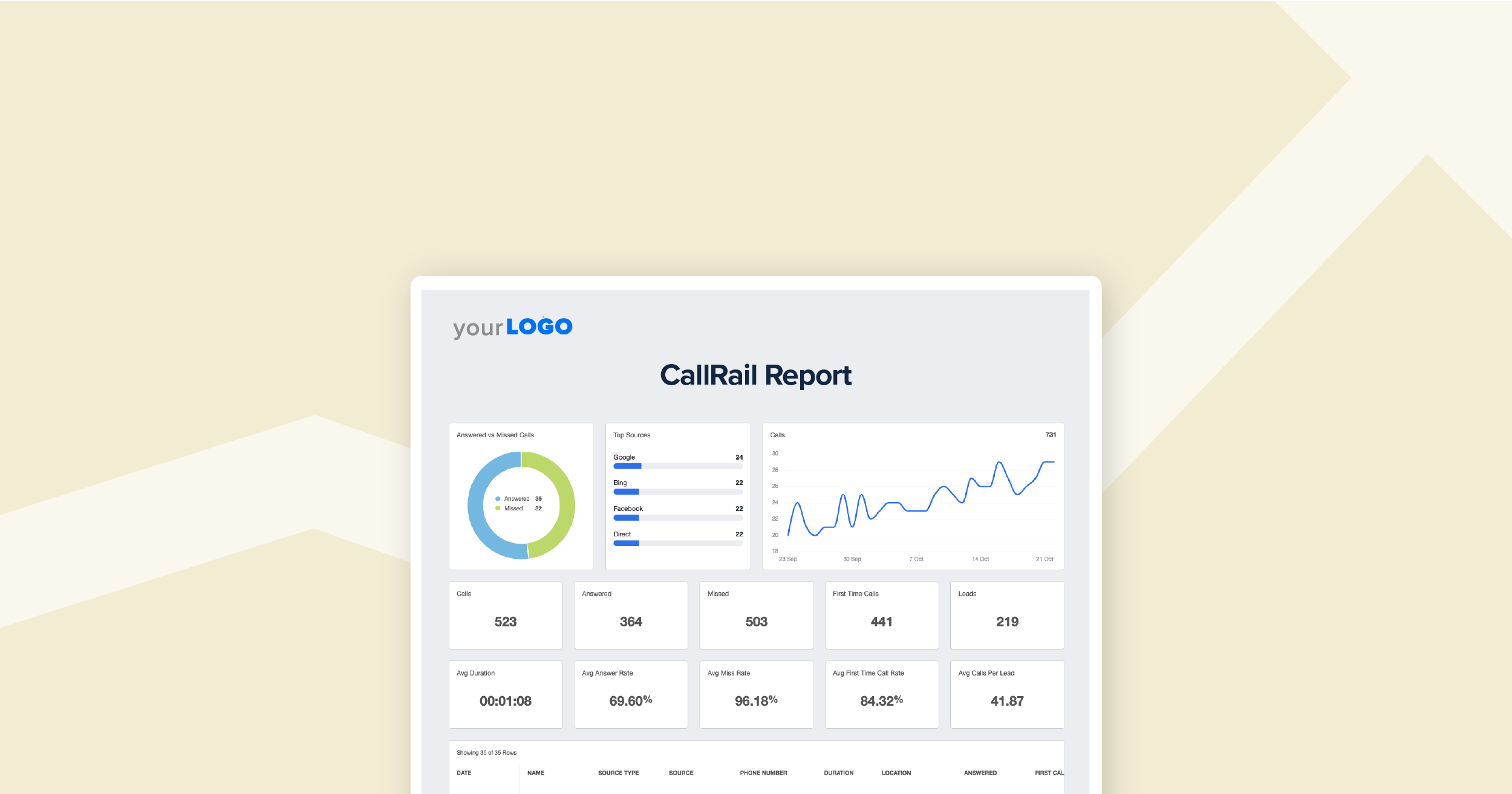
CallRail’s setup guide highlights the Call Log as a central surface for tracking numbers’ activity and filtering to pinpoint key call information.
It also describes a caller timeline when visitor tracking is in use, showing web sessions and touchpoints a caller had on your website before, during, and after calling.
Useful analogy: the Call Log is your event stream. The caller timeline is the trace that explains what led to the event.
Learning curve: new users vs experienced teams
For new users, the learning curve is typically not UI navigation—it’s deciding a tracking strategy:
- Source-level tracking: one number per channel/campaign (simpler, faster)
- Keyword-level tracking: pools + visitor assignment (more granular, more moving parts)
Mobile app experience and the Lead Center shift
Critical evaluation point: CallRail announced that Lead Center will be sunset on January 27, 2026, and the Lead Center mobile app will also be discontinued.
If your team relied on Lead Center as a unified inbox and lightweight phone system, plan for a workflow shift. CallRail’s sunset guidance points users toward:
- CallRail’s outbound dialer and messaging features, or
- Migration of outbound communication to RingCentral
This does not automatically disqualify CallRail—but it does affect whether you evaluate it as a communications hub versus a marketing intelligence layer.
Customization options
Customization in CallRail is less about cosmetic themes and more about workflow configuration:
- Filters that persist across dashboards
- Call flows for routing sequences
- Automation rules and triggers
- Integrations and webhooks to push data into other systems
Core Features Breakdown
1) Call Tracking: the foundation
Call tracking is CallRail’s core product, and everything else builds on top of it.
At a basic level, CallRail uses tracking numbers that forward to your real destination number. You can create numbers for online campaigns, offline campaigns, or more complex visitor tracking setups.
Source-level vs keyword-level tracking
CallRail’s own setup guide explains the difference clearly:
- Source-level tracking pairs tracking numbers with a specific campaign or channel
- Keyword-level tracking uses a pool of tracking numbers and assigns a number to each visitor so CallRail can link calls directly to visitor history, including associated search and keyword data
Practical recommendation: If you are new to call tracking, start with source-level tracking to get value quickly. Move to keyword-level tracking when you need granular PPC optimization and visitor-level attribution.
Dynamic number insertion (DNI)
Dynamic number insertion is the mechanism that swaps numbers on your website based on source. CallRail defines DNI as assigning a unique phone number to each online source and displaying that number to visitors who arrive via that source.
Call recording and compliance prompts
CallRail supports call recording. Their setup guidance includes an important best practice: if you plan to record calls, consider using an automated message to provide any legally required announcement that the call is being recorded.
Call routing and call flows
CallRail supports call flows as customizable routing sequences, such as:
- Menu prompts and routing
- Voicemail capture and transcription
- Round-robin ringing of multiple phones
- Routing behavior based on hours of day
Call flows are where CallRail starts to look like a phone system. The key difference: CallRail’s routing is designed to support tracking and attribution workflows, not to replace every feature of a full UCaaS/contact center platform.
Whisper messages
CallRail’s setup guide describes whisper messages as a short message that plays for the call recipient when they pick up, without the caller hearing it.
This is one of the simplest ways to increase conversion outcomes because it gives reps context:
- “This is a Google Ads call”
- “This is a plumbing emergency line”
- “This is a retargeting campaign lead”
2) Visitor Tracking: understanding what happened before the call
Visitor tracking is where CallRail becomes more than “a pile of recordings.”
In CallRail’s setup guide, the caller timeline is presented as a way to see visitor information, including web session and touchpoints a caller had before, during, and after calling.
What this enables in practical terms:
- Attribution beyond last click
- Understanding which pages or offers lead to calls
- QA context for sales and intake teams
3) Form Tracking: capturing the leads that do not call
CallRail’s form tracking product captures form submissions and can notify you by phone call, text message, or email when a form is submitted.
Form tracking includes a custom form builder. CallRail’s support documentation describes custom forms as allowing teams to build and design forms to gather important information (requires form tracking enabled and the JavaScript snippet installed).
When form tracking is worth paying for:
- You run lead-gen landing pages where many leads prefer forms
- You want consistent attribution across call and form conversions
- You want immediate routing and follow-up workflows based on form content
4) Text messaging and lead communications
CallRail includes text message tracking in its plans, with a small baseline allotment included and per-message overages.
The Lead Center sunset is relevant here. CallRail’s sunset guidance notes that messaging is included in CallRail plans (starting with a small included amount), and additional outbound messages are charged per message. It also notes there is no per-agent cost for messaging.
If SMS is important for your business, decide this early:
- Do we need a full threaded inbox + assignment workflow, or just tracked messaging tied to attribution?
- Do we want messaging inside CallRail, or inside a CRM that receives CallRail events via integration?
5) Reporting, attribution, and analytics
Reporting is where you feel CallRail’s marketing orientation most strongly. CallRail supports filters to drill into analytics, and its setup guide explains that filters can persist as you navigate to different reports like call attribution and missed calls.
Lead-based attribution reporting across interaction types
A particularly important report concept is “Lead Attribution by Source,” which CallRail describes as combining attribution across interaction types (calls, texts, forms) using a lead-based model.
This matters because attribution gets messy when:
- A person calls first, then fills a form later
- A person texts after calling
- Multiple calls occur across weeks
Export and analysis workflows
CallRail supports analyst-friendly workflows through integrations and exports. For example, CallRail publishes guidance on importing CallRail data to Google Sheets as a practical way to work with recent calls programmatically.
Assigning values to calls
CallRail has guidance around assigning values to calls. If you can assign a proxy value to qualified calls, you can compare channels more credibly and make ROI decisions with less guesswork.
6) Automation: preventing lead leakage
CallRail supports automation rules, which its documentation frames as triggers and actions that streamline workflows.
Common automation patterns include:
- Tag calls that match a condition (duration threshold, keyword detected, source)
- Notify a Slack channel when high-intent calls come in
- Create or update a lead in a CRM when a call completes
- Trigger follow-up when a call is missed
7) Conversation Intelligence and AI: from calls to insights
CallRail’s Conversation Intelligence tier adds call transcripts and keyword analysis. The Complete tier adds call summaries, sentiment analysis, and conversation trend reports.
On the help center side, CallRail frames “Transcript intelligence” as transcribing calls and enabling capabilities like:
- Multi-conversation insights
- Multi-language transcriptions
- Call sentiments
- Call summaries
- Transcript search
- Bulk activation of AI features
- Data redaction
How to judge whether AI is worth it: If you spend time listening to calls for quality checks, struggle to identify which campaigns drive good leads, or need scalable theme detection, transcription and summaries are not luxury features—they are leverage.
Advanced Features and Integrations
Convert Assist
CallRail’s about page lists Convert Assist as part of its expanded roadmap beyond call tracking, positioning it as an AI tool aimed at improving lead outcomes and reducing missed opportunities.
Voice Assist
CallRail also offers an AI voice assistant product called Voice Assist, with separate pricing that includes an allowance of Voice Assist calls, then charges per additional call over a threshold.
Voice Assist is relevant if:
- You miss calls after hours
- You want a first-line responder to capture structured information
- You want summaries of caller intent without manual effort
Integration ecosystem
CallRail’s integrations page highlights popular tools like RingCentral and HubSpot, and it lists integrations across marketing, CRM, workflow, and vertical platforms.
High-value integrations and what they’re used for
| Integration | Category | What it’s useful for |
|---|---|---|
| Google Ads | Search advertising | Import calls/texts/forms as conversions tied to ad spend |
| Google Analytics 4 | Analytics | Report call/text/form events into GA4 goals |
| HubSpot | CRM | Create/update leads and sync attribution context |
| Salesforce | CRM | Create call leads and route attribution data into Salesforce |
| Slack | Notifications | Real-time alerts for high-intent calls and missed calls |
| Zapier | Workflow automation | No-code triggers (call completed → create task; SMS received → notify) |
| Webhooks | Developer | Real-time event feeds into internal systems |
| ServiceTitan | Home services | Push lead intelligence into field-service ops workflows |
| Jobber | Home services | Attach attribution context (source/keyword) to client interactions |
| Housecall Pro | Home services | Route call intelligence into service workflows |
| RingCentral | Communications | Connect attribution data into a broader communications platform |
API and developer extensibility
CallRail explicitly points users to API documentation from its integrations page, signaling that custom workflows are part of the ecosystem.
For mature teams, this is how CallRail fits into reality: marketing wants attribution, sales wants leads in CRM, ops wants events in data platforms, leadership wants ROI and pipeline models. APIs and webhooks make that integration possible.
Performance, Reliability, and Security
Uptime and reliability
CallRail publishes system status metrics with uptime across components over the past 90 days. Recent reporting shows high availability across core services, with separate component reporting for API, webhooks, and Voice Assist.
Public uptime reporting is buyer-friendly. It does not eliminate risk, but it helps teams understand where incidents cluster and how the vendor communicates availability.
Scalability for growing teams
CallRail supports scaling through:
- Multi-company sub-accounts for agencies and multi-location orgs
- Role-based permissions and multiple user types
- Integrations and APIs for exporting data into other systems
The main scalability constraint is not seats. It is usage costs and whether CallRail remains the right system for telephony as call volumes grow into contact-center territory.
Security and compliance posture
CallRail’s security posture is relevant because it handles call recordings, transcripts, and lead data. Public materials highlight a structured security program including:
- SOC 2 Type II compliance signaling
- Encryption in transit and at rest claims
- GDPR positioning
- HIPAA readiness via BAA in healthcare contexts
- PII redaction features for sensitive data exchanged during calls
- Multi-factor authentication support
Procurement note: If you operate in regulated environments, still run your own vendor risk review and validate current controls and contractual terms. Use public security artifacts as a starting point, not the finish line.
Customer Support and Resources
CallRail supports users through a mix of:
- Help center documentation
- Community forums
- Training content through CallRail Classroom
The transcript intelligence help center area includes direct support prompts such as submitting tickets and calling support during weekday business hours.
User reviews frequently mention support quality as a strength, with recurring praise for responsiveness and helpfulness.
Pros and Cons
Pros
- Strong marketing attribution design across calls, texts, forms, and session tracking
- Approachable Conversation Intelligence with transcription, keyword analysis, and AI summaries in higher tiers
- Fast number provisioning and practical onboarding resources
- Solid integration ecosystem (Google Ads, GA4, HubSpot, Salesforce, Zapier, Slack, webhooks)
- Transparent usage-based overage rates (numbers, minutes, transcription, form submissions, messages)
- Public reliability reporting via system status and uptime metrics
- Security maturity signals in published materials (e.g., SOC 2 posture and encryption statements)
Cons
- Usage-based pricing can escalate quickly if you do not model numbers, minutes, transcription, and messaging
- International coverage is limited for some features and regions (availability typically focused on the US, Canada, UK, and Australia per pricing materials)
- Lead Center sunset is a major change for teams that relied on unified communications and the Lead Center mobile app
- Not a full enterprise contact center replacement; some teams outgrow it as call-center needs mature
User Reviews and Ratings Summary
When you evaluate user reviews, focus on patterns across many reviews, not one perfect comment or one angry outlier.
G2 rating snapshot
On G2, CallRail shows:
- 4.5 out of 5 stars
- 1,621 reviews
- Rating distribution heavily concentrated in 5-star and 4-star reviews
Common themes in review excerpts include:
- Strong attribution value and clearer channel ROI decisions
- Spam protection value
- Praise for support responsiveness
- Warnings that pricing can increase if not managed
Capterra rating snapshot
On Capterra, CallRail shows:
- 4.5 rating based on 172 reviews
- Sub-scores like ease of use and customer service are displayed
- The page indicates it was last updated December 14, 2025
Capterra review snippets often include:
- Positive feedback about DNI and proving marketing value
- Notes that reporting can take time to learn
- Mentions of outgrowing the platform for larger call-center needs
Trends over time
- AI features have become central: transcripts, summaries, sentiment, trend reporting.
- Product boundary is shifting: Lead Center is being sunset; CallRail is pointing customers toward RingCentral for some communications needs—suggesting a sharper identity around marketing intelligence and lead insight.
Alternatives and Comparisons
No platform is best for everyone. The right choice depends on whether you want attribution + insights, a broader comms workflow tool, or an enterprise contact-center-aligned conversation intelligence platform.
Top competitors to consider
- CallTrackingMetrics (CTM): often positioned around broader call and omnichannel tooling and more configurable comms workflows.
- Invoca: enterprise-focused conversation intelligence and revenue execution, typically quote-based.
- WhatConverts: commonly chosen by agencies for lead tracking, reporting, and workflow fit.
- Nimbata: frequently evaluated for international coverage and value positioning.
- Infinity (by Calltracking): often evaluated by teams with multi-region tracking requirements.
Side-by-side comparison table (high level)
| Platform | Best for | Pricing style | Key strength vs CallRail | Key weakness vs CallRail |
|---|---|---|---|---|
| CallRail | SMBs and agencies needing marketing attribution plus AI call insights | Tier + usage-based | Strong onboarding, marketing integrations, accessible AI insights | Usage costs can expand; Lead Center sunset impacts comms workflows |
| CallTrackingMetrics | Teams needing broader comms and omnichannel tooling | Published plan pricing with add-ons | Often stronger comms workflow depth | Can be more complex to configure at deeper levels |
| Invoca | Enterprise marketing + contact center alignment | Quote-based | Strong enterprise depth and services posture | Often expensive and heavy for SMB contexts |
| WhatConverts | Agency lead reporting and management workflows | Plan-based | Strong lead-centric reporting mindset | Telephony depth varies by workflow needs |
| Nimbata | Buyers sensitive to global reach and pricing narratives | Varies | Often considered for international needs and value positioning | Depth depends heavily on specific requirements |
When to choose CallRail vs alternatives
Choose CallRail when:
- Your main question is “which marketing sources drive calls and which calls convert”
- You need easy Google Ads and analytics alignment
- You want AI transcription and summaries without enterprise complexity
- You want a system you can implement quickly and scale steadily
Look harder at alternatives when:
- You need a full contact center stack (queues, WFM, QA programs, deep agent performance tooling)
- You want a flatter, less variable pricing model
- Your tracking needs are heavily international beyond the regions CallRail highlights
Who Is CallRail Best For (And Who Should Avoid It)
Best for
- Marketing teams that need attribution for calls and forms: especially when connected to Google Ads and GA4.
- Agencies managing multiple clients: sub-accounts (“Companies”) support compartmentalization and governance.
- SMB sales and intake teams that need scalable QA: Conversation Intelligence reduces the need to listen to every call manually.
- Home services and vertical tool ecosystems: practical integrations with ServiceTitan, Housecall Pro, Jobber, and similar platforms.
Who should avoid or be cautious
- Businesses that want one platform to be both phone system and attribution layer: Lead Center sunset and RingCentral guidance suggest CallRail is leaning into intelligence/attribution more than universal telephony.
- High-volume call centers: teams with deep workforce management and contact center metrics may outgrow CallRail’s scope.
- Teams that cannot tolerate variable spend: if finance demands fixed monthly costs, model usage carefully or consider bundled alternatives.
Final Verdict and Recommendations
Overall rating: 8.8 out of 10
Scoring breakdown:
- Core features (call tracking, routing, attribution): 9.2/10
- AI and conversation intelligence: 8.8/10
- Integrations and ecosystem: 9.0/10
- Ease of use and onboarding: 9.0/10
- Value for money: 8.0/10 (excellent if you manage usage; risky if you do not)
- Security and compliance posture: 8.7/10
- Product clarity and roadmap stability: 7.8/10 (Lead Center sunset is meaningful)
Key takeaways
- CallRail is best understood as a marketing intelligence platform for inbound leads, with telephony features that support tracking and routing.
- The pricing model is clear about rates, but total cost depends on how usage scales (numbers, minutes, transcription, messages).
- Conversation Intelligence is where CallRail has become meaningfully more valuable over time—especially in higher tiers with summaries and sentiment.
- Lead Center sunset means you should evaluate CallRail primarily for attribution + insight and plan communications workflows accordingly.
Recommendation
If you are a small business or agency that needs reliable call attribution and wants an accessible path into AI conversation insights, CallRail is a strong choice. Start with Call Tracking, then upgrade based on whether conversation analysis or form capture becomes your constraint.
If you run a high-volume contact center, consider using CallRail as the attribution and conversation analytics layer integrated into your primary phone system and CRM, or evaluate enterprise alternatives like Invoca.
FAQ
1) Does CallRail offer a free trial?
Yes. CallRail promotes a 14-day free trial, and its setup guide notes no credit card is required to start.
2) What is Dynamic Number Insertion (DNI) in CallRail?
Dynamic number insertion assigns numbers based on a visitor’s source and swaps phone numbers on your website so calls can be attributed back to the correct channel/campaign (and often keyword when using pools).
3) Can CallRail track calls from offline campaigns like billboards or radio?
Yes. You can use static tracking numbers for offline sources like direct mail, radio, and other offline placements.
4) How does CallRail pricing work in plain English?
You pay for a base plan, then pay additional usage charges if you exceed included numbers, minutes, messages, form submissions, or transcription minutes.
5) How many numbers and minutes are included?
CallRail lists 5 local numbers and 250 local minutes included monthly with all plans, plus a small included text message amount after the trial.
6) Is call recording supported?
Yes. CallRail supports call recording and recommends using recording announcements where legally required.
7) Does CallRail provide call transcripts and keyword spotting?
Yes. Conversation Intelligence includes call transcripts and keyword analysis. The Complete tier adds summaries, sentiment analysis, and trend reporting.
8) Can CallRail send conversions to Google Ads?
Yes. CallRail offers a Google Ads integration designed to track calls, texts, and form fills generated by Google Ads and tie them back to ad spend.
9) Does CallRail integrate with HubSpot and Salesforce?
Yes. HubSpot and Salesforce are commonly listed among CallRail’s supported integrations.
10) Is Lead Center still available?
CallRail announced the sunset of Lead Center, with an end date of January 27, 2026. The Lead Center mobile app will also be discontinued.
11) Is CallRail secure enough for sensitive lead data?
CallRail publishes security and compliance materials (including SOC 2 posture and encryption statements) and outlines controls like MFA and PII redaction. For regulated use cases, run a formal vendor review.
12) What are CallRail’s user ratings on major review sites?
Public snapshots referenced in this review: G2 shows 4.5/5 with 1,621 reviews, and Capterra shows a 4.5 rating with 172 reviews (page indicates last updated December 14, 2025).








By clicking Sign In with Social Media, you agree to let PAT RESEARCH store, use and/or disclose your Social Media profile and email address in accordance with the PAT RESEARCH Privacy Policy and agree to the Terms of Use.