
Brevo Review: Email, SMS, and Sales Tools Look at the Marketing, Sales, and Messaging Platform
Picking a customer communication platform sounds simple. You want to email your list, maybe send an SMS reminder, maybe add a live chat bubble, and keep some sort of customer history so your team stops asking, “Who talked to this person last?”
Then reality shows up.
Your “newsletter tool” does not handle transactional emails cleanly. Your “CRM” does not feel connected to marketing. Your “chat tool” has its own inbox, its own tags, its own analytics. Three logins. Four bills. And one tired teammate exporting CSV files at 10:30 p.m.
Brevo is built for people who are done with that.
Brevo positions itself as an all in one platform that spans email, SMS, WhatsApp, chat, and more, with flexible plans you can start for free and expand over time.
BrevoOverall verdict in one minute
Score (my take): 8.7/10
Brevo is a strong fit if you want one platform to handle:
- Email marketing and automation
- Transactional email and messaging
- Basic to mid weight CRM and sales pipelines
- A shared inbox style approach for conversations
- Several channels that usually live in separate tools
And you care about cost control, because Brevo’s packaging is structured around message volume tiers and add ons rather than forcing you into an enterprise suite on day one.
Where Brevo can feel less satisfying:
- If you want a deeply specialized email design environment with pixel perfect control and complex conditional content that feels effortless
- If you need extremely advanced marketing journey logic that rivals dedicated marketing automation leaders
- If you expect every add on price to be obvious up front without reading plan documentation
Those are not deal breakers for everyone. They are simply the friction points that tend to surface once you move past “send a newsletter” and into “run a full lifecycle program.”
Here’s what this review covers
- 1) What is Brevo
- 2) Brevo’s core modules and what each one is trying to do
- 3) Brevo pricing and plans: what you pay for and what sneaks up on you
- 4) Setup and onboarding: what it feels like to start from scratch
- 5) Email marketing: the part most teams judge first
- 6) Automation and tracking: where Brevo starts to feel like a platform
- 7) Multichannel marketing: SMS, WhatsApp, push, landing pages, and forms
- 8) Sales CRM and Conversations: what you get and what to watch for
- 9) Transactional messaging and developer experience
- 10) Data Platform and loyalty: advanced, but worth understanding
- 11) Integrations: the glue that determines whether Brevo fits
- 12) Reporting and analytics: good enough, then serious at higher tiers
- 13) Security, privacy, and compliance: what Brevo states publicly
- 14) Support, resources, and reliability
- 15) What real users say: themes from G2 and Capterra
- 16) The best parts of Brevo
- 17) The parts that can frustrate you
- 18) Who Brevo is best for
- 19) Who should look elsewhere
- 20) Alternatives worth comparing
- Final take
- FAQ
What I will cover
To keep this readable while still going deep, here is the road map:
- What Brevo is and how it evolved
- Product modules and how they fit together
- Pricing and plan math that actually matters
- Setup and onboarding experience
- Email marketing capabilities
- Automation and tracking
- SMS, WhatsApp, push, landing pages, and forms
- Sales CRM and Conversations features
- Transactional messaging and developer experience
- Data Platform and loyalty features
- Integrations
- Reporting and analytics
- Security and compliance
- Support and reliability
- Real user sentiment
- Pros, cons, and best fit scenarios
- Alternatives
- FAQs
If you are short on time, read the pricing and setup sections carefully. Those two areas are where most “I did not expect that” moments happen.
1) What is Brevo
At a basic level, Brevo is a customer relationship platform that supports communication through email, SMS, WhatsApp, chat, and other channels, and it positions itself as flexible across individual users, small teams, and large organizations.
It is also the continuation of a product many people still remember by its old name.
From Sendinblue to Brevo
Brevo was formerly known as Sendinblue. The company rebranded to reflect that customers were using the product for more than newsletters and wanted a broader CRM and multichannel engagement platform.
An official press release around the rebrand makes the logic very plain: customers wanted communications across channels, not just email, and only a minority of customers were still focused purely on newsletters.
BrevoA quick note on Brevo’s “shape”
Brevo is not one single tool that happens to have a few extra features. It feels more like a family of connected modules:
- Marketing
- Sales
- Conversations
- Transactional messaging
- Data Platform
- Loyalty features
Brevo itself lists feature groupings that include Sales pipelines, Phone, Meetings, Shared inbox, Live chat, Chatbot, Universal inbox, Visitor intelligence, Data Platform primitives, and Transactional Messaging features like inbound parsing and extended log retention.
That modular shape matters because it affects:
- How you budget
- Which parts feel polished for your use case
- Which parts you may never touch
2) Brevo’s core modules and what each one is trying to do
Let’s translate Brevo’s feature categories into practical outcomes.
Marketing
This is the email campaign engine most people start with. It includes the drag and drop editor, templates, segmentation, and reporting. The pricing documentation also calls out things like reusable sections, custom templates, basic reporting, and marketing automation features depending on plan.
On higher tiers, it adds A/B testing, send time optimization, advanced analytics, landing pages, and deeper campaign organization tools like tags and folders.
Sales
Brevo’s Sales features cover pipelines, calling, meeting scheduling, automation in the pipeline, a shared inbox, and sales reporting.
This is not meant to replace a heavy enterprise CRM in every case. It is meant to give many SMB and mid market teams enough pipeline structure to run sales without stitching together three tools.
Conversations
Conversations is where Brevo tries to centralize real time and ongoing messaging. Brevo describes:
- Live chat on your site
- A chatbot for frequent questions
- A universal inbox that can manage conversations from email, WhatsApp, live chat, or social in one place
- Visitor intelligence to trigger messages based on visitor insights
If you have ever lost track of who replied to a customer in which channel, this part becomes appealing quickly.
Transactional messaging
Transactional messaging is the system side of communication: password resets, receipts, order confirmations, and system alerts.
Brevo’s feature page highlights:
- Email API with a stated 99 percent delivery rate claim
- Template personalization
- Inbound parsing so email can become a two way exchange
- Extended log retention for compliance and traceability
It is also worth noting that Brevo’s pricing page indicates transactional email features are available across plans, including API and SMTP support and outbound webhooks.
Data Platform and loyalty
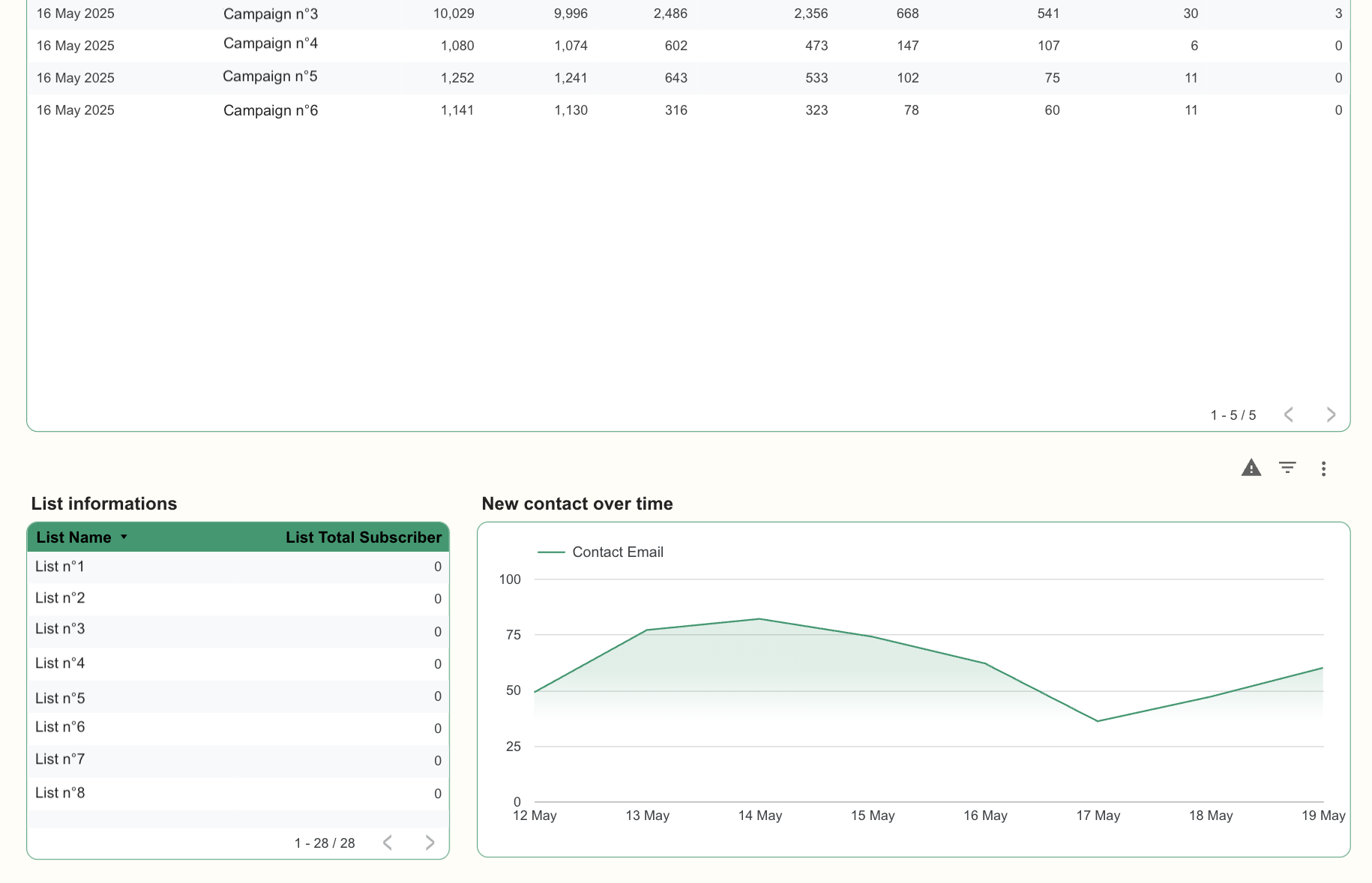
If you are expecting Brevo to stop at marketing emails, it does not. Brevo also promotes a Data Platform layer with multiple sources import, identity resolution rules, dataprep, scoring models like RFM or LTV, and dashboards.
It also lists a Loyalty category with points and spending based tiers and targeted offers.
Do you need these? Many teams do not on day one. But if you are trying to unify customer data and run retention programs, it is interesting that Brevo puts these capabilities under one roof rather than treating them as separate vendors.
3) Brevo pricing and plans: what you pay for and what sneaks up on you
Pricing is where Brevo can feel either refreshingly flexible or mildly confusing, depending on how you approach it.
My suggestion: do not start by asking “Which plan is best?” Start by asking:
- How many emails do I actually send per month
- How many contacts do I need to store
- How many teammates need access
- Which channels are non negotiable: SMS, WhatsApp, push, landing pages, phone, chat
Brevo’s own pricing documentation emphasizes that plans are flexible and can be customized with add ons.
The five main marketing plans
Brevo describes five plan levels:
- Free
- Starter
- Standard
- Professional
- Enterprise
Here is the practical breakdown.
Free plan
The Free plan starts at $0 and includes:
- 300 daily email sends with no rollover
- 100,000 contacts storage
- 1 user
- Email and SMS campaigns
- Transactional emails and SMS
- Drag and drop email editor
- Custom templates and reusable sections
- Basic reporting and analytics
- Marketing automation for up to 2,000 contacts
- Aura AI
- Outbound webhooks
- Email customer support
Free is not a toy plan. It is fairly generous for early stage teams, especially with 100,000 contacts storage. The daily send cap, though, forces you to think in smaller batches.
Brevo also documents specific limits for the Free plan, including details like daily send behavior and what happens if you attempt to send beyond the limit.
Starter plan
Starter starts at $9 per month and removes the daily sending limit. It also adds:
- AI content generator
- Content feeds
- Web push campaigns with a cap of 1,000 targeted subscribers
- Forms
- Advanced segmentation
It is positioned for single users getting started with email and multichannel marketing.
Two important details:
- The Brevo logo removal is an add on on Starter
- Sales Essentials is also an add on
That means Starter can look cheap, then grow once you start removing branding or adding sales seats.
Standard plan
Standard starts at $18 per month and is positioned for growing businesses. It adds:
- Unlimited automation contacts
- A/B testing
- AI send time optimization
- Advanced reports and analytics
- Web push campaigns with up to 10,000 targeted subscribers
- 1 landing page
- User permissions management
- Priority email support
Standard is the plan where Brevo starts to feel like a real growth marketing platform rather than an email sender.
Professional plan
Professional starts at $499 per month and targets marketing teams running advanced campaigns. It includes:
- Higher volume email tiers with 2 million contacts storage
- 10 users
- Dedicated IP as an add on
- Personalized content feeds and synced reusable sections
- AI product recommendations and back in stock alerts
- WhatsApp campaigns and transactional messaging
- Web and mobile push with up to 20,000 targeted subscribers per campaign, more available via add on
- Marketing pressure management
- Tags and folders for campaigns
- Analytics studio with dashboards
- Contact scoring and AI segmentation
- 1 custom object
- 10 landing pages
- Inbound webhooks
- Phone and priority email support
- A yearly plan benefit that includes limited meeting time with a Professional Customer Success Manager and deliverability strategist hours
Professional is a big jump in price. You should only move here if you will use the deeper tooling and you are operating at a scale where it pays off.
Enterprise plan
Enterprise is custom priced and adds:
- Unlimited contacts storage
- Unlimited users
- Sub organization management
- Dedicated IP included, with more available as add on
- Higher push campaign subscriber caps
- Mobile wallet notifications
- Loyalty program as an add on
- Custom objects
Billing cycle tip that saves real money
Brevo states that yearly plans save 10 percent, with credits topped up monthly.
For teams that know they will stick with Brevo, annual billing is an easy win.
Add ons and hidden costs: the part you should not skip
Brevo explicitly supports customization through add ons.
Here are the add ons that tend to matter most.
Remove Brevo logo
If you are on Starter and want to remove the “Sent with Brevo” style branding, it is a paid add on.
Brevo lists this add on at $9 per month and notes that Standard and above do not show the logo.
This is a small charge, but it is psychologically annoying if you did not expect it.
Additional marketing seats
Brevo lists additional marketing seats as an add on for Standard and sets the cost at $9 per month per seat in its pricing plans documentation.
One wrinkle: a separate Brevo help article on user management lists the additional marketing seat price at $12 per month for Standard.
I would not panic about the difference. Seat pricing can vary by region, billing context, or plan packaging changes over time. The practical guidance is simple: check the “My plan” section inside your account before committing.
Dedicated IP
Brevo lists dedicated IPs as available only on Professional and Enterprise, with one included in Enterprise. It lists the price as $251 per year.
Dedicated IPs make sense when you send high volume and want full control over sender reputation. They also come with operational responsibility, because your behavior is the reputation.
Sales packages
Brevo includes free sales features in all plans, but offers Sales packages for more advanced tooling.
Brevo’s pricing plans documentation lists:
- Sales Essentials package cost: $31 per month and $31 per month per additional user
- Sales Advanced package cost: $64 per month and $64 per month per additional user
A separate user management article lists Sales Advanced seats at $65 per month, which again suggests pricing can shift.
This is why Brevo is flexible. It is also why budgeting requires you to map your needs.
Prepaid email credits
Brevo allows prepaid email credits as an add on across plans, and notes they never expire.
This can work well for seasonal businesses. It can also be a trap if you buy credits and then change your mind, because Brevo notes prepaid credits are non refundable.
SMS and WhatsApp credits
Brevo’s help documentation explains:
- SMS does not have its own plan. You buy SMS credits, often in packs, and they do not expire.
- SMS cost varies by recipient country and message length.
Prepaid SMS credits are available as an add on on all plans, while prepaid WhatsApp credits are available only on Professional and Enterprise.
If you are planning heavy SMS, you should model the costs early, because “multichannel” can get expensive fast when telecom fees enter the chat.
A real world pricing sanity check
Here are three common scenarios and how I would think about them.
Scenario A: Solo creator or small shop starting email marketing
You can often start on Free or Starter.
- Free if you send fewer than 300 emails per day and want to learn the platform
- Starter if you need to send bigger campaigns in one go and want forms and advanced segmentation
Scenario B: Growing business running automation and landing pages
Standard is the first plan that feels built for growth.
- Unlimited automation contacts
- A/B testing
- Send time optimization
- A landing page included
If you do lifecycle marketing and want your tool to help you experiment, Standard is usually where you land.
Scenario C: High volume marketing and WhatsApp programs
Professional is where WhatsApp campaigns show up, along with contact scoring, analytics studio, push upgrades, and more landing pages.
It is expensive. But it is also the tier where Brevo tries to act like a full engagement platform rather than a marketing email tool.
4) Setup and onboarding: what it feels like to start from scratch
Brevo’s onboarding is generally straightforward, but you do need to treat setup as a short project, not a casual click around.
If you rush it, the platform will still work. Your deliverability might not.
Step 1: Create the account and pick the first goal
Brevo offers a free account with no credit card required.
The first “goal” decision that matters is whether you are mainly doing:
- Marketing campaigns
- Transactional sending
- Sales tracking
- Conversations
You can do all of them, but starting with one makes onboarding calmer.
Step 2: Domain authentication is not optional anymore
Brevo’s help documentation states that domain authentication became mandatory due to Gmail and Yahoo requirements starting February 1, 2024, and that Microsoft announced similar standards on May 5, 2025.
Brevo provides options to authenticate:
- Automatically for supported domain providers
- Manually by adding DNS records
- By requesting help from someone else, such as IT
This step is more than a technical checkbox. It directly affects inbox placement.
Step 3: Tracking and automation setup
If you want behavior based automation, you need tracking.
Brevo’s tracker is a script you add to your website. It monitors activity in real time and can connect to automations, segments, and conversations. It also notes limitations if visitors block cookies or use script blockers.
Brevo’s tracker monitors events such as page views, form submissions, link clicks, and for some plugin installs, purchase events like cart updates and completed orders.
If you are a marketer, this is where the platform starts feeling like a system rather than an email sender.
Step 4: Import contacts carefully
Brevo’s deliverability guidance stresses consent: only import contacts expecting to receive your emails, and consider double opt in to protect list quality.
This is an area where Brevo’s guidance is aligned with what mailbox providers reward.
5) Email marketing: the part most teams judge first
Email marketing is where Brevo needs to feel smooth. If it does not, people leave quickly.
The email editor and templates
Brevo includes a drag and drop email editor on the Free plan, plus custom templates and reusable sections.
Reusable sections sound small, but they can save hours when your brand has consistent headers, footers, product blocks, or disclaimers.
That said, real users sometimes point out limitations. One Capterra reviewer notes the editor can feel fiddly when working with conditional variables and specific layout styles.
My interpretation: the editor is good for most marketing teams, but if you are the kind of person who wants perfect modular logic and strict layout control, you should test it early.
Segmentation and list management
Brevo includes advanced segmentation on Starter and above, and on higher tiers it adds AI segmentation and contact scoring.
Segmentation is where a platform quietly becomes valuable. It is the difference between:
- sending one email to everyone
- sending the right email to the right group with minimal extra work
If you are building lifecycle programs, Standard’s unlimited automation contacts makes segmentation and automation much more powerful.
A/B testing and send time optimization
Standard includes A/B testing and AI send time optimization.
This is a major dividing line between “newsletter tool” and “growth tool.”
A/B testing helps you learn what subject lines and content actually work. Send time optimization helps you stop guessing when your audience is awake.
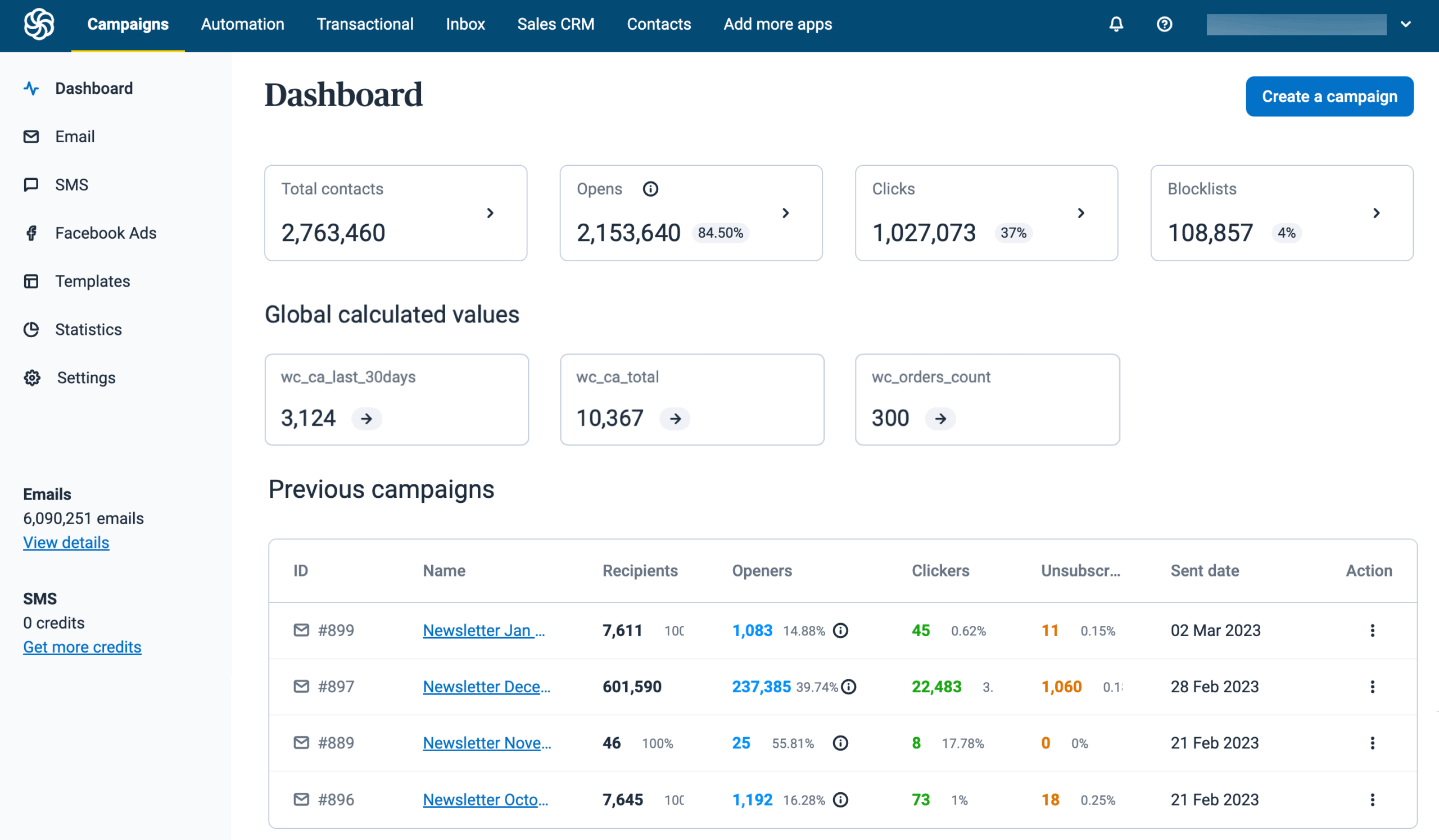
Reporting
Brevo includes basic reporting on Free and advanced reports and analytics on Standard and above.
If you are reporting to a team or a client, you will care about this earlier than you think.
6) Automation and tracking: where Brevo starts to feel like a platform
Automation is one of Brevo’s strongest reasons to exist.
What automations can do
Brevo describes automations as workflows with triggers, actions, and rules that can automate repetitive tasks across marketing, sales, and contact management. It gives examples like welcome messages, abandoned cart reminders, birthdays, page visit follow ups, contact management, and lead scoring.
The key idea is not the workflow builder itself. Many tools have one.
The key idea is the connection between:
- the contact profile
- the tracking events
- the message channels
- the CRM style pipeline behavior
The Brevo tracker and event data
Brevo’s tracker ties website events to Brevo apps and sends data back to your account, associating events with identified visitors when possible.
This is the bridge you need for:
- browse abandonment messages
- cart reminders
- visit based segmentation
- chat triggers based on behavior
Monitoring, logs, and troubleshooting
One thing I genuinely like in Brevo’s documentation is the attention to logs.
Brevo describes automation logs as detailed records capturing steps, actions, and events across automations, website, forms, emails, and more. It also breaks logs down into workflow logs, event logs, and contacts in workflow.
It even documents retention thresholds by plan, and notes that workflow logs older than 24 months are deleted regardless of threshold.
That is not glamorous, but it is the difference between:
“Why did this email not send?”
and
“Here is exactly what happened, step by step.”
7) Multichannel marketing: SMS, WhatsApp, push, landing pages, and forms
Brevo’s multichannel story is one of its most attractive elements, but it is also where complexity increases.
SMS campaigns
Brevo includes SMS campaigns on the Free plan.
SMS pricing is credit based. Brevo notes you can buy SMS credits in packs, credits do not expire, and cost varies by recipient country and message length.
In practice, this means SMS can be:
- very reasonable for appointment reminders or small bursts
- expensive for large scale promotions if you do not model costs
WhatsApp campaigns
WhatsApp is a different level.
Brevo places WhatsApp campaigns and transactional messaging in the Professional plan feature set.
Brevo also states prepaid WhatsApp credits are available only on Professional and Enterprise plans.
If WhatsApp is a key channel for your market, Brevo’s packaging pushes you toward higher tiers quickly.
BrevoWeb push and mobile push
Brevo includes web push campaigns on Starter, capped at 1,000 targeted subscribers, and scales that cap upward on higher tiers.
Brevo’s add on documentation lists the per campaign subscriber caps clearly:
- Starter: 1,000
- Standard: 10,000
- Professional: 20,000
- Enterprise: 40,000
- Professional and Enterprise can buy add ons to increase limits
This is one of those details you will be happy to know early if push is part of your retention plan.
Landing pages
Standard includes 1 landing page. Professional includes 10 landing pages.
Landing pages matter for lead generation, gated content, and campaign specific offers. If you already have a web platform that handles pages, you might not care. If you want marketing to move fast without waiting on developers, you will care a lot.
Forms
Starter includes forms.
Forms are a quiet workhorse feature. They fuel list growth, and they can trigger automations.
8) Sales CRM and Conversations: what you get and what to watch for
Brevo’s Sales and Conversations features are where it tries to pull you away from separate CRM and chat tools.
Sales pipelines, phone, meetings, shared inbox
Brevo lists Sales features that include:
- Customizable pipelines
- Phone calling with recordings and contact access
- Automation for repetitive pipeline tasks
- Meeting booking with video conferencing tools
- Shared inbox for customer emails, tasks, and notes
- Sales reports for revenue, win rates, and performance
That is a lot for a platform most people first meet as an email marketing tool.
Free sales features included in all plans
Brevo’s pricing plans documentation lists free sales features such as:
- 50 open deals and 1 sales pipeline
- Automated meeting scheduling
- Live chat
- Forecasting and reporting
- Task management and reminders
- 1 connected calendar and mailbox
- Conversations mobile app
- AI Conversations agent
This matters because you can test basic CRM workflows without buying the Sales package immediately.
Sales Essentials package: what it adds
Brevo states Sales Essentials includes all free sales features plus:
- Multi user access on higher plans
- Unlimited open deals and pipelines
- Sales automation workflows
- Chatbot scenarios and saved replies
- Pipeline stage rules
- AI contact and company enrichment
- Unlimited connected calendars and mailboxes
- Instagram DMs and Facebook Messenger
- Visitor insights
- Conversations analytics
- No Brevo logo on chat
That feature list reads like a practical “team sales and inbox” upgrade pack.
Brevo lists Sales Essentials pricing at $31 per month and $31 per month per additional user.
A realistic expectation check
If your team already lives inside Salesforce or HubSpot CRM and you have mature processes, Brevo Sales might not replace that system of record.
But if you are a growing business that wants:
- a pipeline
- call and meeting basics
- shared communication tracking
- and tight connection to marketing campaigns
Brevo can cover a lot without becoming a second job.
A small caution from user sentiment: a Capterra reviewer notes that adding contacts can feel heavy because Brevo has many features beyond emailing, which results in many data fields that may not always be needed.
That is a fair point. When a platform expands, the contact profile often becomes busy.
Brevo9) Transactional messaging and developer experience
Transactional messaging is where Brevo can quietly become a core infrastructure vendor.
Deliverability and API claims
Brevo states its email API guarantees a 99 percent delivery rate.
Treat this as a vendor claim, not a promise that every message lands in the inbox. Deliverability depends on sender reputation, content, authentication, and recipient systems. Still, it signals that Brevo takes deliverability seriously as a product pillar.
Inbound parsing and logs
Brevo highlights inbound parsing to enable two way email exchanges and extended log retention for compliance and message history tracing.
For SaaS companies and ecommerce brands, inbound parsing can enable workflows like:
- reply handling
- automated ticket creation
- simple conversation threading
Transactional features across plans
Brevo’s pricing page indicates all plans include transactional email features such as REST APIs, SMTP relay, outbound webhooks, and log retention.
This is a notable advantage for teams that need both marketing and transactional sending. Many companies end up with Mailchimp for marketing and a separate vendor for transactional. Brevo tries to avoid that split.
10) Data Platform and loyalty: advanced, but worth understanding
Even if you never touch these capabilities, they reveal where Brevo is going.
Brevo Data Platform
Brevo lists Data Platform features like:
- importing data from databases, warehouses, FTP, or API
- a universal data model
- identity resolution rules for deduplication and customer IDs
- dataprep rules for cleaning and reformatting data
- scoring models like RFM or LTV
- dashboards and data exploration
This is not basic email tool language. This is customer data platform language.
If your organization has ever said “Our customer data is scattered,” this is Brevo saying: we can help unify it.
Loyalty
Brevo promotes a loyalty program concept with points and spending based tiers, targeted offers, and dashboards.
Enterprise plan documentation also references mobile wallet notifications and a loyalty program add on.
If you are in ecommerce or subscription, loyalty tools can be a meaningful differentiator, especially if they are integrated with the rest of your messaging stack.
11) Integrations: the glue that determines whether Brevo fits
Brevo consistently positions integrations as a major strength.
Brevo’s pricing page references connecting with over 150 tools such as Shopify, WordPress, Stripe, and Zapier.
Brevo’s security page also mentions more than 150 integrations across digital tools.
From a buyer’s standpoint, the question is not “Do they have integrations?”
The question is:
- Do they integrate with the systems you already trust
- Do those integrations sync the right objects
- Do they keep data clean over time
A Capterra reviewer specifically praises delegated account access for agency style workflows, where clients can handle simple tasks while the consultant can access the account for technical tasks.
That is a small detail, but it speaks to Brevo’s real world usage in agencies and consultant driven setups.
12) Reporting and analytics: good enough, then serious at higher tiers
Brevo includes basic reporting and analytics on Free.
Standard adds advanced reports and analytics.
Professional adds an “analytics studio with dashboards,” plus contact scoring.
This is a common maturity curve:
- early stage teams need opens and clicks
- growth teams need cohort behavior and segmentation outcomes
- advanced teams need dashboards and scoring tied to revenue signals
If you are already deep in a BI platform, you may not care about analytics studio. If you are not, it can be a big deal.
Brevo13) Security, privacy, and compliance: what Brevo states publicly
Security is not the fun part of buying software. It becomes the fun part the day something goes wrong.
Brevo’s security page states:
- servers are located in the EU
- customer data is encrypted before being backed up
- Brevo is ISO 27001:2022 certified
- they support compliance with GDPR, CASL, and CCPA
- they have multi factor authentication and IP whitelisting
- data is backed up across three geographically distinct servers
Brevo also provides a GDPR compliance section in its help center describing GDPR as an EU regulation that governs the processing of personal data, and notes Brevo acts as a data processor while customers act as data controllers in typical scenarios.
If you are in a regulated industry or you sell into the EU, these details matter for vendor review.
14) Support, resources, and reliability
Support by plan
Brevo’s pricing plan documentation outlines support differences:
- Free includes email customer support
- Standard includes priority email support
- Professional includes phone and priority email support, plus deliverability strategist hours per year (as documented)
- Enterprise is custom quoted and implies more tailored support
If you are sending revenue critical messages, support tier matters more than people expect. The cost of one bad deliverability incident can outweigh a year of higher plan fees.
Reliability signals
Brevo links to a platform status area in its site navigation.
A third party status monitoring page indicates Brevo was operational on December 22, 2025 and references a last officially acknowledged outage on December 18, 2025.
I treat third party status aggregators as directional, not authoritative. Still, it is useful context when evaluating operational stability.
15) What real users say: themes from G2 and Capterra
User reviews are messy. They are also useful.
G2 snapshot
On G2, Brevo Marketing Platform shows a 4.5 out of 5 rating with 2,472 reviews in the page snapshot.
A sample review highlights:
- clean interface and ease of navigation
- affordability
- segmentation and automation
- multichannel support like WhatsApp
It also raises concerns about limitations in complex marketing strategy logic and mentions occasional suspensions.
That pattern feels believable. Most all in one platforms balance breadth and depth.
Capterra snapshot
Capterra’s reviews section shows “Showing 1 to 25 of 3340 Reviews” in the captured page view.
Across the snippets visible:
- Users appreciate having multiple features like email, SMS, and CRM in one place
- Some users find the editor tricky for advanced conditional styling
- Some users find contact creation heavier than expected due to many fields
- Agency style users like delegated access
Those are not red flags. They are normal trade offs when a platform tries to be broad.
16) The best parts of Brevo
Here are the areas where Brevo tends to shine.
1) Strong value for teams that want fewer tools
Brevo’s big promise is that you can run email marketing, automation, transactional messaging, and sales conversations in one platform. That is not marketing fluff. The feature set shows it is genuinely trying to cover that scope.
2) A real free plan
Free includes not only email sending and templates, but also automation for up to 2,000 contacts, outbound webhooks, and transactional sending.
Many competitors give you a free trial, not a functional free tier.
3) Serious deliverability posture
Brevo’s documentation pushes domain authentication, consent practices, and list hygiene.
It also provides detailed logging and troubleshooting mechanisms for automation.
That is the kind of operational maturity you want in a communication platform.
4) Flexible add ons, especially for sales
The Sales Essentials package adds a meaningful set of team workflow tools like unlimited pipelines, enrichment, saved replies, social inbox elements, visitor insights, and analytics.
If you are building sales motion inside a marketing tool, Brevo’s Sales layer is more complete than many people expect.
17) The parts that can frustrate you
No product is perfect. Here are the pain points I would watch.
1) Pricing complexity increases with growth
The main plan tiers are clear, but the moment you add:
- branding removal
- extra seats
- dedicated IP
- sales packages
- push subscriber upgrades
your monthly cost can change quickly.
Brevo is not hiding this. It is documented. But you do need to plan.
2) Editor and advanced logic limits
User sentiment suggests the editor can feel awkward for advanced conditional variable work and layout styling.
If your brand team is strict and you do sophisticated dynamic blocks, test your hardest email layout during the trial period.
3) Contact model can feel heavy
The “many fields” complaint is a common side effect of platforms that support both marketing and sales.
If your team only wants a simple mailing list, the CRM layers may feel like clutter.
Brevo18) Who Brevo is best for
Here are the clearest good fit profiles.
Brevo is a strong fit if you are:
A growing SMB that needs multichannel communication
Email plus SMS plus basic CRM is a common real world need, and Brevo is built around that blend.
An ecommerce brand that wants automation and triggers
Brevo’s tracker and automation capabilities support behavior based marketing flows.
A product or engineering team that needs transactional messaging plus marketing
Brevo supports transactional messaging features and promotes inbound parsing and logs for traceability.
A sales team that wants a pipeline and communications in the same place
Sales pipelines, meetings, phone, shared inbox, and the Sales Essentials package are tailored toward that.
19) Who should look elsewhere
Brevo might not be your best pick if:
- You want best in class email design and ultra advanced personalization workflows
Brevo is broad. Specialized tools may feel better if email design is your entire brand. - You need a heavyweight CRM as the core system of record
Brevo’s sales capabilities are meaningful, but enterprise CRM needs can exceed what an all in one platform aims to solve. - You want WhatsApp on a low tier
WhatsApp capabilities are packaged at Professional and above.
20) Alternatives worth comparing
If you are shopping seriously, I would compare Brevo with a small set of alternatives based on your primary goal.
If email marketing is the primary need
- Mailchimp style tools can be simpler for pure newsletters
- Some ecommerce focused platforms can offer deeper store driven segmentation
If marketing automation is the core need
Dedicated automation platforms can offer deeper workflow logic, more native goal tracking, and richer journey orchestration.
If transactional messaging is the core need
Some teams prefer a pure messaging infrastructure provider for transactional sending, separate from marketing, especially at very high scale.
If CRM is the core need
If pipeline, forecasting, and account management are your business, a specialized CRM may be the better base layer.
Brevo’s unique pitch is not that it beats every specialist tool. It is that it gets you very far with fewer vendors.
Final take
Brevo is one of the more compelling “one platform” options for teams that want marketing campaigns, automation, transactional messaging, and sales conversations to live together.
Its strongest advantage is breadth with respectable depth:
- A usable Free plan
- A clear path from simple campaigns to automation and experimentation
- Real attention to deliverability fundamentals
- Practical sales and inbox workflows if you opt into Sales packages
The main trade off is that breadth creates complexity. You have to choose what to use, what to ignore, and what to pay for.
If you are the kind of team that prefers one well integrated platform over a pile of best of breed tools, Brevo is worth serious consideration.
FAQ
1) Can I use Brevo for free long term?
Yes. Brevo states the Free plan is free forever with no credit card required, with 300 daily email sends and other included features.
2) Does Brevo support transactional emails on the Free plan?
Brevo lists transactional emails as included in Free.
3) What is the daily email limit on Free?
Brevo lists 300 daily email sends with no rollover.
4) When do I get A/B testing?
A/B testing is listed under the Standard plan features.
5) When do I get landing pages?
Standard includes 1 landing page and Professional includes 10 landing pages.
6) When does automation become unlimited?
Brevo lists unlimited automation contacts under Standard.
7) Does Brevo support WhatsApp campaigns?
Yes, WhatsApp campaigns are listed under Professional plan features.
8) How does SMS pricing work?
Brevo states SMS is purchased via credits and the cost varies by recipient country and message length.
9) Do prepaid email credits expire?
Brevo states prepaid email credits never expire.
10) Are prepaid credits refundable?
Brevo states prepaid message credits are non refundable.
11) How much does it cost to remove Brevo branding on Starter?
Brevo lists the remove logo add on as $9 per month on Starter.
12) Does Brevo offer a dedicated IP?
Yes. Dedicated IP is an add on on Professional and Enterprise, with one included in Enterprise, and Brevo lists $251 per year.
13) Is domain authentication required?
Brevo states domain authentication became mandatory due to Gmail and Yahoo requirements starting February 1, 2024, with Microsoft adopting similar standards announced for May 5, 2025.
14) What is the Brevo tracker?
Brevo describes it as a tracking code added to your site to monitor activity in real time and connect website events to Brevo apps like automations and segments.
15) How many reviews does Brevo have on major review sites?
In the captured snapshots, G2 shows 2,472 reviews for Brevo Marketing Platform and Capterra shows 3,340 reviews







By clicking Sign In with Social Media, you agree to let PAT RESEARCH store, use and/or disclose your Social Media profile and email address in accordance with the PAT RESEARCH Privacy Policy and agree to the Terms of Use.