
Brand24 Review: The Standout Wins, Hidden Flaws, and Top Alternatives Explored
A customer complaint starts spreading on X while your team is stuck in meetings. A niche Reddit thread becomes the top Google result for your brand name.
Brand24
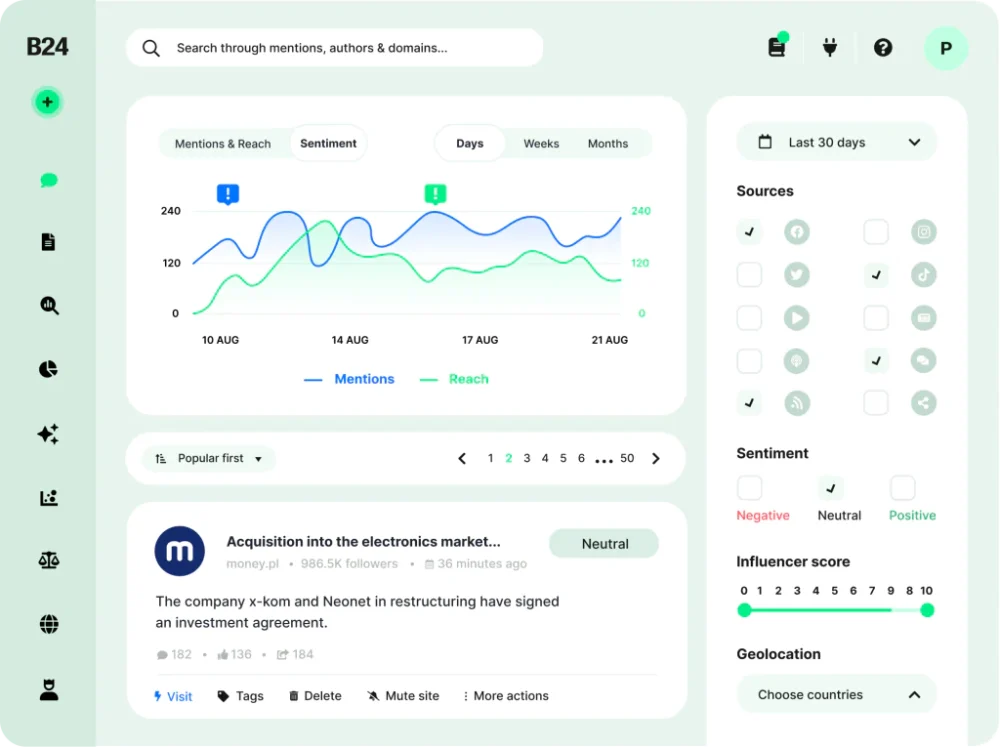
Brand24 is an effective method of monitoring your brand or product on the Internet. It is also a tool that measures the buzz around your brand, product or keyword.Brand24 provides real-time customer insights and actionable intelligence relevant to their products and brands. The web-based dashboard provides actionable customer insights, email alerts, influencer analysis, automated & customized PDF reports, infographics and many more. Brand24 allows you to measure key metrics around buzz and sentiment. Discover what people say about your brand & take action in real time. Engage discussions relevant to your business with one click of the mouse.Identify sudden changes…
• Mentions Feed
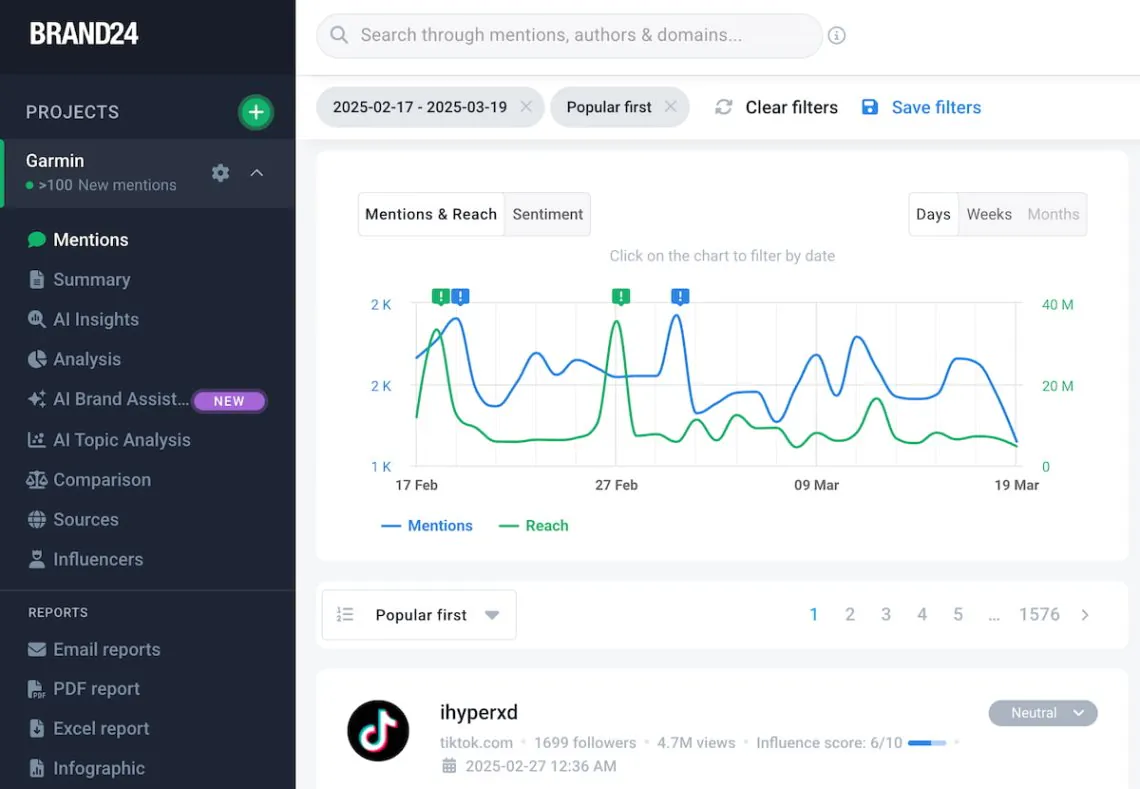
• Discussion Volume Chart
• Mention Analytics
• Influence Score
• Mention Analytics
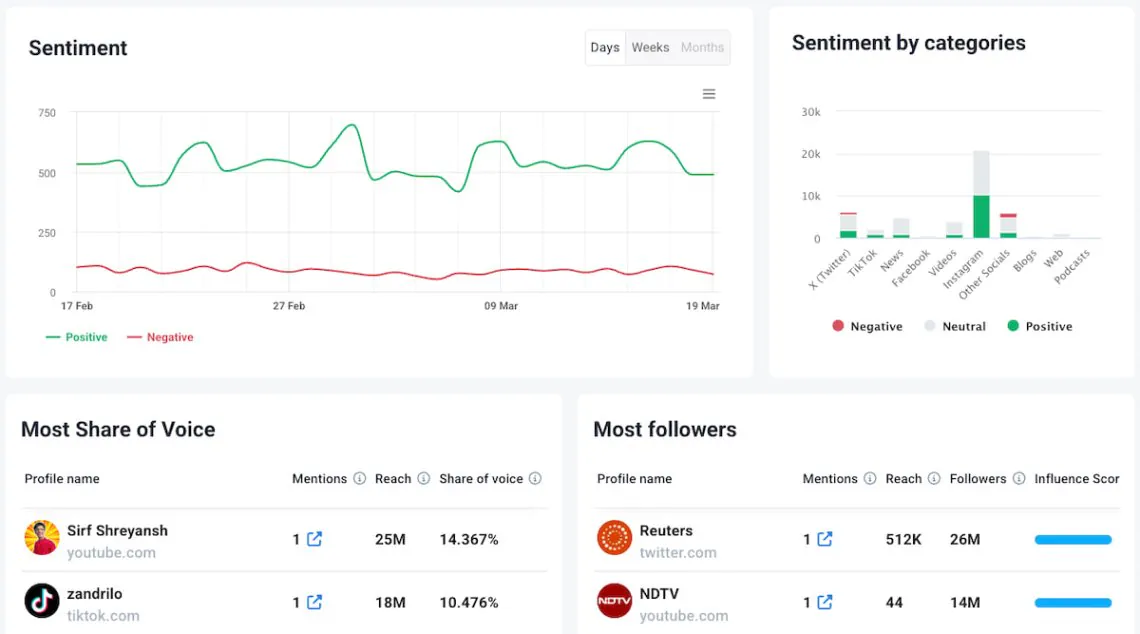
• Sentiment Analysis
• Plus - $49 per month
• Premium - $99 per month
• Max - $399 per month
• Discussion Volume Chart
• Mention Analytics
• Influence Score
• Identify people with the most social influence.
• React and engage quickly to real-time comments
• Group results related to specific topics, keywords and word-clouds.
Overall verdict: 8.7/10
Brand24 is a strong fit for teams that want fast setup, reliable alerting, and practical AI-assisted analysis without jumping immediately to
enterprise-only pricing. The clearest differentiators are:
- Transparent plan-based “freshness” (update frequency scales clearly by tier).
- Unlimited users on Team and above (helps cross-functional adoption without seat-math).
- Capacity designed around reality (projects, mentions/month, and data retention scale meaningfully by plan).
- Optional extensibility via paid API access and practical workflow routing (alerts into collaboration tools, reporting outputs).
Where Brand24 can frustrate buyers is also predictable:
mention caps can force upgrades faster than expected, “integrations” outside the core workflows can require custom work, and platform/API limitations
(especially on Meta properties and LinkedIn) can constrain what any third-party tool can legally collect. The right way to buy Brand24 is to model
the operational reality: keyword hygiene + mention volume + alerting discipline.
Best for: Marketing, PR/comms, agencies, and CX teams that need fast monitoring + actionable alerts and don’t want an enterprise-heavy listening platform on day one.
Not ideal for: Buyers who require deep, enterprise-grade research archives and bespoke consumer intelligence programs (Brandwatch/Meltwater territory), or teams expecting a “plug-and-play integration marketplace” for every destination system.
What this review covers
- What Brand24 is (and what it is not)
- Pricing tiers, limits, and which plan fits which use case
- Setup and onboarding (how to get signal fast)
- Core capabilities (monitoring, sentiment, alerts, reporting, competitor analysis)
- AI features (how to use them without over-trusting them)
- Integrations and automation (native + realistic “what teams actually do”)
- Performance, scalability, and security considerations
- User feedback patterns and buyer red flags
- Alternatives and when to choose each
- Final recommendations + FAQ (15 questions)
Brand24 overview and positioning
What Brand24 is
Brand24 is best understood as a keyword-based monitoring platform:
you create monitoring “projects” around queries (brand name, product name, competitor terms, campaign hashtags, executive names, industry topics),
and the platform surfaces matching public mentions and analysis in a workflow-friendly dashboard.
What Brand24 is not
- Not a publishing/scheduling suite (Hootsuite/Sprout/Buffer category).
- Not a journalist database or outreach platform (Cision/Muck Rack category).
- Not a survey/research panel tool (Qualtrics/Attest category).
Brand24 overlaps with these categories in reporting and insight outputs, but it wins when the core question is:
“What are people saying right now—and what should we do about it?”
Pricing and plans
Free trial
Brand24 offers a 14-day trial and explicitly states no credit card is required for the trial experience.
This matters because social listening tools cannot be evaluated honestly from a checklist—noise vs signal is category-specific, and you need your own
keyword set and your own mention volume to validate fit.
The plan limits that actually matter
Most buyers focus on “keywords,” but your day-to-day constraint is usually mentions per month and update frequency:
those determine whether Brand24 behaves like a retrospective reporting tool (slower updates) or an operational early-warning system (realtime).
Plan comparison table (publicly listed)
| Plan | Monthly billing | Annual billing (per month) | Projects | Keywords | Mentions / month | Users | Data retention | Update frequency |
|---|---|---|---|---|---|---|---|---|
| Individual | $199 | $149 | 1 | 3 | 2,000 | 1 | 3 months | Every 12 hours |
| Team | $299 | $249 | 5 | 7 | 10,000 | Unlimited | 1 year | Every hour |
| Pro | $399 | $299 | 10 | 12 | 40,000 | Unlimited | 2 years | Realtime updates |
| Business | $599 | $499 | 30 | 25 | 100,000 | Unlimited | 5 years | Realtime updates |
| Enterprise | Let’s talk | From $999 | Unlimited | 100+ | 1,000,000 | Unlimited | Up to 5 years | Realtime updates |
Interpretation (buyer lens):
If you need crisis-ready monitoring, the real decision hinge is “realtime vs delayed updates.”
For most teams doing reputation monitoring, competitor tracking, or campaign response, Pro is where Brand24 becomes operational (realtime updates + meaningfully higher mention caps).
Hidden costs and “gotchas” buyers should model
- Mentions/month is your real throttle.
Tracking broad terms or high-volume categories will burn mention caps quickly. Plan upgrades usually happen because volume grows, not because you “need another keyword.” - API access is a paid add-on.
Brand24 lists API access as an additional monthly cost. If you expect to push data into BI, build automations, or run a warehouse pipeline, budget for this early. - Feature packaging beyond the core can be add-on territory.
Brand24 positions Smart Context Search as an add-on—useful, but not always bundled depending on plan and configuration. - Platform data limits exist (category reality).
Social platforms restrict third-party data access via official APIs, especially on Meta properties and some LinkedIn scenarios. Validate the exact coverage you need during trial with Brand24’s help center and sales engineering (don’t assume “everything” is monitorable).
Which plan should you buy?
- Individual — only if you’re a solo operator and you accept that the tool is more “monitoring/reporting” than “rapid response” (12-hour updates).
- Team — the entry point where Brand24 becomes a shared operational tool (unlimited users + hourly updates).
- Pro — the default recommendation for most mid-market teams that need realtime awareness and enough mention capacity to survive campaigns.
- Business — for brands/agencies that run always-on monitoring, multiple markets, or multiple projects with meaningful monthly volume (and need long retention).
- Enterprise — when volume, governance, or multi-entity complexity requires a tailored package (and you want contractual terms aligned to risk).
Setup and onboarding
The first hour determines whether Brand24 becomes a daily habit or shelfware. The goal is to reach signal fast—and then tune for precision.
A practical “first day” setup checklist
- Create a project for your brand name and your most common product/service name.
- Add campaign terms (hashtags, slogans) if you’re actively running a campaign.
- Add competitor terms only after your own brand query is clean (competitor terms add noise fast).
- Use required/excluded keyword patterns if your brand term is ambiguous (this is the difference between intelligence and spam).
- Set alerts for spikes and high-impact mentions (don’t rely on logging into the dashboard).
- Define ownership: who triages PR risk? who routes CX complaints? who captures lead opportunities?
Where teams usually go wrong
- They track “the broad idea” instead of “the brand term.” Broad queries create noise and burn mention caps.
- They don’t set alert rules. Then someone checks Brand24 once a week and calls the tool “late.”
- They don’t define the response workflow. Monitoring without a playbook is just anxiety-as-a-service.
Core capabilities
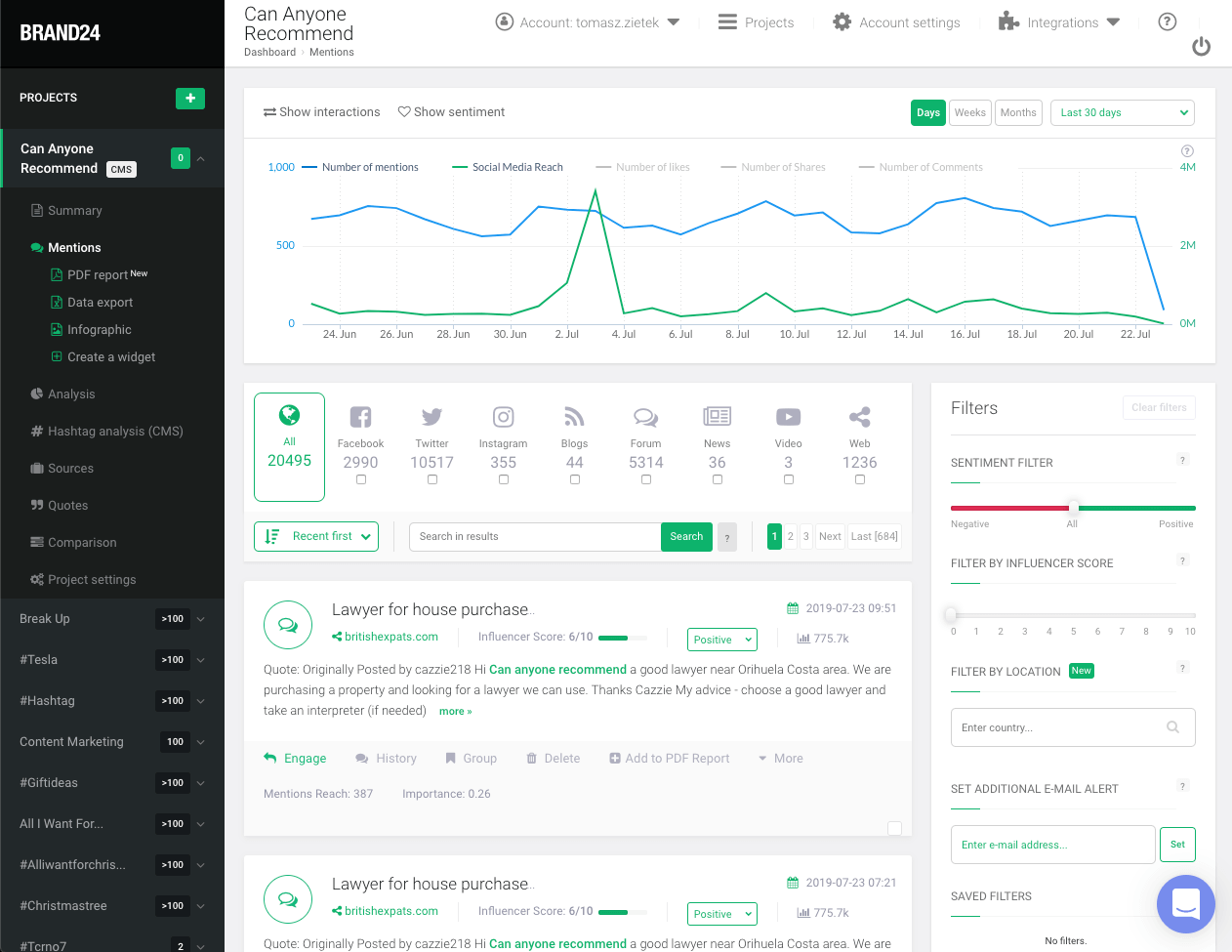
1) Mentions feed and triage
In practice, your primary surface is the mentions feed: a chronological stream where you quickly answer:
“What matters right now?” A good workflow is triage-first:
- Filter to high-impact sources and high-engagement posts
- Identify negative spikes, product complaints, misinformation, and influencer-driven narratives
- Escalate via your collaboration tool (and assign a real owner)
2) Sentiment analysis (useful, not perfect)
AI sentiment is valuable as a trend indicator, but it should not be treated as ground truth. The right usage pattern:
- Use sentiment to prioritize reading (e.g., “show negatives first”).
- Use sentiment to detect drift (slow-burn reputation decay).
- Manually review any high-impact or executive-facing items.
3) Alerts and “close-to-realtime” awareness
Brand24’s tiering makes it explicit whether you are operating in delayed updates or realtime monitoring.
If you need crisis response, you should treat realtime update tiers as a requirement, not a nice-to-have.
4) Reporting for stakeholders
Social listening reporting is not about charts—it’s about interpretation. A stakeholder report must answer:
- What changed vs last period?
- Why did it change (campaign, influencer mention, news cycle, product incident)?
- What actions do we recommend (and who owns them)?
5) Competitor monitoring and share-of-voice
Competitor analysis is usually best implemented as parallel projects (your brand vs competitor terms), then compared over consistent time windows.
The key is governance: competitor keywords are often ambiguous and can explode mention volume.
AI features: how to evaluate them realistically
AI is valuable when it shortens the “interpretation loop”
The best AI in social listening is not “writing summaries.” It’s reducing time-to-answer on questions like:
“Why did mentions spike?” and “What themes are dominating this week?”
A practical buyer test for Brand24 AI
- Run a monitoring project with 7–14 days of real data.
- Identify two spikes (one positive, one negative).
- Test whether AI insights/event-style analysis helps you explain the spike faster than manual review.
- Measure if your weekly reporting time drops (that’s the real ROI).
AI governance (what mature teams do)
- Define which reports are AI-assisted vs human-authored.
- Require human review for executive-facing briefs.
- Keep a playbook: “If negative spike happens, do X within Y minutes.”
Integrations and automation
Brand24’s highest-leverage integration strategy is simple:
Brand24 owns monitoring + analysis, then pushes the right signals into where your team already works.
Integration reality (what to plan for)
- Collaboration routing (Slack/Teams-style workflows) is usually the most valuable “integration,” because it changes response time.
- BI and data pipelines typically require API access or structured exports.
- No-code automation ecosystems can be excellent—but you should validate official support vs custom webhook patterns.
Practical integrations table (what teams actually wire up)
| Destination | What it’s used for | Typical effort | Buyer note |
|---|---|---|---|
| Slack / Teams | Route high-impact mentions and spikes to the right owners | Low–Medium | Most ROI comes from faster response, not more dashboards |
| Email reporting | Daily/weekly stakeholder reports | Low | Good for exec visibility; pair with human interpretation |
| Google Sheets | Lightweight tracking, tagging, and reporting logs | Medium | Useful when you need a “living log” for comms/CX |
| Looker Studio / Power BI | Combine listening metrics with web/ads/support data | Medium–High | Plan for consistent definitions and retention windows |
| Warehouse / internal tooling | Operational analytics, long-term analysis, custom models | High | Budget for API access if this is core to your strategy |
| PagerDuty / incident tooling | Escalate reputational crises like incidents | Medium–High | Best for regulated brands or always-on reputation risk |
Performance, scalability, and security considerations
Freshness: update frequency by plan
Brand24 is unusually direct about monitoring “freshness” by tier:
Individual is every 12 hours; Team is hourly; Pro and above are realtime.
If you have PR risk exposure, don’t treat “realtime” as a luxury feature.
Scalability model
Brand24 scales across dimensions that match real-world maturity:
projects (how many brands/topics), mentions/month (volume),
data retention (reporting horizon), and unlimited users (adoption).
Security expectations
For any reputation monitoring tool, buyers should validate security controls (2FA/SSO availability, data retention controls, access governance)
during procurement—especially if executive stakeholders consume reports. Use the trial to validate the operational controls and request security documentation as needed.
User reviews and market signal
Review portals should be treated as directional, not definitive—but they can help you forecast usability and support quality.
GetApp’s listing indicates Brand24 is highly rated overall and provides a pricing snapshot starting at the Individual tier.
How to interpret reviews intelligently
- Praise for usability and responsiveness is meaningful in this category—tools fail when no one checks them.
- Complaints about sentiment accuracy are normal; treat sentiment as a trend signal, not an oracle.
- Complaints about caps/limits should be translated into a forecast: “What will our mention volume be in 6–12 months?”
Alternatives and comparisons
The best alternative depends on what you’re optimizing for:
monitoring + workflows (Brand24’s strength) versus enterprise consumer intelligence depth (Brandwatch/Meltwater) versus social publishing + management (Sprout Social).
Practical alternatives shortlist
- Sprout Social — choose if publishing/engagement is your center of gravity and listening is secondary.
- Brandwatch — choose for enterprise consumer intelligence programs, deep analytics, large archives.
- Meltwater — choose for enterprise media monitoring + PR intelligence with tailored packages.
- Mention / Mentionlytics — choose if you want a different pricing model, UI approach, or SMB-focused listening alternative.
When Brand24 is the right call
- You want fast setup and operational alerting without enterprise complexity.
- You need cross-functional access (unlimited users on Team+ is meaningful).
- You need realtime monitoring without buying a full enterprise intelligence suite.
When you should evaluate elsewhere
- You need enterprise-grade long-horizon research programs and highly customized intelligence workflows.
- You require “turnkey” integrations to every tool in your stack and cannot support custom routing/exports.
- You expect full-fidelity access to all social data sources (platform API constraints will limit every vendor).
Final recommendation
If you’re buying Brand24, buy it like an operating system—not a dashboard:
- Start with clean keywords (required/excluded patterns if needed).
- Route alerts to where your team works (and define who owns responses).
- Model mention volume so you don’t get surprised by caps.
- Use AI to shorten reporting time, not to replace judgment.
For most growing teams, Pro is the “default” tier where Brand24 becomes operational (realtime updates + enough volume to handle campaigns).
Move to Business when monitoring becomes always-on, multi-market, or agency-style and data retention matters.
Brand24
Brand24 is an effective method of monitoring your brand or product on the Internet. It is also a tool that measures the buzz around your brand, product or keyword.Brand24 provides real-time customer insights and actionable intelligence relevant to their products and brands. The web-based dashboard provides actionable customer insights, email alerts, influencer analysis, automated & customized PDF reports, infographics and many more. Brand24 allows you to measure key metrics around buzz and sentiment. Discover what people say about your brand & take action in real time. Engage discussions relevant to your business with one click of the mouse.Identify sudden changes…
• Mentions Feed
• Discussion Volume Chart
• Mention Analytics
• Influence Score
• Mention Analytics
• Sentiment Analysis
• Plus - $49 per month
• Premium - $99 per month
• Max - $399 per month
• Discussion Volume Chart
• Mention Analytics
• Influence Score
• Identify people with the most social influence.
• React and engage quickly to real-time comments
• Group results related to specific topics, keywords and word-clouds.
FAQ (15 buyer-focused questions)
1) Does Brand24 offer a free trial?
Yes. Brand24 offers a 14-day trial and indicates no credit card is required.
2) What’s the biggest cost driver in Brand24?
For most teams, it’s mentions per month (volume). Keywords matter, but mention volume is what forces upgrades most often.
3) Which Brand24 plan is best for realtime monitoring?
Pro and above provide realtime updates; Individual and Team have delayed update cadences (12 hours / 1 hour).
4) Does Brand24 support unlimited users?
Yes—Team and above list unlimited users, which is unusually helpful for cross-functional adoption.
5) How many mentions per month do I get?
It depends on plan: Individual (2,000), Team (10,000), Pro (40,000), Business (100,000), Enterprise (1,000,000).
6) How many keywords can I monitor?
It depends on plan: Individual (3), Team (7), Pro (12), Business (25), Enterprise (100+).
7) What’s the difference between projects and keywords?
Projects are monitoring workspaces (often “Brand A,” “Competitor B,” “Campaign C”). Keywords are what you track within each project. In practice, mention volume is the harder constraint.
8) Does Brand24 have an API?
Yes, but Brand24 lists API access as a paid add-on (monthly). Budget for it if you expect BI pipelines or automations.
9) What is Smart Context Search?
Brand24 positions Smart Context Search as a faster way to extract signal from mentions; it’s referenced as an add-on in pricing.
10) Can Brand24 monitor Meta properties (Facebook/Instagram)?
Brand24 supports social monitoring, but Meta platform coverage is constrained by official API rules across the industry. Validate the specific coverage you need during trial and confirm against Brand24 documentation.
11) Can Brand24 monitor LinkedIn?
LinkedIn monitoring commonly involves permission constraints (e.g., organization access). Validate your use case during trial with Brand24 documentation and internal access owners.
12) Is Brand24 good for agencies?
Often yes—because projects, reporting, and unlimited users (Team+) align well with multi-client workflows. The main question is whether your clients’ mention volumes fit the plan caps.
13) Is Brand24 good for PR/crisis monitoring?
It can be—if you choose a tier with realtime updates (Pro+) and build a clear alert + escalation workflow.
14) What should I test during the 14-day trial?
Test three things with real data: (1) noise vs signal in your mentions feed, (2) whether alerts create action rather than spam,
and (3) whether AI insight features reduce reporting time and improve “why did this happen?” explanations.
15) What’s the fastest way to choose between Team vs Pro?
If monitoring is “weekly visibility,” Team can work (hourly updates). If monitoring is “operational awareness” or PR risk, Pro is the safer default (realtime updates + higher volume).








By clicking Sign In with Social Media, you agree to let PAT RESEARCH store, use and/or disclose your Social Media profile and email address in accordance with the PAT RESEARCH Privacy Policy and agree to the Terms of Use.